

Zoom - One Platform to Connect

1,000,000,000+
Installs
zoom.us
Developer
-
Business
Category
-
Rated for 12+
Content Rating
-
info@zoom.us
Developer Email
-
http://zoom.us/privacy/
Privacy Policy
Screenshots
editor reviews
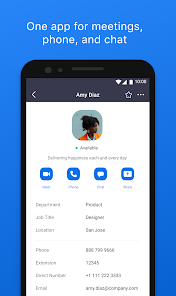
Zoom is a video conferencing app that covers everything from quick one-on-one calls to giant webinars with hundreds of people. It is a communication tool, really, and you use it mostly for meetings, classes, virtual hangouts, or remote work catch-ups. I first downloaded it from the App Store because I had to join a group project meeting, and honestly, I was expecting something clunky or overly corporate. But right after launching it, the first impression was that it felt surprisingly straightforward. There is no free version, so you have to sign up for a basic plan, and there are in-app purchases if you need longer meetings or more features, but the whole install and launch process took maybe a minute.
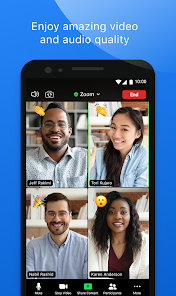
Once you get past the login screen, the actual hands-on experience is pretty smooth. The main interface is clean, with your meetings and upcoming schedule right there. To start a call, you just tap "New Meeting" and either send a link or let people join directly. The controls during a call are laid out at the bottom, so muting yourself, turning off the video, or pulling up chat is simple. I remember the first time I used the screen share feature, I was a bit confused because it shows your whole screen by default, but you can pick a specific window if you tap around a little. Small tip: you can change your background in the settings before a call so nobody sees your messy room. The virtual hand raise feature is handy for big groups, and the breakout rooms actually work decently for splitting into smaller discussions, though sometimes people get stuck and you have to manually bring them back.
After using Zoom for a while, I think it really shines for structured meetings or classes, but it might be overkill if you just want a quick chat with a friend. The free version cuts calls at 40 minutes, which gets annoying fast if you are having a deep conversation. Microsoft Teams is better if your company already uses Office 365, and FaceTime is easier for casual calls on Apple devices, but Zoom feels more flexible overall. I keep it installed because sometimes clients insist on it, but I have uninstalled it before when I had a break from work because the constant meeting notifications can get on your nerves. For a personal judgment, it is a solid tool, but not something I would use unless I really had to.
features
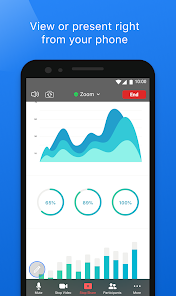
- 📹 Screen sharing is a core feature, and it is more flexible than Google Meet because you can share just a specific application instead of your entire desktop, which keeps your other tabs private.
- 🎥 Virtual backgrounds work better here compared to Microsoft Teams, as the edge detection is cleaner even with a simple webcam, and you can add custom images or video clips easily.
- 💬 Breakout rooms are a standout, since Google Meet does not have them built-in, and you can randomly or manually assign participants to smaller groups, then pull everyone back to the main session with one click.
- 🔇 The recording feature saves both video and chat transcript locally or to the cloud, which is more practical than Skype's limited recording options, and you can share the file directly after the call ends.
pros
- 👍 Ease of use is a big strength because setting up a meeting takes only a few taps, while apps like Google Meet sometimes require extra calendar steps.
- 👍 Participant capacity goes up to 100 on the free tier, which beats FaceTime's group limit of 32 people by a lot.
- 👍 Cross-platform availability is solid, as you can join from Windows, Mac, iOS, Android, and even dial in by phone, unlike Skype which can be glitchy on certain devices.
cons
- 👎 The 40-minute time limit on free calls is strict, so longer conversations get cut off abruptly, whereas Google Meet gives you 60 minutes for free users nowadays.
- 👎 Security concerns have come up in the past with Zoombombing incidents, and while they have added passwords and waiting rooms, it still feels less secure than Microsoft Teams' enterprise controls.
- 👎 Resource usage is high, so older laptops or phones lag noticeably during screen sharing, while apps like Skype handle low-spec devices more comfortably.
Recommended Apps
![]()
16Personalities
16Personalities4
![]()
Zodiac Palm Reader: MagicWay
Reatility Media4.6
![]()
Moblo - 3D furniture modeling
MYTIforge4.1![]()
Magnifier Plus with Flashlight
Digitalchemy, LLC4.6![]()
QR Code Scanner
QR Code Scanner & Barcode Reader4.7![]()
FalFal: Astrology, Tarot, Love
FalFal Team4.8![]()
Christmas Photo Frames
PhotoFramesApps4.6![]()
AI Video Art Creator - Livensa
FERASET4.5![]()
Horoscope of Birth
Denimaks4.4![]()
Make Me Bald Prank
AppTornado2.5![]()
Kling AI: AI Image&Video Maker
Lohas Games Pte. Ltd.4.4![]()
Japan Timetable & Route Search
NAVITIME JAPAN CO., LTD.4.3![]()
Prank Call & Funny Video
TeH Software0![]()
Parallax 3D Live Wallpapers
TarrySoft4.3![]()
AI Chatbot - Nova
ScaleUp4.7















Disclaimer
1.AppInfoLibrary does not represent any developer, nor is it the developer of any App or game.
2.AppInfoLibrary provide custom reviews of Apps written by our own reviewers, and detailed information of these Apps, such as developer contacts, ratings and screenshots.
3.All trademarks, registered trademarks, product names and company names or logos appearing on the site are the property of their respective owners.
4. AppInfoLibrary abides by the federal Digital Millennium Copyright Act (DMCA) by responding to notices of alleged infringement that complies with the DMCA and other applicable laws.
5.If you are the owner or copyright representative and want to delete your information, please contact us info@appinfolibrary.com.
6.All the information on this website is strictly observed all the terms and conditions of Google Ads Advertising policies and Google Unwanted Software policy .














