

Walloop - Live Wallpapers

10M+
Installs
Walloop
Developer
-
Productivity
Category
-
Rated for 12+
Content Rating
-
luzapplications@gmail.com
Developer Email
-
https://walloop.weebly.com/
Privacy Policy
Screenshots
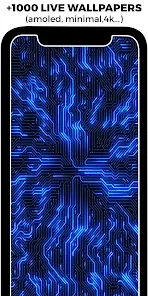

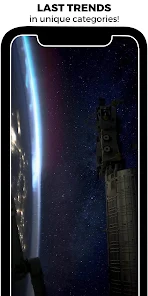
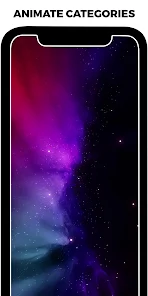
editor reviews
Walloop - Live Wallpapers is a personalization app that turns your phone's screen into something more lively. You browse through a large gallery of animated backgrounds, from abstract art and nature scenes to gaming themes and minimalist loops. The app is free to download from Google Play and has been installed over fifty million times, which honestly caught my attention before I even tried it. After launching it for the first time, I was greeted with a colorful grid of wallpapers with previews that play automatically. No account was required to start browsing, and the lack of an immediate paywall felt inviting for someone like me who just wanted to test a few backgrounds.
Using Walloop is pretty straightforward. You scroll through categories or search for something specific like "ocean" or "cyberpunk." Each wallpaper has a preview button that plays a short clip, and if you like it, just tap "Set Wallpaper" and it applies instantly to your home screen or lock screen. The interface felt smooth, though the number of ads popping up between downloads was a bit distracting at first. Still, moving from one wallpaper to another was quick, and the app lets you save favorites so you can rotate them later. One small tip I found useful is using the "My List" section to group a few wallpapers you like, so you don't have to scroll back through everything.
After using Walloop for a couple of weeks, I can see why so many people keep it installed. It's perfect if you like changing your phone's look often without spending money, since most wallpapers are free. The sheer variety means you rarely feel bored, but the constant ads do make the experience feel cheaper than some alternatives like KLWP or Muzei. Where Walloop wins is in simplicity — you don't need to learn any customization tools or edit anything. You just pick and apply. On the flip side, if you prefer a minimal or static wallpaper that doesn't drain battery, Walloop might not be your thing. I ended up keeping it because the rotating favorites feature lets me switch looks daily without opening the app each time.
features
- 🎨 Huge library of live wallpapers sorted into categories like nature, abstract, games, and anime. Unlike Zedge, which mixes wallpapers with ringtones, Walloop focuses purely on animated backgrounds, making browsing faster and more focused.
- ⚡ One-tap apply without needing extra launchers or permissions. Most live wallpaper apps require third-party tools to set backgrounds properly, but Walloop handles everything directly from the app.
- 📂 "My List" feature lets you save your favorite wallpapers and rotate them automatically. This is a standout because most free apps only allow manual switching, and the auto-rotation gives your screen a fresh feel without effort.
- 🔍 Search and filter options are surprisingly accurate. You can find wallpapers by resolution, style, or even color, which saves a lot of time compared to scrolling through endless grids like in Wallcraft.
pros
- 🌐 Massive user base means the wallpaper library keeps growing, with new uploads every week. Apps like Muzei rely on curated art sources, which can feel stale over time.
- 📱 Low storage footprint compared to other live wallpaper apps. Walloop doesn't cache massive previews, so you can save dozens of favorites without worrying about space.
- ⏱️ No account creation required. You can download and set wallpapers immediately, unlike some alternatives that force sign-ups before letting you use basic features.
cons
- 📺 Too many ads between downloads. Even after setting a wallpaper, the app often shows a full-screen ad before returning you to the gallery. KLWP and Muzei have far fewer interruptions.
- 🔄 Some wallpapers don't preview correctly on certain devices, especially on older Android versions. You might set a wallpaper only to find it looks stretched or lags on your home screen.
- 🔋 Battery drain is noticeable with complex animations. While Walloop has a "Battery Saver" mode, it still consumes more power than static or simple live wallpapers found in apps like Wallcraft.
- 🗑️ Quality inconsistency. Some wallpapers look stunning, while others appear blurry or poorly optimized, likely because users upload their own creations without strict moderation.
Recommended Apps
![]()
16Personalities
16Personalities4
![]()
Zodiac Palm Reader: MagicWay
Reatility Media4.6
![]()
Moblo - 3D furniture modeling
MYTIforge4.1![]()
Magnifier Plus with Flashlight
Digitalchemy, LLC4.6![]()
QR Code Scanner
QR Code Scanner & Barcode Reader4.7![]()
FalFal: Astrology, Tarot, Love
FalFal Team4.8![]()
Christmas Photo Frames
PhotoFramesApps4.6![]()
AI Video Art Creator - Livensa
FERASET4.5![]()
Horoscope of Birth
Denimaks4.4![]()
Make Me Bald Prank
AppTornado2.5![]()
Kling AI: AI Image&Video Maker
Lohas Games Pte. Ltd.4.4![]()
Japan Timetable & Route Search
NAVITIME JAPAN CO., LTD.4.3![]()
Prank Call & Funny Video
TeH Software0![]()
Parallax 3D Live Wallpapers
TarrySoft4.3![]()
AI Chatbot - Nova
ScaleUp4.7















Disclaimer
1.AppInfoLibrary does not represent any developer, nor is it the developer of any App or game.
2.AppInfoLibrary provide custom reviews of Apps written by our own reviewers, and detailed information of these Apps, such as developer contacts, ratings and screenshots.
3.All trademarks, registered trademarks, product names and company names or logos appearing on the site are the property of their respective owners.
4. AppInfoLibrary abides by the federal Digital Millennium Copyright Act (DMCA) by responding to notices of alleged infringement that complies with the DMCA and other applicable laws.
5.If you are the owner or copyright representative and want to delete your information, please contact us info@appinfolibrary.com.
6.All the information on this website is strictly observed all the terms and conditions of Google Ads Advertising policies and Google Unwanted Software policy .













