

16Personalities

100K+
Installs
16Personalities
Developer
-
Productivity
Category
-
Everyone
Content Rating
-
support@16personalities.com
Developer Email
-
https://www.16personalities.com/terms/privacy
Privacy Policy
Screenshots
editor reviews
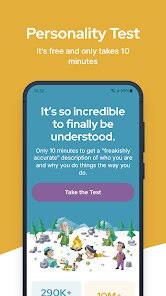
You've probably seen those four-letter personality codes floating around social media or workplace chats—that's the world of 16Personalities. This app is a personality assessment tool based on the Myers-Briggs Type Indicator (MBTI) framework, but with a modern, more casual spin. It's mainly used for self-discovery, understanding how you interact with others, and sometimes even for team-building at work. The first time I opened it on my phone, I was struck by how clean and colorful the interface felt—easier on the eyes than some of the more clinical personality tests I'd seen before. It's free to download on both Google Play and the App Store, with over 10 million installs, and you can jump into the core test right away without handing over any payment info. There are optional in-app purchases for extra reports and profiles, but the main experience doesn't shove ads in your face, which was a pleasant surprise. I didn't even need to create an account to take the test, though saving your results does require a quick sign-up.
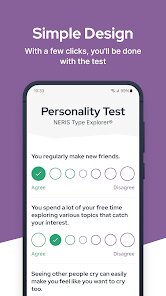
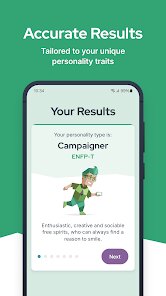
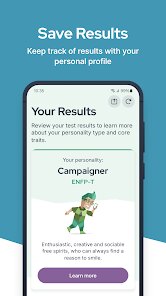
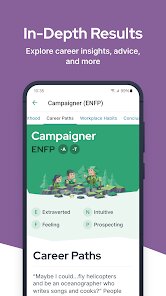
Going through the actual test was surprisingly smooth. The onboarding asks you to answer a series of statements, like “You often think about what could go wrong,” on a scale from “Agree” to “Disagree.” It took me around 12 minutes to finish, and I liked that I could pause and come back later without losing my progress. The interface is minimal—just a progress bar at the top and one statement per screen—so there's no distraction. After submitting, my results appeared as a neat card showing my type, strengths, and weaknesses. Tapping into the detailed breakdown, I found sections on career paths, relationships, and even study habits tailored to my “INTP” label. A small practical tip: if you're unsure about a statement, the “Neutral” option is available, but I found that forcing myself to pick a side gave me more accurate feedback. The only hiccup was that the app doesn't explain how your answers translate into traits, which left me curious about the scoring logic.
After using 16Personalities for a few weeks, I'd say it's genuinely helpful if you're new to MBTI or just want a light, self-reflective tool without a heavy psychological commitment. The app feels more approachable than something like the official MBTI certification materials, which can be expensive and dense. It's not for everyone though—if you already know your type inside out or want a deep dive into cognitive functions (like what you get from “Personality Hacker's” app), this might feel too surface-level. What sets it apart is the social aspect: you can share your profile with friends via a link and compare types, which makes it fun for group chats or casual team bonding. I ended up keeping it installed because the daily tip feature sends small, relevant insights to my notification bar, like “Try approaching conflicts with curiosity today,” which feels more thoughtful than the usual push notifications from other apps. But if you're someone who hates personality tests altogether, this won't change your mind.
features
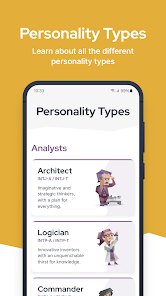
- 🔍 The personality test itself is the core draw, offering a detailed breakdown of your type across five main categories: mind, energy, nature, tactics, and identity. Compared to “Truity's” MBTI test, 16Personalities feels more streamlined—less text, fewer questions, but still pretty accurate for a quick read on your personality. What stands out is the way results are presented as colorful cards with growth tips, which makes the whole thing feel less like a clinical assessment and more like a friendly nudge toward self-awareness.
- 💬 The social sharing feature lets you create a shareable profile card and send it to friends or coworkers. Unlike “Myers-Briggs Type Indicator” official tools, which focus more on individual reports, 16Personalities turns the results into a conversation starter. You can tag types in group quizzes, compare compatibility, and even see famous people who share your type—a fun extra that keeps you coming back to check out new connections.
- 📊 The daily insights and tip system sends personalized advice to your phone based on your type, like “Try journaling about your feelings today” for INTPs. This is something “Personality Hacker's” app doesn't quite nail—they offer deep dives but lack the casual, daily push that keeps personality in your peripheral view. The tips are short, practical, and not overwhelming, which makes the app feel like a gentle companion rather than a textbook.
pros
- 🎨 The minimalist UI is a huge plus—clean, colorful, and easy to navigate without clutter. Other apps, like “Truity,” often overload you with tabs and advanced reports that can feel intimidating for a casual user. 16Personalities gets the visual balance right, making self-discovery feel light and accessible.
- 📱 It's fully free for the core test and basic results, with no mandatory sign-up. That's a big deal compared to something like “Personality Max,” which locks most insights behind a paywall. You can take the test, get your type, and even share it without spending a cent—rare in this category.
- 🤝 The community aspect is strong—you can compare types with friends and see compatibility scores. “Myers-Briggs” official tools don't offer this social layer at all, which makes 16Personalities feel more modern and group-friendly, perfect for team activities or casual chats.
cons
- 🕰️ The lack of cognitive function explanations is a real miss. For example, “MBTI Step I” or “Personality Hacker” goes deep into functions like Introverted Intuition, but 16Personalities just gives you surface-level trait summaries. If you're someone who wants to understand the “why” behind your results, you'll feel stuck.
- 📉 The test can feel repetitive after a while—some statements are worded too similarly, and retaking the test often yields the same type even if your mood changes. “Truity” handles this better by offering retakes with refreshed wording, so you don't feel like you're answering the same questions again.
- 📊 The scoring isn't transparent—you never see how your answers map to specific dimensions. “Personality Hacker” gives you a visual breakdown of your function scores, which is more informative. 16Personalities feels like a black box in that regard.
Recommended Apps
![]()
16Personalities
16Personalities4
![]()
Zodiac Palm Reader: MagicWay
Reatility Media4.6
![]()
Moblo - 3D furniture modeling
MYTIforge4.1![]()
Magnifier Plus with Flashlight
Digitalchemy, LLC4.6![]()
QR Code Scanner
QR Code Scanner & Barcode Reader4.7![]()
FalFal: Astrology, Tarot, Love
FalFal Team4.8![]()
Christmas Photo Frames
PhotoFramesApps4.6![]()
AI Video Art Creator - Livensa
FERASET4.5![]()
Horoscope of Birth
Denimaks4.4![]()
Make Me Bald Prank
AppTornado2.5![]()
Kling AI: AI Image&Video Maker
Lohas Games Pte. Ltd.4.4![]()
Japan Timetable & Route Search
NAVITIME JAPAN CO., LTD.4.3![]()
Prank Call & Funny Video
TeH Software0![]()
Parallax 3D Live Wallpapers
TarrySoft4.3![]()
AI Chatbot - Nova
ScaleUp4.7














Disclaimer
1.AppInfoLibrary does not represent any developer, nor is it the developer of any App or game.
2.AppInfoLibrary provide custom reviews of Apps written by our own reviewers, and detailed information of these Apps, such as developer contacts, ratings and screenshots.
3.All trademarks, registered trademarks, product names and company names or logos appearing on the site are the property of their respective owners.
4. AppInfoLibrary abides by the federal Digital Millennium Copyright Act (DMCA) by responding to notices of alleged infringement that complies with the DMCA and other applicable laws.
5.If you are the owner or copyright representative and want to delete your information, please contact us info@appinfolibrary.com.
6.All the information on this website is strictly observed all the terms and conditions of Google Ads Advertising policies and Google Unwanted Software policy .














