

PicsApp Photo Editor & Collage

50M+
Installs
Lyrebird Studio
Developer
-
Video Players & Editors
Category
-
Rated for 3+
Content Rating
-
lyrebirdstudio@gmail.com
Developer Email
-
https://lyrebirdstudio.net/privacy_policy.htm
Privacy Policy
Screenshots
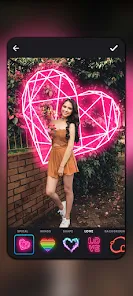
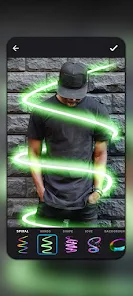
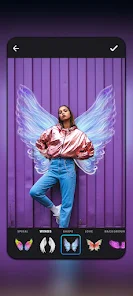
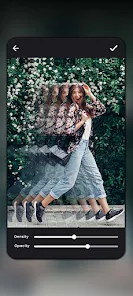
editor reviews
PicsApp Photo Editor & Collage is a photo editing and collage-making tool from Lyrebird Studio. It's one of those apps you quickly download when you need to edit a photo or throw together a few pictures before posting online. After launching it for the first time, the interface feels fairly clean and modern, with the main options like collage, edit, and camera right at the bottom. The install count seems decent, and the app is free to download, though there are some in-app purchases and ads that show up from time to time. You don't need to register to start using it, which is great when you just want to get something done quickly.
Once you start using PicsApp, the experience is mostly straightforward. The collage feature lets you choose from different grid layouts, and you can easily drag your photos into place. Editing tools are simple but cover the basics—cropping, adjusting brightness, applying filters, and adding text or stickers. The onboarding is minimal, so you can jump right into making edits. A small tip I found useful: if you tap and hold on a filter, you can preview it before applying, which saves some back-and-forth. The app runs smoothly most of the time, though there were a few moments when switching tools had a tiny delay. One thing that can get a bit annoying is the ads that pop up between steps, especially when you're trying to finish a collage quickly.
After using PicsApp for a while, I think it fits well for casual users who need a quick and easy photo editor without a steep learning curve. People who regularly post on social media and want to make simple edits or collages will probably find it useful. On the other hand, if you're someone who needs advanced editing features or layer-based adjustments, you might feel limited here. Compared to apps like PicsArt or Adobe Express, PicsApp feels more focused on basic tasks, which can be either a plus or a minus depending on what you want. The app is good for quick edits, but the frequent ads and the paywall for some features might make you consider other options if you edit photos often. Overall, it's the kind of app that stays installed for occasional use but might get uninstalled if ads start to feel too intrusive.
features
- 🎨 PicsApp comes with a simple but effective collage maker that includes various grid layouts. You can adjust borders, round corners, and change background colors. In comparison, Canva offers more creative freedom with templates, but PicsApp feels snappier for quick collages without the extra fluff.
- 📸 The editing tools are straightforward and cover the essentials like cropping, rotating, and applying filters. There's also a basic adjustment panel for brightness and contrast. PicsArt gives you more granular control, but for someone just brightening a photo before posting, PicsApp does the job without overwhelming you with options.
- 🖋️ Adding text and stickers is easy, and you can resize and rotate them freely. The sticker library is decent but not as extensive as what you'd find in Canva or PicsArt. However, the app's standout feature here is how quickly you can add and position elements without dealing with cluttered menus.
pros
- 👍 The interface is really clean and easy to navigate compared to apps like PicsArt, which can feel cluttered with all the tools and ads. You don't need to hunt around for basic features.
- 👍 No registration required to start using the app. That's a big plus compared to Adobe Express, which pushes you to sign in before doing almost anything useful.
- 👍 Performance is smooth for basic tasks. Applying filters or cropping photos happens almost instantly, and the app doesn't drain your battery as much as some heavier editors do.
cons
- 👎 There are a fair number of ads, and they pop up between actions more than in comparable apps like Snapseed. It interrupts the flow when you're trying to finish an edit quickly.
- 👎 The sticker and text options feel limited compared to PicsArt. You might find yourself missing some basic shapes or fonts that other apps include for free.
- 👎 Advanced editing features are locked behind a paywall. While the free version is usable, if you want to remove backgrounds or access more filters, you'll need to pay, whereas Snapseed gives you most of these tools without any cost.
Recommended Apps
![]()
16Personalities
16Personalities4
![]()
Zodiac Palm Reader: MagicWay
Reatility Media4.6
![]()
Moblo - 3D furniture modeling
MYTIforge4.1![]()
Magnifier Plus with Flashlight
Digitalchemy, LLC4.6![]()
QR Code Scanner
QR Code Scanner & Barcode Reader4.7![]()
FalFal: Astrology, Tarot, Love
FalFal Team4.8![]()
Christmas Photo Frames
PhotoFramesApps4.6![]()
AI Video Art Creator - Livensa
FERASET4.5![]()
Horoscope of Birth
Denimaks4.4![]()
Make Me Bald Prank
AppTornado2.5![]()
Kling AI: AI Image&Video Maker
Lohas Games Pte. Ltd.4.4![]()
Japan Timetable & Route Search
NAVITIME JAPAN CO., LTD.4.3![]()
Prank Call & Funny Video
TeH Software0![]()
Parallax 3D Live Wallpapers
TarrySoft4.3![]()
AI Chatbot - Nova
ScaleUp4.7















Disclaimer
1.AppInfoLibrary does not represent any developer, nor is it the developer of any App or game.
2.AppInfoLibrary provide custom reviews of Apps written by our own reviewers, and detailed information of these Apps, such as developer contacts, ratings and screenshots.
3.All trademarks, registered trademarks, product names and company names or logos appearing on the site are the property of their respective owners.
4. AppInfoLibrary abides by the federal Digital Millennium Copyright Act (DMCA) by responding to notices of alleged infringement that complies with the DMCA and other applicable laws.
5.If you are the owner or copyright representative and want to delete your information, please contact us info@appinfolibrary.com.
6.All the information on this website is strictly observed all the terms and conditions of Google Ads Advertising policies and Google Unwanted Software policy .













