

Prank Call & Funny Video

1M+
Installs
TeH Software
Developer
-
Entertainment
Category
-
Teen
Content Rating
-
cuong.sdvl@gmail.com
Developer Email
-
https://sites.google.com/view/tung-tung-sahur-prank-call
Privacy Policy
Screenshots
editor reviews
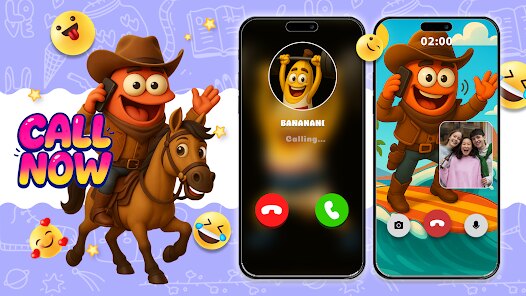
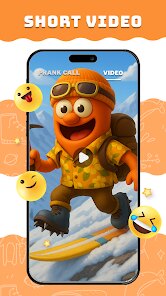
Prank Call & Funny Video is a novelty app that turns your phone into a prank-calling tool and a quick video editor for silly clips. It sits in the entertainment and humor category, meant for people who want to mess with friends or family in a lighthearted way. When I first heard about it, I figured it was just another one of those prank apps you download on a whim from Google Play, laugh at for five minutes, and then forget about. After installing it for free (no registration needed upfront), I was honestly surprised by how many different prank call scenarios were packed inside. The first launch shows you a pretty plain interface, nothing flashy, but it gets the job done. You can see right away that the app is built around two main things: fake incoming calls that look real, and a basic video editor to stitch together your prank reactions. There are also some in-app purchases if you want to unlock extra sound packs or remove ads, but the free version already gives you plenty to play with.
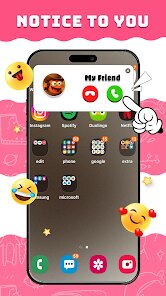
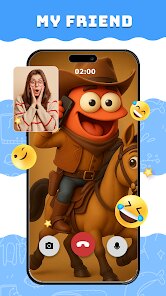
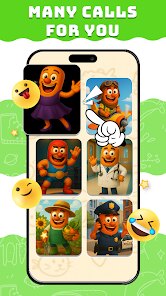
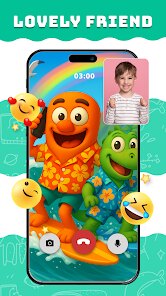
The actual hands-on experience felt a bit clunky at first, but once you figure out the flow, it becomes pretty straightforward. You pick a prank scenario from a long list like a fake boss calling or a made-up emergency, and the app simulates a real incoming call with a contact name and a profile picture you can customize. The call screen looks just like a normal phone call, so if you hand your phone to someone, they will likely fall for it. After the call, you can record their reaction using the in-app camera and then jump into the video editor to trim clips, add text, or overlay some goofy sound effects. The editing tools are pretty basic, nothing like CapCut or InShot, but they work fine for a 30-second prank video. One small tip that saved me some frustration: make sure to test the prank call audio beforehand, some of the pre-recorded voices sound a bit robotic if your phone volume is low. The app also lets you schedule prank calls for later, which is a nice touch if you want to set one up and then hand the phone over innocently.
After messing around with it for a few days, I think this app is perfect for teenagers or anyone who enjoys dumb but harmless jokes with close friends. It is not something you would use every day, but it can be a fun conversation starter at a party or a sleepover. Compared to similar prank apps like Prank Caller or Fake Call from Girlfriend, this one stands out because it actually bundles the video recording and editing into one package, so you don't have to switch between apps to capture the reaction. However, the video editor is noticeably weaker than those standalone editing apps, so if you care about polish, you might end up exporting the clip and editing elsewhere. I could see myself keeping it installed for the occasional laugh, but I can also imagine someone uninstalling it after a week once the novelty wears off. If you want a quick giggle and don't mind a rough-around-the-edges interface, this app delivers what it promises.
features
- 📞 The fake call system is surprisingly convincing. The app uses your own contact list to generate a realistic incoming call screen, complete with caller ID and a custom photo. You can choose from dozens of pre-recorded scenarios like a fake police call or a pretend breakup. Compared to Prank Dial, which only offers text-based pranks, this one actually mimics a live phone call, making it much harder for the victim to suspect anything.
- 🎬 The built-in video editor is a real time-saver. Instead of recording a reaction with your phone's camera and then importing it into a separate editor, everything stays inside the app. You can trim the clip, add goofy stickers, and overlay cheesy sound effects right after the prank. While it is no match for KineMaster in terms of advanced features, it keeps the workflow simple for a quick laugh.
- ⏰ The scheduled prank feature is a clever bonus. You can set a fake call to trigger at a specific time later in the day, which is perfect for pranking someone without looking suspicious. Most competing apps like Prankster require you to initiate the call manually, so this extra layer of deception adds a nice tactical advantage.
pros
- ✅ Straightforward and no-nonsense setup. Unlike Fake Call Master which buries options in nested menus, Prank Call & Funny Video puts the main prank types right on the home screen. You can start a prank in under ten seconds, which matters when the moment is right.
- ✅ Good variety of prank scenarios. There are over 50 pre-loaded scripts covering everything from awkward romantic calls to urgent work messages. Apps like Prank Caller Free only offer around 20, so this gives you more mileage before repetition sets in.
- ✅ Low barrier to entry. No account creation is needed, no permissions are forced beyond the obvious ones (mic, camera, contacts). You download it, open it, and it works. That is refreshing compared to apps that try to push a subscription before you even see the main screen.
cons
- ❌ The video editor is too basic for serious use. You cannot adjust brightness, add transitions, or fine-tune audio levels. Apps like YouCut allow far more control, so if you want the reaction video to look polished, you will have to export the raw clip and edit elsewhere.
- ❌ Some pre-recorded voices sound unnatural. A few of the scenarios use text-to-speech instead of real voice actors, which can break the illusion if the victim listens carefully. Prankster Pro uses better voice recordings, but it costs money upfront.
- ❌ Ads can interrupt the flow. After finishing a prank call, a full-screen video ad often pops up before you can start recording the reaction. That moment of lag can kill the spontaneous laughter. Free alternatives like Prank Dial have fewer ad interruptions.
Recommended Apps
![]()
16Personalities
16Personalities4
![]()
Zodiac Palm Reader: MagicWay
Reatility Media4.6
![]()
Moblo - 3D furniture modeling
MYTIforge4.1![]()
Magnifier Plus with Flashlight
Digitalchemy, LLC4.6![]()
QR Code Scanner
QR Code Scanner & Barcode Reader4.7![]()
FalFal: Astrology, Tarot, Love
FalFal Team4.8![]()
Christmas Photo Frames
PhotoFramesApps4.6![]()
AI Video Art Creator - Livensa
FERASET4.5![]()
Horoscope of Birth
Denimaks4.4![]()
Make Me Bald Prank
AppTornado2.5![]()
Kling AI: AI Image&Video Maker
Lohas Games Pte. Ltd.4.4![]()
Japan Timetable & Route Search
NAVITIME JAPAN CO., LTD.4.3![]()
Prank Call & Funny Video
TeH Software0![]()
Parallax 3D Live Wallpapers
TarrySoft4.3![]()
AI Chatbot - Nova
ScaleUp4.7














Disclaimer
1.AppInfoLibrary does not represent any developer, nor is it the developer of any App or game.
2.AppInfoLibrary provide custom reviews of Apps written by our own reviewers, and detailed information of these Apps, such as developer contacts, ratings and screenshots.
3.All trademarks, registered trademarks, product names and company names or logos appearing on the site are the property of their respective owners.
4. AppInfoLibrary abides by the federal Digital Millennium Copyright Act (DMCA) by responding to notices of alleged infringement that complies with the DMCA and other applicable laws.
5.If you are the owner or copyright representative and want to delete your information, please contact us info@appinfolibrary.com.
6.All the information on this website is strictly observed all the terms and conditions of Google Ads Advertising policies and Google Unwanted Software policy .














