

Kling AI: AI Image&Video Maker

10M+
Installs
Lohas Games Pte. Ltd.
Developer
-
Generative AI
Category
-
Teen
Content Rating
-
kling@kuaishou.com
Developer Email
-
https://klingai.com/docs/privacy-policy
Privacy Policy
Screenshots
editor reviews
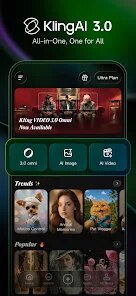
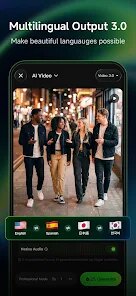
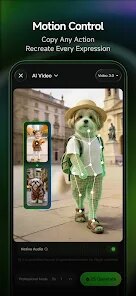
Kling AI is a media generation app that lets you turn text prompts into images and short video clips. It belongs to the growing category of generative AI tools for creatives, marketers, and casual experimenters. You can use it to create anything from concept art to quick animated scenes just by typing a description. I downloaded it from Google Play because I was curious about how well an on-device AI could handle video creation, and the install count looked solid, though I did not check the exact number. It was free to download and launch, with no forced registration at first. Opening the app for the first time felt surprisingly straightforward. A clean layout appeared with a single text box and a few mode options. No clutter, no tutorial wall. That immediate simplicity made me want to try a prompt right away rather than fiddle with settings.
After launching Kling AI, I typed in a short scene description. The app processed it within a few seconds and generated a decent-looking image. Then I tried the video mode, which took a bit longer but produced a smooth short clip. The interface keeps things minimal, with tabs for image and video modes, a history section, and a few style presets like realistic or anime. Onboarding is essentially nonexistent. You just start typing. I found the image quality good for quick mockups, though some details looked a bit soft. The video output was more impressive, with natural motion that did not feel jerky. One small tip I picked up is that shorter prompts tend to yield faster results, and adding too many descriptors sometimes confuses the model. I did run into a few moments where the app froze briefly after generating, especially with longer videos, but it recovered without crashing.
After using Kling AI for a few days, I think it is a solid choice for people who need rapid visual ideas without diving into complex software. Artists or designers might use it for brainstorming, and social media creators could generate quick background clips. On the other hand, if you need high-resolution, polished output for professional work, this app may not cut it yet. What sets Kling AI apart from similar tools like Pika or Runway is its straightforward mobile experience and lack of a steep learning curve. But it lags behind in resolution and consistency, especially when compared to desktop-first platforms. I kept it installed because it is handy for quick experiments, but I could see someone uninstalling it if they rarely need AI-generated visuals or prefer tools with more fine-grained control.
features
- 🖼️ Text-to-image and video from one interface. Unlike Runway, which requires separate modes, Kling AI keeps everything in a single workflow, making it faster to switch between stills and clips.
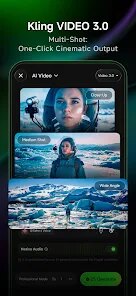
- 🎬 Short video generation with natural motion. The motion quality is smoother than what I have seen from Pika's mobile version. Shadows and transitions look less robotic, though resolution stays capped at a lower level.
- ⚡ Quick processing on mobile. The app handles prompts faster than many competitors on the same hardware. You get results in seconds for images and under a minute for short videos, which beats waiting on cloud-based tools.
- 📱 Minimalist design with no forced sign-up. You can start creating without creating an account. This lowers the barrier compared to platforms like Leonardo AI, which pushes registration early on.
pros
- 🛠️ Speed and simplicity win here. Compared to Midjourney's web interface, which requires Discord navigation, Kling AI delivers a smoother mobile experience. You open, type, and generate without extra steps.
- 🆓 Free tier is generous. Unlike many apps that limit you to a handful of generations, Kling AI offers a decent number of free runs per day. This beats apps like DreamStudio, which lock advanced features behind a paywall quickly.
- 🎨 Style presets work reliably. The anime and realistic modes produce consistent results. I found this more predictable than DALL-E 3's mobile implementation, which sometimes ignores style instructions.
cons
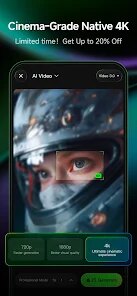
- 🔻 Resolution is underwhelming for print. The output maxes out at 1080p for video and lower for images. Compared to Runway's HD export, this feels limiting for anyone needing crisp assets.
- 🔻 Occasional freezing during longer videos. When generating clips over five seconds, the app sometimes stalls. Pika handles similar lengths more consistently on the same device.
- 🔻 Limited editing after generation. You cannot tweak details once the output is made. Tools like Leonardo AI let you refine parts later, but Kling AI requires a new prompt to fix mistakes.
- 🔻 No offline mode and no background generation. You must stay on the app while it processes. Competitors like Stable Diffusion on mobile allow offline use, which Kling AI does not support yet.
Recommended Apps
![]()
16Personalities
16Personalities4
![]()
Zodiac Palm Reader: MagicWay
Reatility Media4.6
![]()
Moblo - 3D furniture modeling
MYTIforge4.1![]()
Magnifier Plus with Flashlight
Digitalchemy, LLC4.6![]()
QR Code Scanner
QR Code Scanner & Barcode Reader4.7![]()
FalFal: Astrology, Tarot, Love
FalFal Team4.8![]()
Christmas Photo Frames
PhotoFramesApps4.6![]()
AI Video Art Creator - Livensa
FERASET4.5![]()
Horoscope of Birth
Denimaks4.4![]()
Make Me Bald Prank
AppTornado2.5![]()
Kling AI: AI Image&Video Maker
Lohas Games Pte. Ltd.4.4![]()
Japan Timetable & Route Search
NAVITIME JAPAN CO., LTD.4.3![]()
Prank Call & Funny Video
TeH Software0![]()
Parallax 3D Live Wallpapers
TarrySoft4.3![]()
AI Chatbot - Nova
ScaleUp4.7














Disclaimer
1.AppInfoLibrary does not represent any developer, nor is it the developer of any App or game.
2.AppInfoLibrary provide custom reviews of Apps written by our own reviewers, and detailed information of these Apps, such as developer contacts, ratings and screenshots.
3.All trademarks, registered trademarks, product names and company names or logos appearing on the site are the property of their respective owners.
4. AppInfoLibrary abides by the federal Digital Millennium Copyright Act (DMCA) by responding to notices of alleged infringement that complies with the DMCA and other applicable laws.
5.If you are the owner or copyright representative and want to delete your information, please contact us info@appinfolibrary.com.
6.All the information on this website is strictly observed all the terms and conditions of Google Ads Advertising policies and Google Unwanted Software policy .














