
Wallpaper 4K, HD – Wallcraft

100,000,000+
Installs
Nebuchadnezzar DOO
Developer
-
Productivity
Category
-
Rated for 3+
Content Rating
-
android-support@wallpaperscraft.com
Developer Email
-
https://volkraft.com/privacy_policy
Privacy Policy
Screenshots
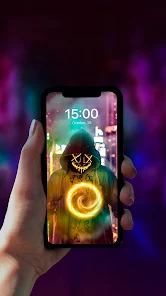
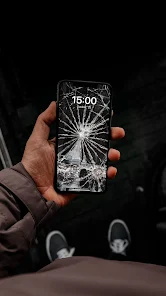
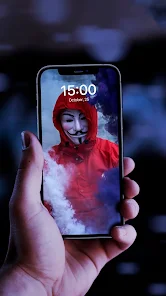
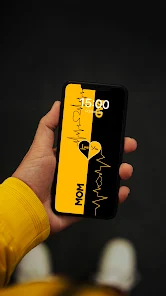
editor reviews
I've been using Wallpaper 4K, HD – Wallcraft for a little while now, and honestly, it's one of those wallpaper apps that actually delivers on what it promises. It's a dedicated wallpaper app built for Android, developed by Nebuchadnezzar DOO, and it's available on Google Play. You can download and install it for free, and based on what I saw, it has over 10 million downloads, which already tells you something about its popularity. When you first launch the app, the initial impression is pretty solid — the layout is clean, the thumbnails load fast, and it doesn't throw a mountain of ads in your face right away. You don't even need to register or sign up to browse or download wallpapers, which is a huge plus for someone like me who hates creating accounts just to test an app. There are in-app purchases and optional ads, but the free experience doesn't feel crippled.
Once you start actually using it, the app feels smooth and intuitive. The onboarding is straightforward: you open it, and you're immediately greeted with a grid of high-quality wallpapers. You can swipe through categories like Abstract, Nature, Dark, Minimalist, or simply search for something specific. Tapping a wallpaper brings up a full preview, and from there you can set it as your home screen, lock screen, or both with one tap. I also noticed that you can download the image directly to your gallery if you want to keep it for later. One thing that stood out to me is that the app doesn't just dump low-res images on you — most wallpapers are labeled with their resolution, and you can filter by 4K or HD. The only slightly confusing moment I had was when I tried to download a wallpaper and it prompted me to watch an ad first, but that only happened after a few free downloads, which is fair. A small tip: if you favorite a wallpaper, it gets saved in a separate tab so you don't lose track of the ones you liked.
After using Wallcraft for a couple of weeks, I can see who'd enjoy it and who might not need it. If you're someone who likes to change your wallpaper frequently and you care about image quality, this app is a solid choice. It stands out from apps like Zedge or Backdrops because it focuses more on resolution and variety rather than ringtones or widgets. The wallpapers here feel more polished and less cluttered with random content. That said, if you're the type of person who sets a wallpaper once and never changes it, you probably don't need this app. What makes me want to keep it installed is how easy it is to browse and apply wallpapers without being bombarded by ads every two seconds. I can see myself uninstalling it only if I stop caring about customization, but for now, it's staying on my phone.
features
- 🖼️ The wallpaper quality is noticeably better than most apps. While Zedge offers a mix of wallpapers and ringtones, Wallcraft focuses purely on high-resolution images. You can filter by 4K or HD, and the app actually displays the resolution below each thumbnail, so you know what you're getting before you tap. Most apps just throw an image at you and hope it looks good on your screen — here, it feels more deliberate.
- 🖼️ The categorization is more refined than what I've seen in Backdrops. Sure, Backdrops has curated collections, but Wallcraft lets you dig into specific niches like Cyberpunk or Neon. You can also sort by color, orientation (portrait or landscape), and even aspect ratio. That kind of granularity makes it easier to find exactly what fits your home screen without endless scrolling.
- 🖼️ The download and apply process is extremely smooth. Unlike some apps where you have to jump through hoops — like Pexels where you're pushed to sign up — Wallcraft lets you set a wallpaper directly from the preview screen with a single tap. You can choose to apply it to the home screen, lock screen, or both. It also saves the image to your device automatically, which is great if you want to keep a collection.
- 🖼️ There's no forced registration. A lot of wallpaper apps, like Walli, require you to create an account or log in with Google before you can download anything. Wallcraft doesn't do that. You can browse, download, and apply wallpapers completely anonymously. The only thing you might encounter is an optional ad after a few free downloads, but that's a minor trade-off for not having to hand over your email.
pros
- ✅ The biggest strength is the sheer variety of resolutions. Unlike Zedge, which often compresses images to save space, Wallcraft preserves the original quality, and you can filter by 4K or specific HD resolutions. If you have a flagship phone with a high-res display, this makes a visible difference.
- ✅ The interface is minimal and distraction-free. Compared to Backdrops, where the app sometimes feels like it's pushing premium packs, Wallcraft doesn't aggressively advertise its in-app purchases. You see wallpapers first, ads second. That alone makes it more pleasant to use daily.
- ✅ The offline download option is a huge plus. You can save wallpapers to your device gallery and apply them later without needing an internet connection. Apps like Pexels don't always allow that — they often require you to stay online to use their content.
- ✅ The app updates its library frequently. I noticed new wallpapers appearing every few days, which keeps the collection fresh. With Zedge, you often see the same wallpapers for months, so Wallcraft's rotation feels more dynamic.
cons
- ❌ The ad frequency after a few downloads is a bit annoying. You get around 5-10 free downloads without ads, but after that, every download prompts a 5-second video ad. Zedge does this too, but at least Zedge lets you skip faster. Wallcraft's ads feel a bit more intrusive.
- ❌ There's no community upload option. Unlike Backdrops, where artists submit their own work, Wallcraft seems to rely on a curated library. This means you won't find as many unique or artistic wallpapers — it's more about quantity and resolution than originality.
- ❌ The search function isn't great. When I typed “ocean,” it returned a mix of ocean, abstract waves, and even some space wallpapers. Compared to Walli, which has a much cleaner tag-based search, Wallcraft's search feels a bit loose and sometimes irrelevant.
- ❌ There's no option to set a daily wallpaper automatically. Some apps like Muzei let you cycle through wallpapers automatically, but Wallcraft doesn't have that feature. You have to manually pick and apply each one, which is fine if you want control, but not great if you prefer automation.
Recommended Apps
![]()
16Personalities
16Personalities4
![]()
Zodiac Palm Reader: MagicWay
Reatility Media4.6
![]()
Moblo - 3D furniture modeling
MYTIforge4.1![]()
Magnifier Plus with Flashlight
Digitalchemy, LLC4.6![]()
QR Code Scanner
QR Code Scanner & Barcode Reader4.7![]()
FalFal: Astrology, Tarot, Love
FalFal Team4.8![]()
Christmas Photo Frames
PhotoFramesApps4.6![]()
AI Video Art Creator - Livensa
FERASET4.5![]()
Horoscope of Birth
Denimaks4.4![]()
Make Me Bald Prank
AppTornado2.5![]()
Kling AI: AI Image&Video Maker
Lohas Games Pte. Ltd.4.4![]()
Japan Timetable & Route Search
NAVITIME JAPAN CO., LTD.4.3![]()
Prank Call & Funny Video
TeH Software0![]()
Parallax 3D Live Wallpapers
TarrySoft4.3![]()
AI Chatbot - Nova
ScaleUp4.7















Disclaimer
1.AppInfoLibrary does not represent any developer, nor is it the developer of any App or game.
2.AppInfoLibrary provide custom reviews of Apps written by our own reviewers, and detailed information of these Apps, such as developer contacts, ratings and screenshots.
3.All trademarks, registered trademarks, product names and company names or logos appearing on the site are the property of their respective owners.
4. AppInfoLibrary abides by the federal Digital Millennium Copyright Act (DMCA) by responding to notices of alleged infringement that complies with the DMCA and other applicable laws.
5.If you are the owner or copyright representative and want to delete your information, please contact us info@appinfolibrary.com.
6.All the information on this website is strictly observed all the terms and conditions of Google Ads Advertising policies and Google Unwanted Software policy .














