

BitMind: AI Detector & Creator

100K+
Installs
BitMindAI
Developer
-
Productivity
Category
-
Mature 17+
Content Rating
-
admin@bitmind.ai
Developer Email
-
https://bitmind.ai/privacy
Privacy Policy
Screenshots

editor reviews
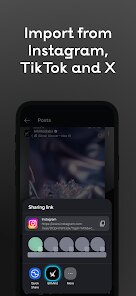
BitMind is an AI-powered tool that detects artificial intelligence-generated content and also lets you create your own AI images and text. It lives in the no-mans-land between detection utilities and generative creativity, which is a pretty interesting spot for an app to occupy. I first heard about it when I was trying to verify whether a piece of work was actually written by a human or churned out by a large language model. The install process was straightforward from both Google Play and the App Store, and its download count sits at a decent level for a niche utility. Opening it for the first time, the clean interface and lack of immediate paywalls made a good first impression. You dont need to register right away to get a sense of what it does, which I appreciated. It offers in-app purchases for advanced features, but the free version is functional enough for casual users like me, and there are no unbearable ads popping up every few seconds.
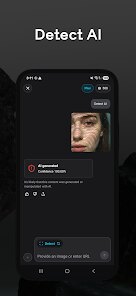
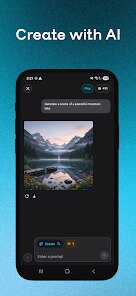
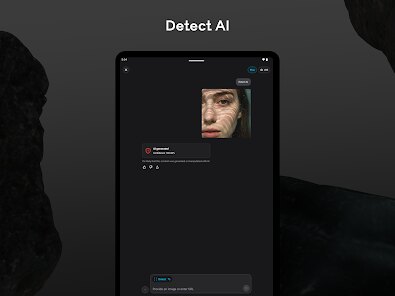
After I got past the initial setup, the actual hands-on experience felt smooth but not mind-blowing. The main screen shows two clear buttons: Detection and Creation. For detection, you can paste text or upload an image, and the app analyzes it against its trained model. It returns a confidence score and highlights regions it suspects are AI-made. Onboarding was quick, just a short guide and then you are free to test things. The creation side lets you generate images from prompts, which is fun but nothing revolutionary. I found myself mostly using the detector feature during work, pasting student essays or marketing copy to see if anything felt off. One small tip: the app works better with longer text samples; single sentences often produce ambiguous results. The interface did occasionally lag when processing high-resolution images, but it never crashed on me. The steps are simple: pick a mode, input your content, tap analyze or generate, and wait a moment for results.
After using BitMind for a couple of weeks, I think it is a solid tool for people who regularly need to spot AI-written content, like teachers, editors, or content managers. If you are just curious and dont deal with AI content much, it might not stay on your phone for long. What sets it apart from similar detectors like GPTZero or Originality.ai is its dual functionality. Most detectors stick to just detecting, but having a built-in creator lets you test how AI actually produces things, which gives context to the detection results. Still, the detection accuracy isnt flawless, especially with newer AI models that mimic human writing better. I could see myself keeping it installed because it fills a specific need, but if you already have a solid web-based tool, the app form factor might not feel necessary. Its a fair, practical app that does what it says, just not with perfect precision.
features
- 🔍 Detection Mode: BitMind lets you paste text or upload images to check if they are AI-generated. It gives a confidence percentage and highlights problematic areas. Compared to GPTZero, which focuses mainly on text, BitMind also handles images, making it more versatile for mixed content.
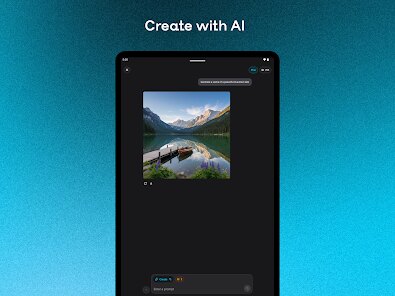
- 🎨 Creator Mode: You can generate AI images and text directly within the app using simple prompts. This is not a standout feature compared to dedicated generators like DALL-E or Midjourney, but as a bonus in a detection app, it adds value for users who want to experiment and learn how AI produces content.
- 📊 Confidence Scoring: The app provides detailed breakdowns per section of your text, not just a blanket score. This is more granular than many other detectors and helps you pinpoint exactly which parts might be AI. The outstanding feature here is the per-segment analysis, which is not as common in basic detectors.
pros
- ✅ Multiple input types support text and images in one app, unlike Originality.ai which mainly handles text.
- ✅ Free tier is genuinely usable without pushing a subscription, unlike many utilities that lock basic detection behind a paywall.
- ✅ Clean interface that doesnt overwhelm new users, making it more accessible than more technical tools like Winston AI.
cons
- ❌ Detection accuracy is hit or miss with newer AI models like GPT-4o and Claude 3, lagging behind dedicated detectors like Copyleaks.
- ❌ Creator mode feels basic and limited compared to image-focused apps like Leonardo AI or Bing Image Creator.
- ❌ No batch processing option for users who need to check multiple files at once, which GPTZero offers.
- ❌ Occasional lag and processing delays during image uploads, which can be frustrating for quick checks.
Recommended Apps
![]()
16Personalities
16Personalities4
![]()
Zodiac Palm Reader: MagicWay
Reatility Media4.6
![]()
Moblo - 3D furniture modeling
MYTIforge4.1![]()
Magnifier Plus with Flashlight
Digitalchemy, LLC4.6![]()
QR Code Scanner
QR Code Scanner & Barcode Reader4.7![]()
FalFal: Astrology, Tarot, Love
FalFal Team4.8![]()
Christmas Photo Frames
PhotoFramesApps4.6![]()
AI Video Art Creator - Livensa
FERASET4.5![]()
Horoscope of Birth
Denimaks4.4![]()
Make Me Bald Prank
AppTornado2.5![]()
Kling AI: AI Image&Video Maker
Lohas Games Pte. Ltd.4.4![]()
Japan Timetable & Route Search
NAVITIME JAPAN CO., LTD.4.3![]()
Prank Call & Funny Video
TeH Software0![]()
Parallax 3D Live Wallpapers
TarrySoft4.3![]()
AI Chatbot - Nova
ScaleUp4.7















Disclaimer
1.AppInfoLibrary does not represent any developer, nor is it the developer of any App or game.
2.AppInfoLibrary provide custom reviews of Apps written by our own reviewers, and detailed information of these Apps, such as developer contacts, ratings and screenshots.
3.All trademarks, registered trademarks, product names and company names or logos appearing on the site are the property of their respective owners.
4. AppInfoLibrary abides by the federal Digital Millennium Copyright Act (DMCA) by responding to notices of alleged infringement that complies with the DMCA and other applicable laws.
5.If you are the owner or copyright representative and want to delete your information, please contact us info@appinfolibrary.com.
6.All the information on this website is strictly observed all the terms and conditions of Google Ads Advertising policies and Google Unwanted Software policy .














