

AI Chat・Ask Chatbot Assistant

10M+
Installs
AI Chat Studio
Developer
-
Productivity
Category
-
Everyone
Content Rating
-
AIChat-google@outlook.com
Developer Email
-
https://aichat.emoji-keyboard.com/privacy.html
Privacy Policy
Screenshots
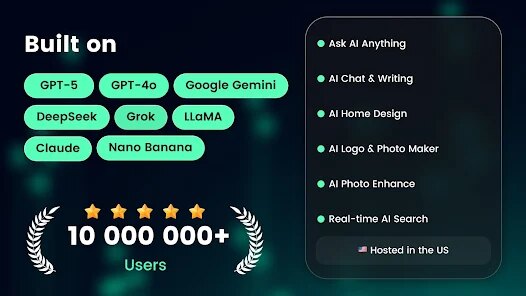
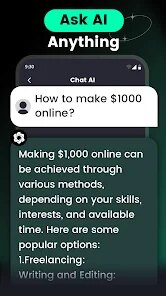
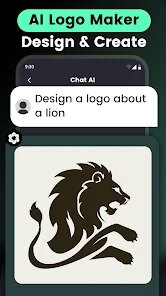
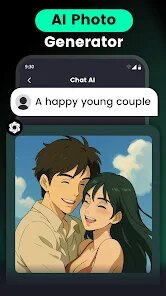
editor reviews
So, “AI Chat・Ask Chatbot Assistant” is exactly what it sounds like – a chatbot app that lets you talk to an AI. It's from a developer called AI Chat Studio, and you can find it on Google Play. Honestly, the first thing that made me download it was the promise of a simple, no-nonsense chat assistant. After launching it for the first time, the impression is pretty straightforward. The interface is clean, with a chat window ready to go, and it asks for your name to personalize things. It's free to download, and I've seen it has over a million installs, which is a decent sign. You don't need to register to start talking, which is a huge plus for people like me who hate creating accounts just to test something. There are in-app purchases for extra features, but the basic chat function seems fully functional from the get-go. I didn't notice any disruptive ads during my initial test, which made the first few minutes feel quite smooth.
Getting into the actual use, the experience is refreshingly direct. You open it, and you're immediately in a conversation view. The onboarding is just a few tooltips explaining you can ask anything, and then you're free to type. I asked it for help with a work email, a quick recipe idea, and then a more abstract question about historical events. The responses came back fast, and the language felt natural, not like a robot reciting facts. The main actions are all in the chat input bar, with a few quick suggestion buttons that change based on your last message. One thing I noticed is that the app respects context really well – I could ask it to “rewrite that more professionally” and it understood I meant the email from three messages ago. There were no confusing menus or hidden settings; everything is just there in the flow of conversation. If you're used to apps that try too hard to be smart with complex UIs, this one is a breath of fresh air. You just type, read, and maybe tap a suggested follow-up.
After spending a few days with it, I think this app is perfect for anyone who wants a quick AI assistant without the extra clutter of voice assistants or multi-platform integrations. It's not trying to replace Siri or Alexa – it's a pure text-based helper. What makes it different from something like ChatGPT's mobile interface is that it feels more lightweight and focused on immediate answers, without the heavy feeling of a full browser app. People who might not need it are the ones who already use a powerful AI tool on their desktop and don't mind the interface. But for me, it's earned a spot on my phone because it's quick to open and just works. I can see someone keeping it installed if they often need a second opinion on texts or want to learn something new on the go. Compared to other generic chatbot apps, it doesn't try to do too much, which honestly makes it do its one job better. The only reason I'd uninstall it is if my go-to desktop AI ever gets a simpler mobile version, but for now, this is a solid pick.
features
- 🤖 The core feature is context-aware chat: you can reference earlier messages like “make that shorter” and the AI remembers the conversation thread, which is far more intuitive than apps like Replika where the context often resets mid-sentence.
- ⚡ Fast-response chatbot model: unlike some free AI apps that feel sluggish (like some versions of AI Chatbot Assistant by AppNation), this one streams answers almost instantly without any noticeable delay, making it feel like texting a friend.
- 🎯 Customizable persona settings: you can give the AI a personality (helpful, creative, or professional), a level of detail in its responses that apps like ChatGPT mobile lack. This small tweak makes the conversation feel tailored to your mood.
- 🔍 Built-in web search toggle: you can ask for recent information and the app pulls live results, which sets it apart from many offline-based chatbots that often say “I cannot browse the internet.” This makes it more practical for real-world questions.
pros
- ✅ Clean and clutter-free interface: compared to apps like Replika with its social media-like feed or AI Chatbot Assistant by AppNation with its endless upgrade prompts, this app just shows a simple chat screen. It focuses on the conversation without distractions.
- ✅ No mandatory login or registration: you can start chatting the second you install it. This is a huge plus over ChatGPT mobile, which always requires an account. It lowers the barrier to entry for casual users.
- ✅ Lightweight and fast: it doesn't drain battery or feel bloated like some multi-use assistants (e.g., Google Assistant). It stays out of your way until you need it, and then it is immediately responsive.
cons
- ❌ Limited formatting options for responses: unlike ChatGPT mobile where you can copy text with proper code blocks or bullet points, here the AI's responses are plain text. It makes reading long lists or code snippets a bit messy, especially on a small screen.
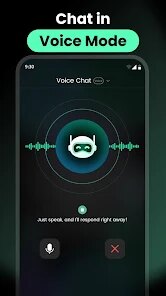
- ❌ No voice input or output: compared to apps like Replika or Google Assistant, you cannot speak your question or hear answers spoken back. This makes it less convenient for hands-free use, like when you're driving or cooking.
- ❌ Inconvenient refresh and new conversation system: it lacks a simple history menu or a “new chat” button that is easy to find, unlike ChatGPT mobile's sidebar. Starting a fresh thread involves navigating back to the main menu, which feels like an extra tap you shouldn't need.
Recommended Apps
![]()
16Personalities
16Personalities4
![]()
Zodiac Palm Reader: MagicWay
Reatility Media4.6
![]()
Moblo - 3D furniture modeling
MYTIforge4.1![]()
Magnifier Plus with Flashlight
Digitalchemy, LLC4.6![]()
QR Code Scanner
QR Code Scanner & Barcode Reader4.7![]()
FalFal: Astrology, Tarot, Love
FalFal Team4.8![]()
Christmas Photo Frames
PhotoFramesApps4.6![]()
AI Video Art Creator - Livensa
FERASET4.5![]()
Horoscope of Birth
Denimaks4.4![]()
Make Me Bald Prank
AppTornado2.5![]()
Kling AI: AI Image&Video Maker
Lohas Games Pte. Ltd.4.4![]()
Japan Timetable & Route Search
NAVITIME JAPAN CO., LTD.4.3![]()
Prank Call & Funny Video
TeH Software0![]()
Parallax 3D Live Wallpapers
TarrySoft4.3![]()
AI Chatbot - Nova
ScaleUp4.7















Disclaimer
1.AppInfoLibrary does not represent any developer, nor is it the developer of any App or game.
2.AppInfoLibrary provide custom reviews of Apps written by our own reviewers, and detailed information of these Apps, such as developer contacts, ratings and screenshots.
3.All trademarks, registered trademarks, product names and company names or logos appearing on the site are the property of their respective owners.
4. AppInfoLibrary abides by the federal Digital Millennium Copyright Act (DMCA) by responding to notices of alleged infringement that complies with the DMCA and other applicable laws.
5.If you are the owner or copyright representative and want to delete your information, please contact us info@appinfolibrary.com.
6.All the information on this website is strictly observed all the terms and conditions of Google Ads Advertising policies and Google Unwanted Software policy .














