
AR Draw Sketch - Trace & Paint

5K+
Installs
MØ Studios
Developer
-
Art & Design
Category
-
Everyone
Content Rating
-
mostudios7@gmail.com
Developer Email
-
https://sites.google.com/view/mostudios/privacy-policy
Privacy Policy
Screenshots
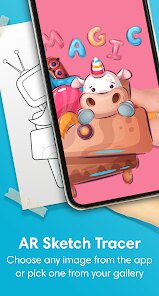
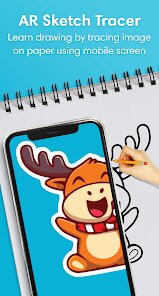
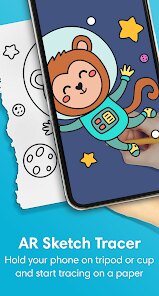
editor reviews
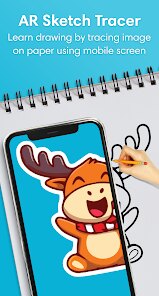
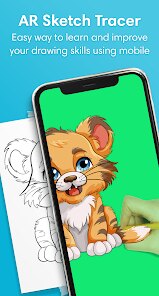
I stumbled upon AR Draw Sketch - Trace & Paint the other day, which is basically an app that uses your phone's camera to project an image onto the screen so you can trace it onto paper. It's one of those augmented reality projector apps, and you typically download it from Google Play or the App Store if you're into drawing but struggle with proportions or just want a quick way to transfer a picture onto a sketchbook. After launching it for the first time, the initial impression was pretty straightforward—it asks for camera permissions and then drops you into a clean interface with a few sample images to try out. The install count seems decent, and it's free to download, though there are in-app purchases if you want to unlock more features or remove ads. No mandatory registration, which is always a relief.
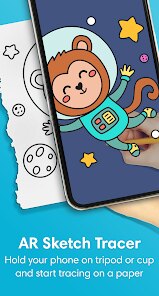
Once you get past the setup, the actual experience is quite hands-on. You pick a photo from your gallery or one of their presets, and the app overlays it onto your camera feed. The trick is to prop your phone up at a good angle above your paper—like using a stand or just leaning it against something—so the image lines up with your drawing surface. From there, you just trace the lines you see on the screen. The interface has basic controls for brightness, opacity, and even a timer to lock the screen so you don't accidentally move things. I found the most confusing part was getting the focus right; if your phone keeps readjusting, the traced lines can shift a bit. A small tip: lock your camera focus with a long press on the screen before you start. The app also lets you flip or mirror images, which is handy for left-handed users or specific projects.
After spending a few hours with it, I'd say AR Draw Sketch is great for beginners, kids, or anyone who wants to create accurate outlines without freehand struggle. It's not going to teach you proper drawing techniques or shading, but as a tracing tool, it works well enough. Compared to similar apps like Tracing Projector or Camera Lucida, this one feels more polished in its UI and offers a solid free tier without bombarding you with ads immediately. However, someone who draws confidently by eye might find it limiting or gimmicky. I've kept it installed because it's useful for doing quick sketches of family photos or reference images for painting, but I could see uninstalling it if the camera calibration issues become too frustrating over time.
features
- 🖼️ Real-time Image Projection: Unlike apps like SketchAR that require you to take a photo first and then line it up, AR Draw Sketch projects the image live onto your paper through the camera. This means you see exactly where your pencil should go without constantly switching between screens.
- 🎨 Adjustable Opacity and Brightness: You can tweak the overlay's transparency and brightness on the fly, which is a lifesaver when working with dark or glossy paper. Most similar tracing apps bury these settings in menus, but here it's just a slider away.
- ⏱️ Screen Lock Timer: This feature freezes the projection for a set time so you don't accidentally tap the screen and ruin your alignment. It's simple but incredibly practical, especially when you're in the middle of a detailed line. Competitors often lack this or make it hard to find.
- 📐 Mirror and Flip Options: Being able to reverse the image horizontally or vertically is a nice touch for left-handed users or when you want to create symmetrical designs without redrawing.
pros
- ✅ Free Core Functionality: You get most of the tracing features without paying a cent. Apps like Tracing Projector lock basic tools behind a subscription, whereas AR Draw Sketch keeps the essentials open.
- ✅ Clean User Interface: Compared to Camera Lucida which feels cluttered, this app's layout is minimal and intuitive. Even a first-time user can figure out how to load an image and start tracing within a minute.
- ✅ Lower Ad Frequency: While there are ads, they're not as aggressive as in some other free tracing apps. They pop up between sessions but don't interrupt your actual drawing time too much.
- ✅ Good Image Compatibility: It handles common formats like JPEG and PNG well, and even supports higher-resolution photos without crashing or lagging excessively.
cons
- ❌ Camera Calibration Issues: The app struggles with consistent focus and exposure. If you move your phone or the lighting changes, the projected image can shift or blur. SketchAR handles dynamic lighting slightly better.
- ❌ Limited Image Library: The built-in preset images are basic and few. Tracing Projector offers a wider selection of templates for practice, making it more versatile for beginners.
- ❌ No Manual Perspective Correction: When projecting onto uneven surfaces, the image can warp. Some users have reported needing to hold their phone perfectly still to avoid distortion. Competitors like Camera Lucida allow manual perspective adjustments.
- ❌ Requires Stable Setup: You really need a phone stand or a creative way to prop your device up. Tracing apps that work with tablets or include built-in leveling features are more convenient for desk use.
Recommended Apps
![]()
16Personalities
16Personalities4
![]()
Zodiac Palm Reader: MagicWay
Reatility Media4.6
![]()
Moblo - 3D furniture modeling
MYTIforge4.1![]()
Magnifier Plus with Flashlight
Digitalchemy, LLC4.6![]()
QR Code Scanner
QR Code Scanner & Barcode Reader4.7![]()
FalFal: Astrology, Tarot, Love
FalFal Team4.8![]()
Christmas Photo Frames
PhotoFramesApps4.6![]()
AI Video Art Creator - Livensa
FERASET4.5![]()
Horoscope of Birth
Denimaks4.4![]()
Make Me Bald Prank
AppTornado2.5![]()
Kling AI: AI Image&Video Maker
Lohas Games Pte. Ltd.4.4![]()
Japan Timetable & Route Search
NAVITIME JAPAN CO., LTD.4.3![]()
Prank Call & Funny Video
TeH Software0![]()
Parallax 3D Live Wallpapers
TarrySoft4.3![]()
AI Chatbot - Nova
ScaleUp4.7















Disclaimer
1.AppInfoLibrary does not represent any developer, nor is it the developer of any App or game.
2.AppInfoLibrary provide custom reviews of Apps written by our own reviewers, and detailed information of these Apps, such as developer contacts, ratings and screenshots.
3.All trademarks, registered trademarks, product names and company names or logos appearing on the site are the property of their respective owners.
4. AppInfoLibrary abides by the federal Digital Millennium Copyright Act (DMCA) by responding to notices of alleged infringement that complies with the DMCA and other applicable laws.
5.If you are the owner or copyright representative and want to delete your information, please contact us info@appinfolibrary.com.
6.All the information on this website is strictly observed all the terms and conditions of Google Ads Advertising policies and Google Unwanted Software policy .














