

Reverse Voice - Voice Changer

100K+
Installs
Hammad67
Developer
-
Entertainment
Category
-
Everyone
Content Rating
-
voicechanger995@gmail.com
Developer Email
-
https://voicechangerappprivacypolicy.blogspot.com/2025/11/privacy-policy-of-prank-voice-voice.html
Privacy Policy
Screenshots
editor reviews
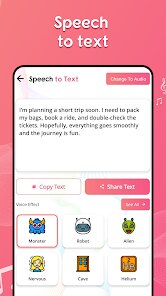
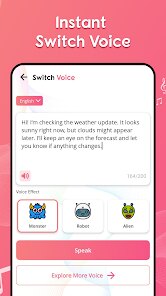
Reverse Voice is a quirky utility app you can grab from Google Play that specializes in, well, reversing audio. It's not your typical voice changer that adds robot or alien effects; instead, it literally flips any recorded sound backward. For most people, the initial draw is pure curiosity – it's the kind of app you download on a whim because you want to hear what your own voice sounds like when played in reverse. The install count is modest, and it's free to download, though you'll bump into banner ads right after launch, plus a full-screen ad after each processed clip. No registration is required, which makes that first tap feel hassle-free. The interface is minimal to the point of being barebones, so your first impression might be a mix of amusement and slight confusion about where everything is.
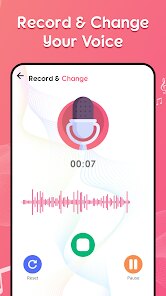
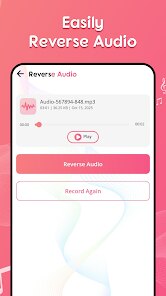
Once you open the app, the workflow is straightforward but a little unpolished. You tap a big button to record your voice or load an existing audio file from your phone. After recording, a small toolbar pops up where you hit the reverse button, and within a second, the clip is flipped. I played a few short messages, and the reversed output sounded exactly as expected – gibberish with an odd rhythmic pattern. A practical tip is to keep recordings under ten seconds, as longer clips can cause the app to stutter or not process correctly. There's no trimming tool or playback speed adjustment, so you're stuck with whatever you capture. The ads interrupt quite often, which breaks the flow if you're experimenting back-to-back. Honestly, the app feels like a single-purpose tool you'd use for a party trick or to solve a specific audio puzzle, not for any serious editing work.
After a few days, my judgment is that Reverse Voice is fun for maybe five minutes, then it wears thin. It's perfect for someone who wants to prank friends with backwards messages or quickly check a lyric or sound effect in reverse. But if you need a full-featured audio editor with multiple effects or waveform visuals, you're better off with something like Lexis Audio Editor or Voice Changer with Effects, which offer layers of control. What sets Reverse Voice apart is how dedicated it is to that one gimmick – there's no clutter. But that simplicity also means you'll likely uninstall it after satisfying your curiosity, unless you genuinely need to reverse audio regularly. It's a novelty, not a daily driver.
features
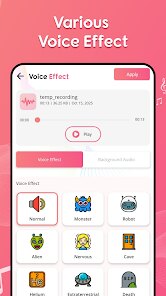
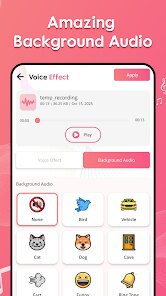
- 🎯 Reverse-only function – This app refuses to do anything else. There's no pitch shift, no speed change, no echo. You record or load audio, tap reverse, and that's it. Compared to Voice Changer with Effects, which offers dozens of filters like helium, giant, or reverb, Reverse Voice is laser-focused on its one trick, which is either refreshing or limiting depending on what you want.
- 🎯 One-tap processing – The actual reversal happens almost instantly. I recorded a three-second clip, hit the button, and the output was ready in under a second. That's snappier than more bloated apps like Lexis Audio Editor, where you have to dig through menus to find reverse and wait for rendering. For speed, this app wins.
- 🎯 Offline operation – No internet connection is required once downloaded. You can mess around with audio in airplane mode without any DRM checks or cloud syncing hassles. Many similar apps from smaller developers try to push cloud storage or online processing, but Reverse Voice keeps everything local, which is nice for privacy-minded users.
pros
- ⚡ Lightweight and fast – The app barely takes up storage and launches instantly, unlike heavier editors like WaveEditor that take a few seconds to load. You can jump straight into recording without a loading screen.
- ⚡ No account needed – Most audio tools, including some from bigger studios, nag you to sign up for a free account before you can save files. Reverse Voice just works. Download, open, record, reverse. That's refreshing.
- ⚡ Simple sharing – After processing, the app offers a direct share button that hooks into your phone's share sheet, making it easy to send reversed clips to WhatsApp, Telegram, or save them locally. Compared to some apps that only export to their own folder, this is a small but appreciated convenience.
cons
- ⚠️ Frequent ads – The ad frequency is the biggest annoyance. After every single reversal, a full-screen video ad plays. With similar free tools like Voice Changer with Effects, ads tend to appear less aggressively, often only at launch. Here, you can't process three clips without sitting through three ads.
- ⚠️ No waveform or editing tools – There's no way to trim the beginning or end of a recording before reversing. If you accidentally catch a second of silence, that silence gets reversed into a weird hum you have to listen through. Apps like Lexis Audio Editor let you cut out unwanted parts before applying effects.
- ⚠️ Limited file support – Compatible audio formats are not explicitly shown, but my MP3 files sometimes failed to load. WAV worked fine, but OGG and M4A gave errors. Bigger apps handle almost any format without complaint.
Recommended Apps
![]()
16Personalities
16Personalities4
![]()
Zodiac Palm Reader: MagicWay
Reatility Media4.6
![]()
Moblo - 3D furniture modeling
MYTIforge4.1![]()
Magnifier Plus with Flashlight
Digitalchemy, LLC4.6![]()
QR Code Scanner
QR Code Scanner & Barcode Reader4.7![]()
FalFal: Astrology, Tarot, Love
FalFal Team4.8![]()
Christmas Photo Frames
PhotoFramesApps4.6![]()
AI Video Art Creator - Livensa
FERASET4.5![]()
Horoscope of Birth
Denimaks4.4![]()
Make Me Bald Prank
AppTornado2.5![]()
Kling AI: AI Image&Video Maker
Lohas Games Pte. Ltd.4.4![]()
Japan Timetable & Route Search
NAVITIME JAPAN CO., LTD.4.3![]()
Prank Call & Funny Video
TeH Software0![]()
Parallax 3D Live Wallpapers
TarrySoft4.3![]()
AI Chatbot - Nova
ScaleUp4.7















Disclaimer
1.AppInfoLibrary does not represent any developer, nor is it the developer of any App or game.
2.AppInfoLibrary provide custom reviews of Apps written by our own reviewers, and detailed information of these Apps, such as developer contacts, ratings and screenshots.
3.All trademarks, registered trademarks, product names and company names or logos appearing on the site are the property of their respective owners.
4. AppInfoLibrary abides by the federal Digital Millennium Copyright Act (DMCA) by responding to notices of alleged infringement that complies with the DMCA and other applicable laws.
5.If you are the owner or copyright representative and want to delete your information, please contact us info@appinfolibrary.com.
6.All the information on this website is strictly observed all the terms and conditions of Google Ads Advertising policies and Google Unwanted Software policy .














