
Funny Reverse Audio - Singing

500K+
Installs
PlayStudioInc
Developer
-
Entertainment
Category
-
Everyone
Content Rating
-
fanstudio99@gmail.com
Developer Email
-
https://sites.google.com/view/playstudio99/
Privacy Policy
Screenshots

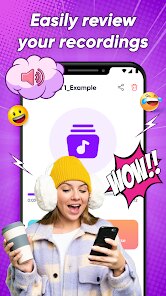
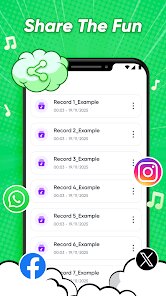
editor reviews
Funny Reverse Audio - Singing is one of those quirky apps you stumble upon when you're just messing around on the Play Store. It's basically a voice manipulation tool that takes whatever you say or sing and plays it backward, creating this surreal, sometimes hilarious effect. You download it because the idea seems simple and fun—maybe you want to prank a friend or just hear how weird your voice sounds in reverse. After launching it, the first impression is mixed. The interface looks a bit dated, like something from a few Android versions ago, but it loads quickly and doesn't ask for any registration or payment upfront. It's free to install, though there are unobtrusive ads and some in-app purchases that pop up if you want to remove them or unlock a few extra effects. The install count seems decent, which suggests enough people found it amusing to keep it around.
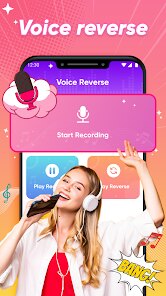
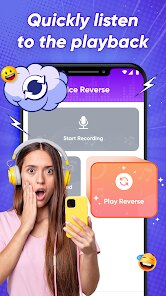
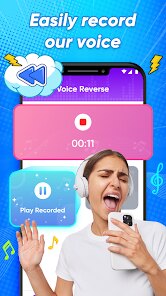
Once you start using it, the experience is pretty straightforward. You hit a big red button to record, then you can either sing, talk, or make random noises for a few seconds. The app then flips the audio and plays it back instantly. What's interesting is how natural the reversed speech sounds—some words end up sounding like a different language entirely. The onboarding is basically nonexistent, which is fine for such a simple tool, but you might fumble a bit finding the save or share options. A practical tip: don't record too long, because the app tends to cut off abruptly after about 15 seconds. Also, if you want cleaner results, try recording in a quiet room—background noise flips into this chaotic jumble that's more funny than musical. I found myself laughing at the distorted vowels and reversed consonants, especially when singing a familiar song. It's not a daily driver kind of app, but for a lazy afternoon or a party trick, it does the job without much fuss.
After using it for a while, I think the app is best for kids or anyone who enjoys simple, silly entertainment without expecting polished production. It's not really for someone who wants professional audio editing or clean reverse reverb effects. Compared to something like Voice Changer with Effects, this app is much more focused—it only does one thing, and it does it okay. The lack of features might actually be a strength here because you don't get overwhelmed. Still, I can see why someone might uninstall it after a week: the novelty wears off fast, and the limited recording length gets frustrating if you want to reverse a longer clip. If you're into pranks or making weird sounds for social media, you might keep it around. But for me, it's one of those apps I'd open once every few months when I remember it exists and want a quick laugh.
features
- 🎤 Simple one-trick design: The app focuses solely on reversing audio recordings. Unlike more complex tools like Voloco or Smule, which offer pitch correction and effects, this one keeps it minimal—record, reverse, laugh. No menus, no presets, just the raw backward sound.
- ⏱️ Instant playback with no lag: After you stop recording, the reversed audio plays almost immediately. This feels snappy compared to other apps that need to process or render the clip first. It's satisfying for quick experiments, though the trade-off is shorter recording length.
- 🛑 Abrupt cut-off protection: The app automatically stops recording after about 15 seconds. While this might seem limiting, it actually prevents huge files that would slow down playback. Many similar free apps let you record longer but then stutter or crash.
- 🔄 No registration or login: Unlike many modern apps that force you to create an account before even testing the core feature, this one lets you jump straight into the fun. It respects your privacy in a way that's rare for free tools these days.
pros
- 👍 Instant gratification: You don't need to learn anything. Press record, then play. Apps like Voice Changer with Effects bombard you with sliders and presets; this app gets out of your way and lets the absurdity speak for itself.
- 👍 Lightweight and fast: The app is tiny and doesn't drain battery. It runs smoothly even on older phones, which is a win over heavier tools like FlipaClip or BandLab that require more resources for similar fringe features.
- 👍 Great for kids: The simplicity makes it perfect for children who just want to hear their voice weirded up. No confusing menus, no dangerous sharing options. It's more straightforward than something like Talking Tom or other voice apps that have too many distractions.
cons
- 👎 Recording length is too short: A fixed 15-second limit feels arbitrary. Other apps like Super Voice Recorder or even basic voice memos let you record for minutes. If you want to reverse a longer phrase or song verse, you're out of luck without a workaround.
- 👎 No audio export quality options: The saved audio sounds compressed and lower bitrate. Apps like Audacity or WaveEditor allow you to keep high quality. Here, you get what you get, and it's often tinny or distorted if the input was loud.
- 👎 Lacks any advanced effects: Beyond just reversing, there's no speed change, pitch shift, or reverb. Competitors like Voice Changer with Effects offer a whole toolbox. If you want to create something polished for sharing, this app feels barebones.
- 👎 Ads interrupt the flow: While free apps are expected to have ads, these pop up right after playback, breaking the moment of laughter. Some other free tools place them less intrusively. The option to buy ad removal exists but feels overpriced for such a simple app.
Recommended Apps
![]()
16Personalities
16Personalities4
![]()
Zodiac Palm Reader: MagicWay
Reatility Media4.6
![]()
Moblo - 3D furniture modeling
MYTIforge4.1![]()
Magnifier Plus with Flashlight
Digitalchemy, LLC4.6![]()
QR Code Scanner
QR Code Scanner & Barcode Reader4.7![]()
FalFal: Astrology, Tarot, Love
FalFal Team4.8![]()
Christmas Photo Frames
PhotoFramesApps4.6![]()
AI Video Art Creator - Livensa
FERASET4.5![]()
Horoscope of Birth
Denimaks4.4![]()
Make Me Bald Prank
AppTornado2.5![]()
Kling AI: AI Image&Video Maker
Lohas Games Pte. Ltd.4.4![]()
Japan Timetable & Route Search
NAVITIME JAPAN CO., LTD.4.3![]()
Prank Call & Funny Video
TeH Software0![]()
Parallax 3D Live Wallpapers
TarrySoft4.3![]()
AI Chatbot - Nova
ScaleUp4.7















Disclaimer
1.AppInfoLibrary does not represent any developer, nor is it the developer of any App or game.
2.AppInfoLibrary provide custom reviews of Apps written by our own reviewers, and detailed information of these Apps, such as developer contacts, ratings and screenshots.
3.All trademarks, registered trademarks, product names and company names or logos appearing on the site are the property of their respective owners.
4. AppInfoLibrary abides by the federal Digital Millennium Copyright Act (DMCA) by responding to notices of alleged infringement that complies with the DMCA and other applicable laws.
5.If you are the owner or copyright representative and want to delete your information, please contact us info@appinfolibrary.com.
6.All the information on this website is strictly observed all the terms and conditions of Google Ads Advertising policies and Google Unwanted Software policy .














