

Piano: Learn & Play Piano

10M+
Installs
Enable Startup
Developer
-
Education
Category
-
Everyone
Content Rating
-
springartmedow@gmail.com
Developer Email
-
https://enablestartup.netlify.app/policy
Privacy Policy
Screenshots
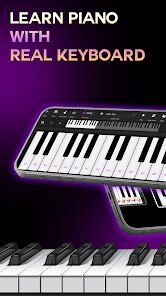
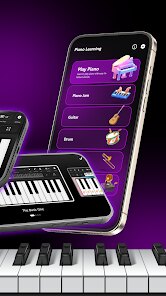
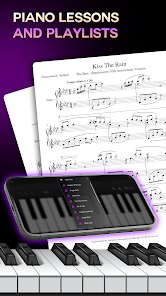
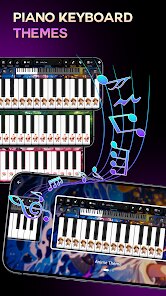
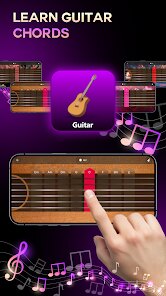
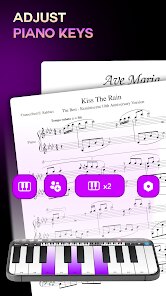
editor reviews
If you've ever wanted to learn piano but hesitated because of the cost, space, or time commitment, Piano: Learn & Play Piano might be worth a look. It's a music education app from Enable Startup that promises to turn your phone or tablet into a virtual keyboard. Unlike formal lessons or high-end apps like Simply Piano, this one focuses on getting you tapping out chords and melodies almost immediately. I downloaded it after seeing it had a decent install count and was free to start, though I noticed right away that some core lessons and song packs sit behind in-app purchases. The first launch felt a bit busy — there's a lot of pop-up ads on the free version — but the interface itself is clean enough once you dismiss them.
Once inside, the experience is straightforward. You pick a song from a list of pop, classical, or kids' tunes, and colorful tiles fall down the screen like a simplified Guitar Hero. You tap the corresponding key on the on-screen piano, and the app scores your timing. For a total beginner, this is actually pretty engaging because you don't need to read sheet music. I spent about ten minutes fumbling through "Twinkle Twinkle Little Star" before I got the hang of the scrolling notes. The keyboard layout is compact but usable on a standard phone screen, though I did miss the wider range of octaves you'd get on a tablet. One small tip: the app lets you slow down the song speed, which saved me a lot of frustration when learning trickier sections.
After a few days, I can see why someone might keep this installed, but also why they might delete it. It's great for absolute beginners who just want a light, game-like introduction to piano without any pressure. That said, more serious learners will quickly hit a wall — the lack of real music theory instruction and the heavy reliance on ads between songs made it hard to stay in the zone. Compared with something like Yousician, which offers structured lessons and feedback, this app feels more like a toy. Still, for a casual user who just wants to kill time while pretending to learn an instrument, it does the job. I personally uninstalled it after a week, but I'd recommend it to anyone who enjoys rhythm games more than actual lessons.
features
- 🎹 The scrolling tile system is the core mechanic. Instead of reading sheet music, colored blocks fall toward a keyboard zone, and you tap in rhythm. This keeps the learning curve gentle for people who have zero music background.
- 🎹 Unlike Simply Piano which requires a real keyboard plugged into your device, this app works fully on touchscreen. You don't need any extra hardware, which makes it much more accessible for someone who just wants to try piano without buying anything.
- 🎹 The song library leans heavily on popular tunes and nursery rhymes, so there is always something familiar to play. This is different from more academic apps that force you through boring exercises before letting you touch a real song.
- 🎹 Speed control is a standout feature. You can slow a song down to 50 percent speed while maintaining pitch, which helps you learn tricky passages gradually. Competitors often lock this behind a paywall or don't offer it at all.
pros
- ✨ The price point is lower than most alternatives. While Simply Piano charges around $20 per month for full access, this app offers a generous free trial with many songs playable without paying.
- ✨ No external piano needed. Yousician and Flowkey assume you already own a MIDI keyboard or acoustic piano. This app works with just your phone screen, which removes a huge barrier for casual learners.
- ✨ It loads quickly and has a small file size. On my older Android phone, it launched in under three seconds, whereas other music apps often take forever to initialize or crash on low-end devices.
cons
- 🔴 The free version has intrusive ads after every song. This breaks the flow badly compared to Perfect Piano, which only shows a small banner ad and doesn't interrupt your practice.
- 🔴 Lack of real feedback on finger placement. Unlike apps that use your device microphone to detect if you hit the right notes on a real piano, this one only registers taps on the screen, so you don't learn proper hand positioning.
- 🔴 The song selection repeats heavily unless you pay. I found myself playing the same five free tracks over and over, which gets boring fast. Competitor apps often rotate free songs weekly to keep things fresh.
- 🔴 No offline mode. You need an internet connection for everything, including the free tracks. If you're on a commute with no signal, the app is completely useless, while some similar apps allow downloaded lessons.
Recommended Apps
![]()
16Personalities
16Personalities4
![]()
Zodiac Palm Reader: MagicWay
Reatility Media4.6
![]()
Moblo - 3D furniture modeling
MYTIforge4.1![]()
Magnifier Plus with Flashlight
Digitalchemy, LLC4.6![]()
QR Code Scanner
QR Code Scanner & Barcode Reader4.7![]()
FalFal: Astrology, Tarot, Love
FalFal Team4.8![]()
Christmas Photo Frames
PhotoFramesApps4.6![]()
AI Video Art Creator - Livensa
FERASET4.5![]()
Horoscope of Birth
Denimaks4.4![]()
Make Me Bald Prank
AppTornado2.5![]()
Kling AI: AI Image&Video Maker
Lohas Games Pte. Ltd.4.4![]()
Japan Timetable & Route Search
NAVITIME JAPAN CO., LTD.4.3![]()
Prank Call & Funny Video
TeH Software0![]()
Parallax 3D Live Wallpapers
TarrySoft4.3![]()
AI Chatbot - Nova
ScaleUp4.7















Disclaimer
1.AppInfoLibrary does not represent any developer, nor is it the developer of any App or game.
2.AppInfoLibrary provide custom reviews of Apps written by our own reviewers, and detailed information of these Apps, such as developer contacts, ratings and screenshots.
3.All trademarks, registered trademarks, product names and company names or logos appearing on the site are the property of their respective owners.
4. AppInfoLibrary abides by the federal Digital Millennium Copyright Act (DMCA) by responding to notices of alleged infringement that complies with the DMCA and other applicable laws.
5.If you are the owner or copyright representative and want to delete your information, please contact us info@appinfolibrary.com.
6.All the information on this website is strictly observed all the terms and conditions of Google Ads Advertising policies and Google Unwanted Software policy .














