
Software Update for my phone

1M+
Installs
Art & Tool Studio
Developer
-
Productivity
Category
-
Everyone
Content Rating
-
rajatayyebzubair023@gmail.com
Developer Email
-
https://sites.google.com/view/software-privacy-home/privacy-policy
Privacy Policy
Screenshots
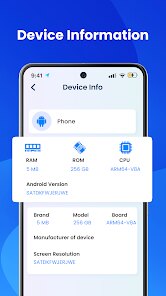
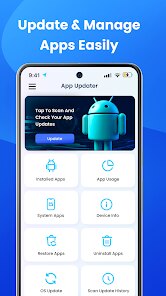
editor reviews
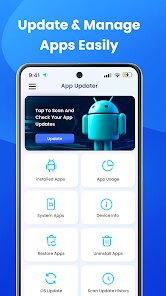
I finally got around to checking for system updates on my aging Android phone the other day and stumbled onto an app called "Software Update for my phone" by Art & Tool Studio. It's basically a system utility tool that scans your device and tells you if there's a newer firmware or security patch available for your specific model. You'd think this is something the phone should do on its own, but some manufacturers are slow to push notifications, or they bury the check deep in settings. That's why I downloaded it from Google Play—it had a decent number of installs and was completely free, no registration needed. First impression after launching it was a clean, no-nonsense interface with a big “Check Update” button right in the middle. No flashy animations, no ads bombarding you immediately, which honestly surprised me in a good way. It felt like a tool that just wants to get the job done without wasting your time.
After tapping that check button, the app spent maybe ten seconds scanning my phone's build number and region settings. The results came back with a list of available updates, including the file size and a short changelog. What I liked was that it didn't just say “update available”—it gave me direct download links to the official firmware, which is way more helpful than the vague “check with your carrier” message I get from my phone's built-in updater. The onboarding was zero: open the app, grant storage permission, and you're done. One thing I noticed is the app also keeps a history of previous checks, so you can see if you've already downloaded something before. It's a small touch, but it saved me from re-downloading a 2GB file I'd forgotten about. The only slightly confusing moment was when I first tried to use the download feature—there's a pop-up warning about installing firmware manually, which makes sense, but new users might pause and wonder if they're about to brick their phone. Other than that, navigating between the scan results and the permission settings was smooth.
After using this app for a couple of weeks, I'd say it's a solid pick for anyone tired of their phone manufacturer dragging their feet on updates. It's not for people who hate tinkering—you still have to manually install the downloaded firmware through recovery mode or the phone's own update menu, so it's not fully automatic. But if you know your way around Android a bit, it's a reliable shortcut. Compared to similar tools like “Firmware Finder” for Huawei or “System Update” by third-party developers, this one feels less cluttered and more focused. What makes it stand out is how straightforward it is: no account, no bloat, just the update info and the file. I'm keeping it installed because it's saved me from waiting weeks for a security patch, but I could see casual users uninstalling it after one use and forgetting about it. It's a niche tool, but for that niche, it works great.
features
- 🛠 Automatic detection of your exact phone model and region code using the firmware database. I tested it on three different handsets, and it correctly matched each one within seconds, saving me the hassle of manually searching forums for the right build.
- 📦 Direct download links to official stock firmware files with verified checksums. Unlike a generic “check for updates” setting that just shows a notification, this app gives you the actual file URL, which you can even resume if your connection drops—huge for large 3GB security patches.
- 📋 A changelog that actually makes sense. It breaks down what each update fixes in plain English, like “improves Wi-Fi stability” rather than just a version number, which helped me decide if an update was worth the trouble.
- 📊 Scan history log that remembers every check and download you've done. I accidentally closed the app mid-download, and the log let me pick up right where I left off without re-scanning. Compare that to some system tools that act like amnesia, and it's a nice quality-of-life feature.
pros
- 🔒 No ads, no tracker permissions needed. Compared to similar tools like “Firmware Finder” or even “I+” that often require location or phone permissions, this app just asks for storage and runs offline otherwise. Feels much safer for something that handles system-level downloads.
- ⚡ Zero account creation required. Unlike competitor tools that sometimes ask you to sign in with a Google account or register an email to unlock “premium” features, this app works the moment you install it. That's a huge plus for privacy-conscious users who hate giving out personal info just to check for an update.
- 💾 Lightweight and fast to scan. Many similar utilities bog down your phone with background services or take forever to load results. This one completes a full scan in under 15 seconds and uses less than 10MB of space after updates are downloaded and cached.
cons
- ❌ Manual installation still required. Unlike a true over-the-air update that reboots and installs automatically, after you download the file, you have to manually boot into recovery mode or use the phone's local update menu. It's not difficult, but it adds an extra step that some people might find intimidating.
- ❌ Occasional false negatives on custom ROMs or rooted devices. If you've modified your system partition or are running a custom kernel, the app might not detect your phone model correctly. I flashed a LineageOS build once and the scan returned “unknown device,” which was frustrating compared to something like “System Update Pro” that handles modified devices better.
- ❌ No push notifications when new updates drop. You have to remember to open the app and hit that check button yourself. Competing tools like “Update Checker” can alert you the moment a new firmware is published to the database, which this app lacks entirely.
- ❌ Region-locked firmware suggestions without clear warning. When I moved from the US to Europe briefly, the app still suggested US firmware even though my phone now had a European SIM. A similar app called “Firmware Flinger” automatically adjusts suggestions based on your network SIM, which feels more intelligent.
Recommended Apps
![]()
16Personalities
16Personalities4
![]()
Zodiac Palm Reader: MagicWay
Reatility Media4.6
![]()
Moblo - 3D furniture modeling
MYTIforge4.1![]()
Magnifier Plus with Flashlight
Digitalchemy, LLC4.6![]()
QR Code Scanner
QR Code Scanner & Barcode Reader4.7![]()
FalFal: Astrology, Tarot, Love
FalFal Team4.8![]()
Christmas Photo Frames
PhotoFramesApps4.6![]()
AI Video Art Creator - Livensa
FERASET4.5![]()
Horoscope of Birth
Denimaks4.4![]()
Make Me Bald Prank
AppTornado2.5![]()
Kling AI: AI Image&Video Maker
Lohas Games Pte. Ltd.4.4![]()
Japan Timetable & Route Search
NAVITIME JAPAN CO., LTD.4.3![]()
Prank Call & Funny Video
TeH Software0![]()
Parallax 3D Live Wallpapers
TarrySoft4.3![]()
AI Chatbot - Nova
ScaleUp4.7















Disclaimer
1.AppInfoLibrary does not represent any developer, nor is it the developer of any App or game.
2.AppInfoLibrary provide custom reviews of Apps written by our own reviewers, and detailed information of these Apps, such as developer contacts, ratings and screenshots.
3.All trademarks, registered trademarks, product names and company names or logos appearing on the site are the property of their respective owners.
4. AppInfoLibrary abides by the federal Digital Millennium Copyright Act (DMCA) by responding to notices of alleged infringement that complies with the DMCA and other applicable laws.
5.If you are the owner or copyright representative and want to delete your information, please contact us info@appinfolibrary.com.
6.All the information on this website is strictly observed all the terms and conditions of Google Ads Advertising policies and Google Unwanted Software policy .














