
GPS Maps Voice Navigation

1M+
Installs
Green Lines
Developer
-
Productivity
Category
-
Everyone
Content Rating
-
linsgreen3@gmail.com
Developer Email
-
https://sites.google.com/view/gpsnavigationmapdirection/home
Privacy Policy
Screenshots
editor reviews
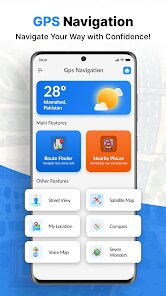
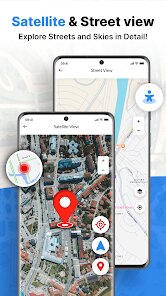
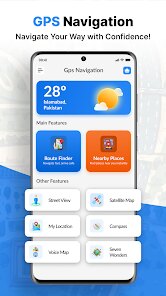
I've been testing out GPS Maps Voice Navigation from Green Lines, which is basically a straightforward navigation tool that focuses on getting you from point A to point B without all the extra fluff. It's sitting on the Play Store with a decent amount of installs—nothing crazy like Google Maps numbers, but enough to feel like people actually use it. You can download it for free, which is always nice, but there are in-app purchases if you want to unlock certain voice packs or remove ads. When you first launch it, the interface feels a bit dated to be honest, like something from a few years back, but it loads fast and doesn't ask you to create an account right away, which I appreciated. The first screen just shows a map with a search bar at the top, and it immediately reminded me of those simpler GPS devices people used to clip onto their car dashboards.
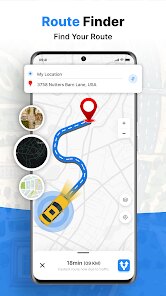
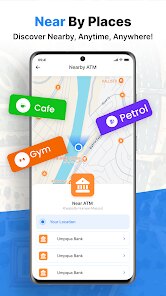
Once you start using it, the experience is pretty mixed. The voice directions are clear and they actually announce street names, which is something even big-name apps sometimes mess up. You type in your destination, pick a route, and you're off. The app doesn't try to show you restaurants or gas stations along the way unless you specifically tap around for them, which honestly feels like a relief if you just want to drive. There was one weird moment where it rerouted me for no obvious reason, but overall it handled my daily commute fine. The turn-by-turn prompts pop up at a reasonable distance so you're not scrambling to switch lanes. I did notice the map tiles take a second longer to load than I'd like, especially when I'm in an area with spotty signal, so that's something to keep in mind if you drive through tunnels or rural patches regularly.
After using it for a couple of weeks, I think this app works best for people who just need a basic navigator without the bloat. If you're someone who hates apps that try to sell you things or distract you with nearby attractions, this might be your jam. But honestly, if you're already used to something like Waze or Google Maps, you'll probably miss the live traffic updates and real-time rerouting that those apps do so well. The offline maps here are decent, though you have to manually download them and they take up quite a bit of space. I can see someone keeping it installed as a backup or for when they want a quieter driving experience, but I'm not sure it's good enough to replace the big players for most people. It's a solid tool, just not a game-changer.
features
- 🗺️ Turn-by-turn navigation with voice guidance that actually announces street names clearly, so you don't have to glance at the screen constantly. I found this way more reliable than Apple Maps, which sometimes just says "turn in 300 meters" without telling you which street.
- 🗺️ Offline map support that lets you download entire regions ahead of time. Google Maps does this too, but the download process here feels more straightforward and less hidden in the settings menu. You can literally pick a state or country and just tap download.
- 🗺️ A simplified interface that strips away restaurant suggestions, gas prices, and other distractions. If you compare it with Waze, which basically screams for your attention every time a cop is nearby or a user posts a silly comment, this app just stays quiet and does its job.
- 🗺️ Speed limit alerts that actually work without being overly annoying. Some apps pester you every time you're 1 km/h over, but here the threshold feels reasonable and you can adjust it in the settings without digging through five menus.
pros
- ✅ The voice packs are surprisingly fun and varied compared to other budget navigation apps like Sygic or MapFactor. You get a few for free, and the paid ones actually sound natural instead of robotic.
- ✅ Battery usage seems lower than Google Maps during long drives. I did a three-hour trip and my phone only dropped 15%, while Google Maps usually eats through 25-30% in the same time.
- ✅ The app doesn't constantly push notifications or try to sell you premium upgrades. Once you buy something or dismiss the ads, it backs off. OsmAnd, for comparison, feels pushier with its upgrade prompts.
- ✅ Lane guidance is clear and appears early enough to give you time to merge, which is something even Apple Maps struggles with in complex interchanges.
cons
- ❌ The map data isn't updated as frequently as Google Maps or Waze. I drove through a road that's been closed for six months and the app still tried to take me there, which was frustrating.
- ❌ The search function is mediocre. It doesn't understand partial queries well, so typing "Starbucks" might give you ten results, while "Starbucks near me" gives you two. Waze handles fuzzy searches way better.
- ❌ No live traffic rerouting. If you hit a jam, the app won't automatically suggest an alternative route unless you manually ask for one. This is a huge letdown compared to Google Maps, which will reroute you mid-drive.
- ❌ The interface feels clunky on newer phones with high resolution displays. Some buttons are tiny and hard to tap while driving, whereas apps like Here WeGo have much larger touch targets.
Recommended Apps
![]()
16Personalities
16Personalities4
![]()
Zodiac Palm Reader: MagicWay
Reatility Media4.6
![]()
Moblo - 3D furniture modeling
MYTIforge4.1![]()
Magnifier Plus with Flashlight
Digitalchemy, LLC4.6![]()
QR Code Scanner
QR Code Scanner & Barcode Reader4.7![]()
FalFal: Astrology, Tarot, Love
FalFal Team4.8![]()
Christmas Photo Frames
PhotoFramesApps4.6![]()
AI Video Art Creator - Livensa
FERASET4.5![]()
Horoscope of Birth
Denimaks4.4![]()
Make Me Bald Prank
AppTornado2.5![]()
Kling AI: AI Image&Video Maker
Lohas Games Pte. Ltd.4.4![]()
Japan Timetable & Route Search
NAVITIME JAPAN CO., LTD.4.3![]()
Prank Call & Funny Video
TeH Software0![]()
Parallax 3D Live Wallpapers
TarrySoft4.3![]()
AI Chatbot - Nova
ScaleUp4.7















Disclaimer
1.AppInfoLibrary does not represent any developer, nor is it the developer of any App or game.
2.AppInfoLibrary provide custom reviews of Apps written by our own reviewers, and detailed information of these Apps, such as developer contacts, ratings and screenshots.
3.All trademarks, registered trademarks, product names and company names or logos appearing on the site are the property of their respective owners.
4. AppInfoLibrary abides by the federal Digital Millennium Copyright Act (DMCA) by responding to notices of alleged infringement that complies with the DMCA and other applicable laws.
5.If you are the owner or copyright representative and want to delete your information, please contact us info@appinfolibrary.com.
6.All the information on this website is strictly observed all the terms and conditions of Google Ads Advertising policies and Google Unwanted Software policy .














