
Brain Test: Alzheimer's

1K+
Installs
Living Maples Healthy Aging
Developer
-
Health & Fitness
Category
-
Everyone
Content Rating
-
info@livingmaples.com
Developer Email
-
https://applications.livingmaples.com/cognitive-test/privacy.html
Privacy Policy
Screenshots

editor reviews
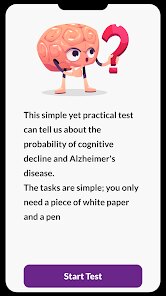
I came across Brain Test: Alzheimer's by Living Maples Healthy Aging during a late-night scroll for cognitive health tools. It's positioned as a self-assessment app, not a diagnostic tool, that screens for early signs of cognitive decline through gamified exercises. The app targets memory, orientation, and executive function, making it somewhat different from the typical brain-training titles that focus on reflexes or vocabulary. I downloaded it from the App Store—it's free to install, no paywall upfront, and didn't ask for registration right away. The install count isn't huge, which made me a bit skeptical, but once the app launched, the interface was straightforward: a simple open screen with a start button and no ad clutter. My first impression was that it looked more serious, less flashy than what I've seen in other brain apps.
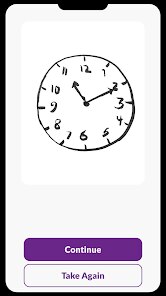
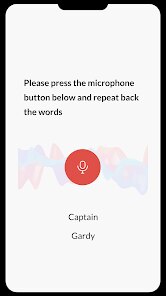
After opening it, the onboarding took maybe a minute—just a brief info page explaining that the results aren't a medical diagnosis. Then it dropped me straight into a memory task: I had to recall a sequence of shapes and then answer orientation questions like what day it is or what city I'm in. The whole flow felt like a structured test rather than a game. Tapping through the exercises was smooth on my phone, though the voice prompts sometimes lagged by half a second. A common usage step is just following the visual cues and typing or tapping your responses. I noticed there's no progress bar or scoring during the test, which felt a bit nerve-wracking—you don't know if you're bombing it until the end. But a practical tip: take the tests in a quiet room; the app doesn't filter out distractions well. There's a results summary after each session, showing your performance areas like memory and orientation, but the data is kept locally and isn't exportable.
After using it for a couple of weeks, I'd say it's a niche tool. If you're genuinely concerned about early cognitive changes—maybe you've noticed a family member forgetting names or you're recovering from a concussion—this app offers a structured way to track trends over time. But if you're just looking for a casual puzzle game, skip it; there's no entertainment factor, no rewards, and no social features. Compared to apps like CogniFit or Lumosity, this one feels more clinical and less versatile—it's laser-focused on Alzheimer's screening, not general brain training. You'd probably keep it installed if you want to monitor your own data monthly, but I can see people uninstalling after a week because the tests get repetitive and there's no variety. It doesn't try to be fun, which is both a strength and a limitation. I didn't see any in-app purchases or ads, which surprised me in a good way—it's a clean, no-nonsense experience.
features
- 🧩 Clinical Screening Focus: Unlike Lumosity which covers memory, math, and speed, Brain Test: Alzheimer's zeroes in on orientation and recall tasks tied to early dementia markers. This narrow scope makes it more relevant for specific health checks than the broad gym-style training of Lumosity. 🧩 No Gamification Distractions: The app skips levels, leaderboards, and animations. Every task is a straightforward question or sequence recall. This feels more like a medical questionnaire than a game, which is good if you want honest results but boring if you expect a dopamine hit. 🧩 Local Data Privacy: All results are stored on your device, not synced to a cloud server. For health-sensitive data, this is a clear plus over CogniFit which asks for an account and shares anonymized data for research. There's zero account creation pressure here. 🧩 Result Trends Over Time: After multiple sessions, the app generates a simple line graph showing your performance changes. This longitudinal tracking is its standout feature—most brain apps only show daily scores without historical context, but this one lets you see if you're declining month over month.
pros
- 🔒 Completely Free, No Strings Attached: No in-app purchases, no subscription, and no ads. Compared to apps like Elevate which nag you for a premium plan after a week, this is refreshing. You get the full assessment suite without any paywall. 🔒 Scientific Backing Approach: The tasks are based on standard cognitive screening tools like the MMSE (Mini-Mental State Examination). It doesn't over-claim like brain training games that promise to "increase IQ" but instead sticks to recognized clinical methods. This makes it more trustworthy for its intended use. 🔒 Low Barrier to Entry: No account, no email, no phone number. You open the app and start within seconds. Against any app that requires a login (like BrainHQ), this removes a huge privacy barrier and makes it accessible even for seniors who aren't tech-savvy.
cons
- ⚠️ No Medical Authority or Guidance: The app clearly states it's not a diagnostic tool, but it also doesn't provide any guidance on what to do with concerning results. Unlike CogniFit which offers brain training regimens, this app just gives you a score and leaves you hanging. Users might panic without knowing next steps. ⚠️ Repetitive and Unengaging Tasks: After three sessions, you've seen every type of question. Orientation questions like "what's your full name" feel pointless for a user who already knows it, and the shape sequences never change difficulty level. Memtrax, for example, adapts difficulty based on performance; this one doesn't. ⚠️ Poor Accessibility Design: The text is small, there's no high-contrast mode, and the voice prompts can't be replayed. For a tool targeting older adults or people with potential cognitive issues, this is a design fail. Lumosity has larger buttons and clearer contrast options. ⚠️ No Data Export or Share: You can't export your results as a PDF or share them directly with a doctor. You'd have to screenshot the screen manually. For a health-oriented app, this omission is frustrating and limits its practical usefulness in a clinical visit.
Recommended Apps
![]()
16Personalities
16Personalities4
![]()
Zodiac Palm Reader: MagicWay
Reatility Media4.6
![]()
Moblo - 3D furniture modeling
MYTIforge4.1![]()
Magnifier Plus with Flashlight
Digitalchemy, LLC4.6![]()
QR Code Scanner
QR Code Scanner & Barcode Reader4.7![]()
FalFal: Astrology, Tarot, Love
FalFal Team4.8![]()
Christmas Photo Frames
PhotoFramesApps4.6![]()
AI Video Art Creator - Livensa
FERASET4.5![]()
Horoscope of Birth
Denimaks4.4![]()
Make Me Bald Prank
AppTornado2.5![]()
Kling AI: AI Image&Video Maker
Lohas Games Pte. Ltd.4.4![]()
Japan Timetable & Route Search
NAVITIME JAPAN CO., LTD.4.3![]()
Prank Call & Funny Video
TeH Software0![]()
Parallax 3D Live Wallpapers
TarrySoft4.3![]()
AI Chatbot - Nova
ScaleUp4.7















Disclaimer
1.AppInfoLibrary does not represent any developer, nor is it the developer of any App or game.
2.AppInfoLibrary provide custom reviews of Apps written by our own reviewers, and detailed information of these Apps, such as developer contacts, ratings and screenshots.
3.All trademarks, registered trademarks, product names and company names or logos appearing on the site are the property of their respective owners.
4. AppInfoLibrary abides by the federal Digital Millennium Copyright Act (DMCA) by responding to notices of alleged infringement that complies with the DMCA and other applicable laws.
5.If you are the owner or copyright representative and want to delete your information, please contact us info@appinfolibrary.com.
6.All the information on this website is strictly observed all the terms and conditions of Google Ads Advertising policies and Google Unwanted Software policy .














