

Reverse Voice: Flip Singing

1M+
Installs
NindaFuit
Developer
-
Entertainment
Category
-
Everyone
Content Rating
-
nindafuits@gmail.com
Developer Email
-
http://nindafuit.pro.vn/privacy-policy.html?app=Reverse%20Singing%20Challenge%20Play&store=NINDAFUIT%20STORE
Privacy Policy
Screenshots
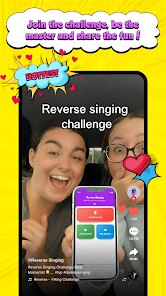
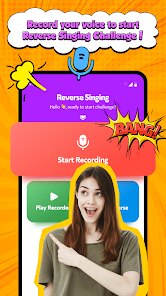
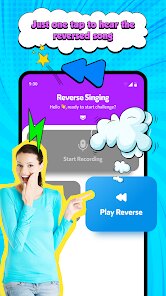
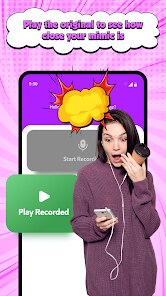
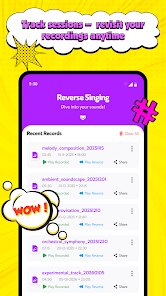
editor reviews
Reverse Voice: Flip Singing by NindaFuit is a quirky utility app, sitting somewhere between a novelty audio tool and a playful voice changer. Its main purpose is exactly what the name says: you record yourself singing or speaking, and the app flips the audio backward. While it sounds simple, people download it for a variety of reasons, checking out how their voice sounds reversed or trying to skip boring parts of recordings. On Google Play, with over 100,000 installs, it's free to download, though there are in-app purchases. After a quick launch, the first impression hits you with a dark, slightly cluttered interface that immediately suggests this is not a polished mainstream app but a fun experimental tool. No registration is required, which removes friction. The presence of ads in the free version is noticeable but not overwhelming, typical for apps in this price range.
Getting hands-on with the app is straightforward but a bit rough around the edges. Once you tap the big record button, you can sing or talk for up to 30 seconds in the free version, then the app automatically flips the audio. Honestly, the first time you hear your reversed voice, it's surreal and kind of creepy yet hysterical if you sing something familiar. The interface has on-screen instructions, but they are not very intuitive; I found myself tapping randomly to discover trimming options. A practical tip: adjust the pitch effect before recording if you want the flipped output to sound less robotic. The included reverse delay effect adds an interesting layer if you are patient enough to navigate the settings. Sometimes the app crashes when saving, so after finishing a flop, I quickly hit the save button to avoid losing the clip.
After using it for a few days, I see why this app has a small dedicated user base. It's perfect for pranksters, meme creators, or anyone curious about audio reversed sound. Musicians or voice-over artists wanting genuine reversal effects may feel let down by the low sampling rate and occasional glitches. What makes Reverse Voice different from similar apps like Voloco or Voice Changer is the laser focus on flipping audio rather than offering dozens of effects. This narrow focus works, but it also limits the app's appeal. You might keep it installed if you enjoy surprising friends or making odd sound clips, but if you need consistent, high-quality audio reversal for serious projects, you will uninstall it quickly. For a casual user, the trade-off between novelty and reliability stands out as the core reason to either keep or delete this app.
features
- 🎯 Audio flipping is the core feature. Unlike apps like Voloco that focus on pitch and harmony correction, Reverse Voice has no frills: you record, it flips instantly. No unnecessary menus or complex equalizers, just pure backward audio.
- 🎯 Built-in reverse delay effect. While GarageBand offers this as part of a giant library, here it is one tap away. It adds a weird echo that sounds like underwater whispering, great for spooky effects.
- 🎯 Lightweight and fast launch. Compared to Vocaluxe or Smule which require heavy logins and social features, this app opens instantly with no account needed. Ideal for a quick laugh without commitment.
- 🎯 Pitch adjustment before flipping. This unique step allows you to shift the pitch before reversal, turning a normal voice into a cartoon monster or an alien. I haven't seen this in any other basic voice flipper.
pros
- 🌟 No registration required. Unlike Funimate or BandLab that force you to sign up before even recording, you can start flipping within seconds. That's huge for privacy or a one-time user.
- 🌟 Minimalist but effective core. Apps like Voice Changer Plus have 50 effects but clutter the screen; here, you get exactly what you need: record, flip, save. No feature creep.
- 🌟 Good for offline fun. Once loaded, you can use it without internet, unlike TikTok's reverse effect that needs connection and a account.
- 🌟 Surprising depth for a free tool. The pitch slider and reverse delay give you two levers of creativity that similar free apps like Autotune Basics lack entirely.
cons
- 💥 Crashes unpredictably. On my Android 13 phone, the app freezes sometimes after saving. This rarely happens in stable tools like Music Maker JAM.
- 💥 30-second limit in free version. Voloco gives longer basic recordings; here you feel artificially capped unless you pay.
- 💥 No waveform visual editing. Apps like WaveEditor let you see the reversed audio visually; Reverse Voice shows only a blank screen while recording, making it hard to know where you are.
- 💥 Ads interrupt workflow. Unlike Voice Recorder Pro which has a small banner, here a full screen ad appears right after you play a reversed clip, which kills the mood.
Recommended Apps
![]()
16Personalities
16Personalities4
![]()
Zodiac Palm Reader: MagicWay
Reatility Media4.6
![]()
Moblo - 3D furniture modeling
MYTIforge4.1![]()
Magnifier Plus with Flashlight
Digitalchemy, LLC4.6![]()
QR Code Scanner
QR Code Scanner & Barcode Reader4.7![]()
FalFal: Astrology, Tarot, Love
FalFal Team4.8![]()
Christmas Photo Frames
PhotoFramesApps4.6![]()
AI Video Art Creator - Livensa
FERASET4.5![]()
Horoscope of Birth
Denimaks4.4![]()
Make Me Bald Prank
AppTornado2.5![]()
Kling AI: AI Image&Video Maker
Lohas Games Pte. Ltd.4.4![]()
Japan Timetable & Route Search
NAVITIME JAPAN CO., LTD.4.3![]()
Prank Call & Funny Video
TeH Software0![]()
Parallax 3D Live Wallpapers
TarrySoft4.3![]()
AI Chatbot - Nova
ScaleUp4.7















Disclaimer
1.AppInfoLibrary does not represent any developer, nor is it the developer of any App or game.
2.AppInfoLibrary provide custom reviews of Apps written by our own reviewers, and detailed information of these Apps, such as developer contacts, ratings and screenshots.
3.All trademarks, registered trademarks, product names and company names or logos appearing on the site are the property of their respective owners.
4. AppInfoLibrary abides by the federal Digital Millennium Copyright Act (DMCA) by responding to notices of alleged infringement that complies with the DMCA and other applicable laws.
5.If you are the owner or copyright representative and want to delete your information, please contact us info@appinfolibrary.com.
6.All the information on this website is strictly observed all the terms and conditions of Google Ads Advertising policies and Google Unwanted Software policy .














