

Prank Call - Idol Video Call

1M+
Installs
TeH Software
Developer
-
Entertainment
Category
-
Teen
Content Rating
-
cuongdx.dev@gmail.com
Developer Email
-
https://sites.google.com/view/prankcallcelebrity
Privacy Policy
Screenshots

editor reviews
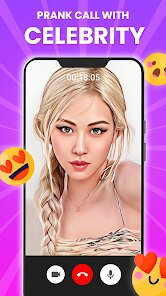
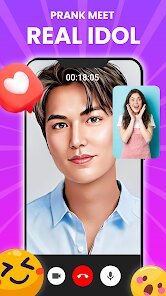
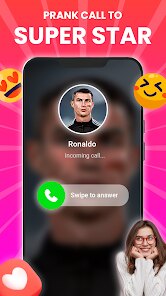
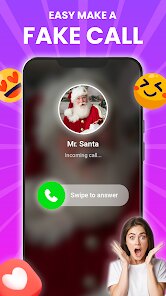
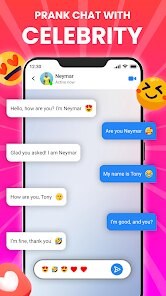
Prank Call - Idol Video Call is a simulation app that lets you stage fake video calls with virtual celebrities or idols. You pick a character from a list, and the app plays a pre-recorded video of them on your screen, as if they're actually calling you. It's basically a prank tool, not a real communication app. A lot of people download it from Google Play just to mess with friends or family, making them think a famous singer or actor is ringing. The install count sits around half a million, and it's free to grab with zero upfront cost. Once you launch it, the first impression is pretty straightforward—a simple interface with big buttons and a handful of idol options. You don't need to register or log in, which is nice for a quick joke. There are some in-app purchases if you want to unlock more characters, and ads pop up here and there, but they're not overwhelming right off the bat.
After using it for a bit, the hands-on experience is a mixed bag. The onboarding is basically nonexistent; you just pick a character and hit the call button, and the video starts playing. The main actions are simple: choose someone from the gallery, maybe adjust a few settings like ringtone or call duration, then pretend to answer it. In daily use, you'd probably show it off during a hangout or a party, letting the video run for a few seconds before revealing the prank. The interface feels a little dated, with icons that look like from an older Android version, but it's functional. One small tip is that the videos loop if you let them go long, which can break the illusion—better to time the prank short. It's smooth enough for what it does, though sometimes the loading between characters takes a couple seconds, which can feel sluggish if you're trying to keep a joke going.
Personally, after keeping it installed for a while, I think this app is perfect for someone who loves harmless mischief or wants a quick laugh at a gathering. It's not for anyone looking for deep simulation or real interaction—it's purely a gag. What sets it apart from apps like Fake Video Call or Prank Call Simulator is that it focuses specifically on idol characters with actual video clips, rather than generic audio calls. That makes it more convincing visually, but the character selection is limited unless you pay up. I kept it installed because it's fun to pull out once in a blue moon, but I could see someone uninstalling it after a few uses if the pranks get old. It does its job without pretending to be more than a toy.
features
- 🎭 Pre-recorded video calls with virtual idols make the prank feel real, unlike apps like Fake Video Call that often rely on static images or audio only. The video clips loop naturally and include gestures, so the other person genuinely thinks a celeb is on the line.
- 🎭 Simple one-tap interface means you don't have to fiddle with complex settings. Just pick an idol and trigger the call, which is way faster than configuring scripts in something like Prank Call Simulator, where you often set up fake caller details first.
- 🎭 In-app purchases unlock extra idol characters, giving you more variety if the free set gets stale. This beats similar tools where you're stuck with just a handful of options without paying a subscription fee.
pros
- 👍 The video quality is surprisingly good for a prank app—no blurriness or lag, which makes the prank way more convincing than what you get with Call Fake Free, where videos sometimes stutter or pixelate on older phones.
- 👍 No registration needed, so you can start pranking instantly. That's a big plus over apps like Fake Call from Girlfriend, which often ask for permissions or account creation before you even see the characters.
- 👍 The app stays lightweight on storage, under 20 MB, so it won't bloat your phone like some simulation apps that pack in tons of assets and take up hundreds of megabytes.
cons
- 👎 Limited free content—only a small handful of idols are available without paying, so you'll hit a wall fast. Prank Call Simulator offers more free options upfront, which feels fairer for a 0-download tool.
- 👎 Ads can interrupt the flow, especially right after a call ends. Fake Video Call keeps ads mostly in a side banner, so they're less intrusive during the prank itself.
- 👎 The video loop is noticeable after a few seconds, breaking the illusion. Other apps like Fake Call Pro include random pauses or variations to make it feel more natural, which this one lacks.
- 👎 No customization for the call interface—you can't change the caller ID or background to match your story. Competing tools often let you tweak those details for a more tailored prank.
Recommended Apps
![]()
16Personalities
16Personalities4
![]()
Zodiac Palm Reader: MagicWay
Reatility Media4.6
![]()
Moblo - 3D furniture modeling
MYTIforge4.1![]()
Magnifier Plus with Flashlight
Digitalchemy, LLC4.6![]()
QR Code Scanner
QR Code Scanner & Barcode Reader4.7![]()
FalFal: Astrology, Tarot, Love
FalFal Team4.8![]()
Christmas Photo Frames
PhotoFramesApps4.6![]()
AI Video Art Creator - Livensa
FERASET4.5![]()
Horoscope of Birth
Denimaks4.4![]()
Make Me Bald Prank
AppTornado2.5![]()
Kling AI: AI Image&Video Maker
Lohas Games Pte. Ltd.4.4![]()
Japan Timetable & Route Search
NAVITIME JAPAN CO., LTD.4.3![]()
Prank Call & Funny Video
TeH Software0![]()
Parallax 3D Live Wallpapers
TarrySoft4.3![]()
AI Chatbot - Nova
ScaleUp4.7















Disclaimer
1.AppInfoLibrary does not represent any developer, nor is it the developer of any App or game.
2.AppInfoLibrary provide custom reviews of Apps written by our own reviewers, and detailed information of these Apps, such as developer contacts, ratings and screenshots.
3.All trademarks, registered trademarks, product names and company names or logos appearing on the site are the property of their respective owners.
4. AppInfoLibrary abides by the federal Digital Millennium Copyright Act (DMCA) by responding to notices of alleged infringement that complies with the DMCA and other applicable laws.
5.If you are the owner or copyright representative and want to delete your information, please contact us info@appinfolibrary.com.
6.All the information on this website is strictly observed all the terms and conditions of Google Ads Advertising policies and Google Unwanted Software policy .














