
How Old Are Your Ears Fun Test

100+
Installs
team5stars
Developer
-
Entertainment
Category
-
Everyone
Content Rating
-
androidappdevelopersbypham@gmail.com
Developer Email
-
https://privacypolicydmvcdl.blogspot.com/2025/06/privacy-policy-of-how-old-are-your-ears.html
Privacy Policy
Screenshots
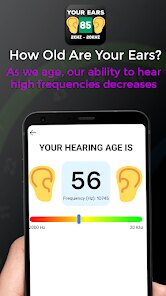
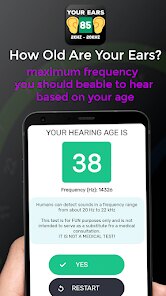
editor reviews
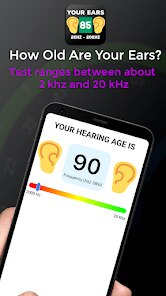
So, How Old Are Your Ears Fun Test is exactly what it sounds like — a little hearing check wrapped up in a game. You open it up on Google Play or the App Store, hit download, and within seconds you're staring at a clean, straightforward screen. It's free, no registration needed, and it doesn't bombard you with ads right away. The idea is simple: you listen to tones at different frequencies and guess whether you can hear them. The app then estimates your “ear age” based on how high you can still perceive sound. It's not a medical tool, but it's oddly satisfying for a quick curiosity check. I installed it after a friend mentioned it, and my first thought was, “Will this thing tell me I'm already deaf?”
The interface is minimal, almost too minimal. You get a big play button, a slider to adjust volume, and a results screen. The onboarding takes maybe ten seconds — a tiny popup explains what to do, and then you're off. You press play, hear a tone, and say whether you heard it. If you did, the frequency goes up; if not, it drops. The whole test lasts about three minutes, and you repeat it a few times to get an average. The tones can get genuinely uncomfortable at high frequencies, like a mosquito buzzing right in your ear. What felt smooth was how fast it moved — no loading screens, no waiting. What felt confusing was that the volume slider is sensitive, and if you set it too low, you might miss low tones and get an older ear age. A tip: keep volume at a comfortable medium, not max, because the high tones can actually hurt.
After a week, I think this app is more of a party trick than a daily driver. It's fun to compare with friends — “I got 22, what did you get?” — but after that novelty fades, there's not much reason to open it again. The data doesn't save, so you can't track changes over time. Who'd like it? People who enjoy quick, no-commitment tests or those curious about age-related hearing loss. Who wouldn't? Anyone wanting serious feedback or long-term use. Compared to apps like Mimi Hearing Test, which offers detailed audiograms and hearing aid compatibility, this one feels shallow. Still, it's free and takes two minutes, so I kept it installed for the occasional boredom killer — until the tiny ads started popping up more frequently. Then I uninstalled it.
features
- 🎧 Frequency Range Test: The app plays tones from 20Hz to 20,000Hz. You tap whether you hear each one. It's quick but not precise — unlike Mimi Hearing Test, which calibrates based on your headphones and environment. Still, for a casual check, it's fine.
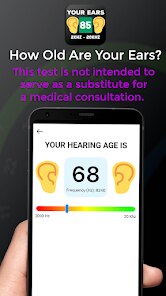
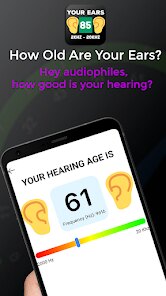
- 🎯 Ear Age Estimate: After the test, it gives you a number like “Your ears are 25 years old.” It's purely for fun. Mimi gives you a real audiogram with dB hearing levels per frequency. This app just gives a single number based on your highest heard frequency.
- 📊 No Log History: You get a result, then it's gone. There's no way to save or compare past results. Mimi keeps a history graph so you can see if your hearing changes over time. This app feels more like a one-shot toy.
- 🔥 High-Frequency Limit Indicator: It shows your personal max frequency. That's the standout feature — it's a direct, simple metric. Most other hearing apps hide that behind complex charts. Here, it says “You heard up to 16kHz” and that's it.
pros
- ✅ Instant Setup — No account, no email, no permissions. Open and play in under 10 seconds. Mimi requires sign-up and asks for microphone access. This app respects your time by skipping all that.
- ✅ Zero Learning Curve — There's one button. Even a child could use it. Other apps like EarAge or Hearing Test Pro have multi-step calibration screens. This one is refreshingly dumb-simple.
- ✅ Free with Minimal Ads — You get a full test before seeing any ad. Compare that to Hearing Test Pro, which shows a banner ad even before the test loads. Here, ads appear only after results, and even then, they're skippable.
cons
- ❌ No Headphone Calibration — Unlike Mimi, which asks what headphones you're using to adjust frequency response, this app just plays raw tones. If you have bass-heavy headphones, low frequencies sound louder, skewing your ear age older.
- ❌ Volume Sensitivity Issues — The volume slider is the only control, and it directly affects results. Turn it down, and you'll miss low tones, making you seem older. Mimi uses fixed volume levels per frequency, which is more reliable.
- ❌ No Medical Disclaimer — The app doesn't warn that this isn't a real hearing test. Some users might take the ear age result seriously. Other apps in this category often include a clear “For entertainment only” note. This one doesn't.
Recommended Apps
![]()
16Personalities
16Personalities4
![]()
Zodiac Palm Reader: MagicWay
Reatility Media4.6
![]()
Moblo - 3D furniture modeling
MYTIforge4.1![]()
Magnifier Plus with Flashlight
Digitalchemy, LLC4.6![]()
QR Code Scanner
QR Code Scanner & Barcode Reader4.7![]()
FalFal: Astrology, Tarot, Love
FalFal Team4.8![]()
Christmas Photo Frames
PhotoFramesApps4.6![]()
AI Video Art Creator - Livensa
FERASET4.5![]()
Horoscope of Birth
Denimaks4.4![]()
Make Me Bald Prank
AppTornado2.5![]()
Kling AI: AI Image&Video Maker
Lohas Games Pte. Ltd.4.4![]()
Japan Timetable & Route Search
NAVITIME JAPAN CO., LTD.4.3![]()
Prank Call & Funny Video
TeH Software0![]()
Parallax 3D Live Wallpapers
TarrySoft4.3![]()
AI Chatbot - Nova
ScaleUp4.7















Disclaimer
1.AppInfoLibrary does not represent any developer, nor is it the developer of any App or game.
2.AppInfoLibrary provide custom reviews of Apps written by our own reviewers, and detailed information of these Apps, such as developer contacts, ratings and screenshots.
3.All trademarks, registered trademarks, product names and company names or logos appearing on the site are the property of their respective owners.
4. AppInfoLibrary abides by the federal Digital Millennium Copyright Act (DMCA) by responding to notices of alleged infringement that complies with the DMCA and other applicable laws.
5.If you are the owner or copyright representative and want to delete your information, please contact us info@appinfolibrary.com.
6.All the information on this website is strictly observed all the terms and conditions of Google Ads Advertising policies and Google Unwanted Software policy .














