

Kpop Demon Draw and Coloring

1K+
Installs
Youssoft LTD
Developer
-
Art & Design
Category
-
Everyone
Content Rating
-
admin@youssoft.net
Developer Email
-
https://mobydrop.com/privarcypolicy.html
Privacy Policy
Screenshots
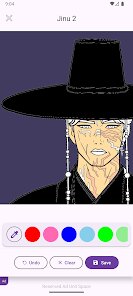
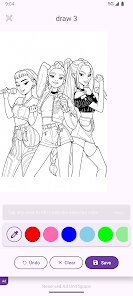
editor reviews
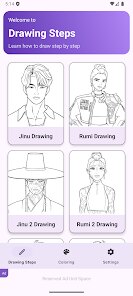
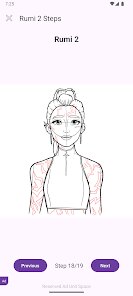
Kpop Demon Draw and Coloring is a creative app, more of a digital coloring book than a full art suite, specifically designed for fans of K-pop monster-themed illustrations. You mainly use it to pick pre-drawn demon characters with a cute or edgy K-pop inspired style, then fill them in using a variety of colors and tools. What made me download it from the App Store was the promise of a relaxing, no-pressure activity that didn't require any real drawing skill. My first impression after launching it was that the interface looked clean but a bit basic, like a simple kids' app. It's free to download, but you quickly notice the ads, and there are in-app purchases for extra color palettes and removing those interruptions. There's no registration required to jump in, which was a nice plus.
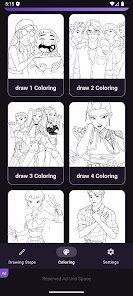
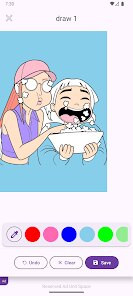
Once you're inside, the hands-on experience is straightforward. You scroll through a list of demon characters on the main screen, each with a different vibe from playful to dark. Tapping one opens the coloring canvas, where your main actions are selecting a color from a small palette and tapping the area you want to fill. The touch controls are responsive, so flooding a section with color feels instantly satisfying. However, the line art can be a bit thin in spots, making it easy to accidentally color outside the zones if you're not zoomed in. I found myself pinching to zoom a lot, which works fine but felt like an extra step. A practical tip is to start with the larger sections to gauge the color spread, because the undo button only goes back one step. The onboarding is minimal—mostly silent taps—which is fine, but it did feel a little hollow at first.
After spending some time with it, I think this app is a decent pick for K-pop fans who just want a calming distraction without the pressure of creating something from scratch. It's different from other coloring apps because of that specific demon aesthetic, which sets a mood. On the downside, the ad placement can be annoying, popping up after every few color fills, and the free palette feels limited. Someone who loves detailed coloring might uninstall it and go back to something like Pigment, which offers more brushes and layers. But if you're just looking for a quick, themed activity to kill 10 minutes, you might keep it around for those lazy afternoons.
features
- 🎨 The core offering is a large collection of pre-drawn demon characters with a distinct K-pop influenced design, which sets it apart from generic coloring apps like Happy Color. You're not just coloring flowers or landscapes; you're working on edgy, stylized figures that feel fresh for fans of the genre.
- 🖌️ The touch-to-fill coloring mechanic is simple and satisfying, perfect for casual use. Unlike more complex apps such as Procreate, this one requires zero skill or patience for layers and blending. You just tap, and the color snaps in, making it ideal for winding down.
- 🌈 There are special glitter and gradient color options available through in-app purchases, which add a unique sparkle to the final artwork. This stands out against free apps like Color by Number, which often stick to flat, basic colors without customizable flair.
pros
- 🌟 Its biggest strength is the niche theme. If you are into K-pop and demon aesthetics, this app feels like it was made for you, unlike broader tools like Adobe Fresco that don't cater to such specific tastes.
- 🤯 The color application is very fast and responsive, with no lag after tapping. This makes the experience feel smooth and immediate, better than some older apps like Recolor that can stutter on big sections.
- 💸 The base download is free with no mandatory subscriptions needed just to start a picture. This is a major plus over apps like Lake that lock many pages behind a weekly fee, making Demon Draw more accessible.
cons
- 📉 The art variety is limited. After coloring a few demon characters, they start to look very similar in pose and style, lacking the expansive galleries found in Pigment or Colorfly that have thousands of different images.
- 🔇 There is no music or sound effects, making the experience feel silent and a bit static. Other apps like Zen Color include relaxing background tracks to enhance the mood, which this app misses entirely.
- 🔄 The single undo step is frustrating during detailed work. If you make a mistake, you often have to redo a whole section, whereas apps like Tap Color have a history panel to roll back multiple actions.
Recommended Apps
![]()
16Personalities
16Personalities4
![]()
Zodiac Palm Reader: MagicWay
Reatility Media4.6
![]()
Moblo - 3D furniture modeling
MYTIforge4.1![]()
Magnifier Plus with Flashlight
Digitalchemy, LLC4.6![]()
QR Code Scanner
QR Code Scanner & Barcode Reader4.7![]()
FalFal: Astrology, Tarot, Love
FalFal Team4.8![]()
Christmas Photo Frames
PhotoFramesApps4.6![]()
AI Video Art Creator - Livensa
FERASET4.5![]()
Horoscope of Birth
Denimaks4.4![]()
Make Me Bald Prank
AppTornado2.5![]()
Kling AI: AI Image&Video Maker
Lohas Games Pte. Ltd.4.4![]()
Japan Timetable & Route Search
NAVITIME JAPAN CO., LTD.4.3![]()
Prank Call & Funny Video
TeH Software0![]()
Parallax 3D Live Wallpapers
TarrySoft4.3![]()
AI Chatbot - Nova
ScaleUp4.7















Disclaimer
1.AppInfoLibrary does not represent any developer, nor is it the developer of any App or game.
2.AppInfoLibrary provide custom reviews of Apps written by our own reviewers, and detailed information of these Apps, such as developer contacts, ratings and screenshots.
3.All trademarks, registered trademarks, product names and company names or logos appearing on the site are the property of their respective owners.
4. AppInfoLibrary abides by the federal Digital Millennium Copyright Act (DMCA) by responding to notices of alleged infringement that complies with the DMCA and other applicable laws.
5.If you are the owner or copyright representative and want to delete your information, please contact us info@appinfolibrary.com.
6.All the information on this website is strictly observed all the terms and conditions of Google Ads Advertising policies and Google Unwanted Software policy .














