
AR Drawing - Sketchar App

10M+
Installs
Braly JSC
Developer
-
Art & Design
Category
-
Everyone
Content Rating
-
feedback.drawsketch@bralyvn.com
Developer Email
-
https://bralyvn.com/privacy-policy.php
Privacy Policy
Screenshots
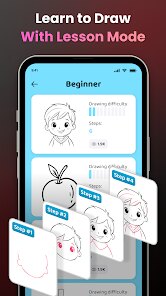
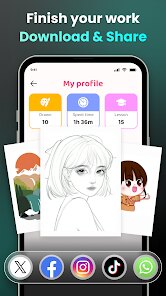
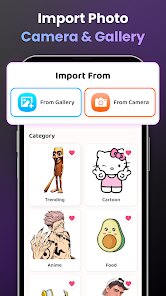
editor reviews
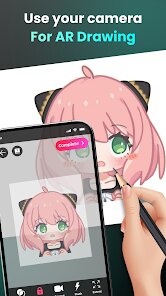
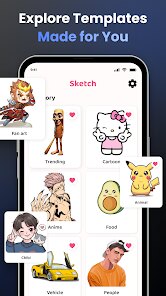
AR Drawing - Sketchar is a mobile app that blends augmented reality with traditional drawing, aiming to help users trace and sketch images more easily. It falls under the creative and art utilities category, and its main use is for people who want to draw without needing advanced skills. You can pick a photo from your gallery or use a built-in collection, and the app projects it onto your screen with a transparent overlay so you can trace it onto paper. I downloaded it from the Google Play store, and the install process was quick. The app is free to download, but it comes with in-app purchases for premium tools and recurring ads that pop up between steps. The first impression after launching it is somewhat mixed — the interface feels a bit cluttered with buttons and prompts, but the tracing concept immediately makes sense. It seems like a good tool for beginners who lack confidence in freehand drawing or even for hobbyists looking to reproduce complex references without measuring every line.
Once you start using the app, the hands-on experience is fairly straightforward but has a few bumps. After picking an image, you lock your phone onto a stand or prop it up at a good angle, and you set the transparency. Then you look through the camera feed and trace the projected lines onto real paper. The first time, I had to adjust the brightness and angle several times to avoid shadows and warping, which was a bit frustrating. The onboarding gives you a quick tutorial, but it leaves out small tips like keeping the room lit evenly to reduce glare. The interface has several sliders for opacity, line detection, and grid overlays, but the names of some controls are not that intuitive — I had to trial-and-error my way through. The app works best with bold, high-contrast images; detailed pencil sketches or soft photos get lost in the camera feed easily. A practical tip: use a whiteboard or a clipboard with a paper clamp to hold everything steady. The app's step-by-step tools like “auto edge detection” help beginners skip some of the guesswork, but it can also distort fine details if you rely on it too much.
After using it for a few weeks, here is my personal take. This app is great for someone who wants to create recognizable sketches without deep drawing practice — think casual birthday cards, doodles, or fan art. But if you already draw comfortably from reference or prefer apps like Procreate or Adobe Fresco for digital sketching, Sketchar might feel more like a crutch than a tool. Its standout difference from regular tracing apps is the AR component: instead of placing paper over a lightbox, you can trace off any real surface, including a wall or notebook. That said, the ads are frequent enough to break your flow during short sessions, and the premium subscription is pricier than similar dedicated tracing tools like “SketchAR” or “Tracing Projector.” I kept it installed because it is useful for practicing proportions, but I can see people uninstalling it if the clutter or ads get too distracting.
features
- 📱 The main hook for me is the AR camera tracing. Unlike apps like “Da Vinci Eye” which rely more on static overlays, Sketchar uses live camera feed, so you can trace objects that are not flat or photos you shoot on the fly. It changes how you set up — you can trace a coffee cup or a tree branch just by pointing your phone at it.
- 🎨 The contour detection slider is another standout. Many drawing apps let you adjust opacity or grid lines, but Sketchar's detection picks out edges and outlines automatically from the camera feed, which saves time for beginners who cannot pick out shapes themselves. You can also toggle it off if you want full manual tracing.
- 🔧 They have a step-by-step mode that splits a complex image into a few sequential layers. So instead of seeing the whole photo as one messy overlay, the app walks you through each section. This feature is nowhere near as polished as a proper tutorial app like “How to Draw,” but it does help reduce overwhelm when you are tackling a portrait or landscape.
pros
- 🌟 It works without needing a lightbox or a bright screen behind paper. For example, “iTrace” or “Tracing Paper” apps need you to adjust screen brightness and place paper directly on the screen, which limits you to tablet-sized drawings. Sketchar lets you trace onto a large sketchbook or even a cardboard box, which feels much more flexible.
- 🎯 The auto-line detection is surprisingly sharp on high-contrast images. I compared it to “SketchAR – AR Drawing” and Sketchar's edge detection picked up cleaner outlines on a photo of a silhouette, making it easier for me to trace without redoing strokes.
cons
- ⚠️ The app is cluttered with pop-up ads. Every time you finish a step or change an image, an ad takes over the screen. Similar apps like “Easy Trace” have fewer interruptions, making them better for extended drawing sessions without frustration.
- ⚠️ The camera-based tracing is unreliable in dim or uneven lighting. Shadows cast by your hand or the phone cable distort the projection line. In contrast, “Tracing Projector” works with static photos and does not depend on ambient light, so it is more forgiving in messy rooms.
- ⚠️ The interface is not very intuitive. I had to search for basic settings like opacity sliders and grid toggle — they are buried under a hamburger menu with no labels. “SketchAR” has a cleaner layout with icons that are self-explanatory, which is far better for a beginner who just wants to start tracing quickly.
Recommended Apps
![]()
16Personalities
16Personalities4
![]()
Zodiac Palm Reader: MagicWay
Reatility Media4.6
![]()
Moblo - 3D furniture modeling
MYTIforge4.1![]()
Magnifier Plus with Flashlight
Digitalchemy, LLC4.6![]()
QR Code Scanner
QR Code Scanner & Barcode Reader4.7![]()
FalFal: Astrology, Tarot, Love
FalFal Team4.8![]()
Christmas Photo Frames
PhotoFramesApps4.6![]()
AI Video Art Creator - Livensa
FERASET4.5![]()
Horoscope of Birth
Denimaks4.4![]()
Make Me Bald Prank
AppTornado2.5![]()
Kling AI: AI Image&Video Maker
Lohas Games Pte. Ltd.4.4![]()
Japan Timetable & Route Search
NAVITIME JAPAN CO., LTD.4.3![]()
Prank Call & Funny Video
TeH Software0![]()
Parallax 3D Live Wallpapers
TarrySoft4.3![]()
AI Chatbot - Nova
ScaleUp4.7















Disclaimer
1.AppInfoLibrary does not represent any developer, nor is it the developer of any App or game.
2.AppInfoLibrary provide custom reviews of Apps written by our own reviewers, and detailed information of these Apps, such as developer contacts, ratings and screenshots.
3.All trademarks, registered trademarks, product names and company names or logos appearing on the site are the property of their respective owners.
4. AppInfoLibrary abides by the federal Digital Millennium Copyright Act (DMCA) by responding to notices of alleged infringement that complies with the DMCA and other applicable laws.
5.If you are the owner or copyright representative and want to delete your information, please contact us info@appinfolibrary.com.
6.All the information on this website is strictly observed all the terms and conditions of Google Ads Advertising policies and Google Unwanted Software policy .














