
Quiz Challenge: Funny Filter

5M+
Installs
Braly JSC
Developer
-
Entertainment
Category
-
Everyone
Content Rating
-
cameraselfie.store@gmail.com
Developer Email
-
https://bralyvn.com/privacy-policy.php
Privacy Policy
Screenshots
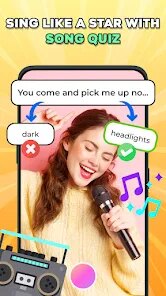
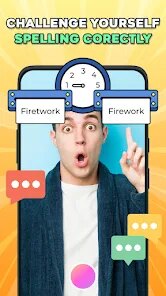
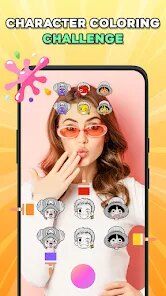


editor reviews
Quiz Challenge: Funny Filter is a quirky photo-editing app that takes a different approach than most. Instead of just beautifying your selfies or adding generic stickers, it turns your photos into interactive quizzes. You take a picture, and the app applies a filter that prompts you to answer a silly question about the image, like “What's this person thinking?” or “Guess the mood of this pet.” It's part photo editor, part party game—a niche hybrid that you'd likely stumble upon while scrolling through the Google Play or App Store, intrigued by its promise of laughs. With over 100,000 installs on Android, it's free to download, though you'll encounter ads and optional in-app purchases for extra filter packs. The first time I launched it, the interface felt a bit cluttered, but the core idea instantly sparked curiosity. It's not your typical filter app, and that novelty alone made me want to test it out with my friends.
When you actually start using it, the experience is a mixed bag of fun and frustration. After tapping “Take a Photo,” you're guided to choose from a handful of quiz-themed filters, each tied to a specific prompt. For example, one filter might overlay text asking, “Which snack does this person crave?” while another turns the photo into a “truth or dare” challenge. The onboarding is straightforward—you snap a shot, pick a filter, and share the result to social media or challenge a friend via a link. However, navigating the app can feel a bit sluggish; sometimes filters take a few seconds to load, and the ads pop up right when you're mid-edit, which kills the momentum. A practical tip I learned: keep your poses simple, as overly busy backgrounds confuse the filter overlay. The real joy comes when you share the quiz with a group chat and everyone chimes in with guesses. It's less about perfect editing and more about sparking conversations, which makes it feel fresh for a quick laugh during a lazy afternoon.
After using it for a while, I'd say Quiz Challenge: Funny Filter has a clear place, but it's not for everyone. If you love icebreakers, party games, or just want a light-hearted way to mess with your friends, this app is a gem. It's more engaging than static apps like FaceApp or YouCam Perfect because it forces interaction rather than just passive filters. However, if you're looking for serious photo-editing tools or a polished, ad-free experience, you might get annoyed quickly. The limited filter selection and occasional glitches make it feel more like a prototype than a polished product. I ended up keeping it installed because it's a fun go-to for group calls or when I'm bored and want to make someone laugh. But I can see why many would uninstall it after a week—the novelty wears off, and without regular updates, it risks feeling stale. It's a quirky little app that knows its audience: people who value a good chuckle over a flawless selfie.
features
- 🎭 Interactive quiz filters: Instead of just adding a bunny nose or color hue, each filter turns your photo into a personalized quiz question. You can snap a pic of your friend making a funny face, and the app overlays a prompt like “Guess what they just smelled.” It's a social twist that apps like Snapchat or Instagram filters don't offer—they rely on pure visuals, while this app adds a layer of gameplay.
- 🎭 Challenge mode for sharing: After editing, you can send a link directly to a friend, prompting them to answer the quiz in a separate screen. It's like a mini-game you share via text, which feels more engaging than just posting a filtered photo to a story. Compared to Candy Camera's static stickers, this feature creates a back-and-forth interaction that's rare in photo apps.
- 🎭 Variety of filter themes: The app includes filters for different moods—funny, awkward, romantic, or even “roast me” questions. You can match the filter to the situation, like using a “guess the secret” style for a group photo. While B612 offers tons of stickers, none turn your gallery into a trivia game, which is where Quiz Challenge stands out.
pros
- 🌟 Novelty factor: It offers a completely different experience from mainstream editors like PicsArt or Facetune. The quiz mechanic feels fresh and encourages social bonding outside the app, not just improved selfies.
- 🌟 Low commitment: You don't need to sign up or create an account to start using it. Just snap and share, which is less hassle than apps requiring registration before you even see filters, like Meitu.
- 🌟 Lightweight performance: The app takes up little storage compared to full-featured editors like Adobe Lightroom, making it a good casual download for quick fun without hogging phone space.
cons
- ⚠️ Limited filter library: With only a handful of quiz prompts, you quickly repeat the same jokes. Competitors like Snapchat constantly refresh their lens collection, but this app feels stagnant after a few uses.
- ⚠️ Ad interruptions: Ads pop up after nearly every edit, disrupting the flow. Free apps like YouCam Perfect also have ads, but they're less intrusive and timed better.
- ⚠️ No manual editing tools: Unlike FaceApp or Retrica, you can't adjust brightness, crop, or smooth skin. If the filter doesn't fit your photo, you're stuck, which limits creative control.
Recommended Apps
![]()
16Personalities
16Personalities4
![]()
Zodiac Palm Reader: MagicWay
Reatility Media4.6
![]()
Moblo - 3D furniture modeling
MYTIforge4.1![]()
Magnifier Plus with Flashlight
Digitalchemy, LLC4.6![]()
QR Code Scanner
QR Code Scanner & Barcode Reader4.7![]()
FalFal: Astrology, Tarot, Love
FalFal Team4.8![]()
Christmas Photo Frames
PhotoFramesApps4.6![]()
AI Video Art Creator - Livensa
FERASET4.5![]()
Horoscope of Birth
Denimaks4.4![]()
Make Me Bald Prank
AppTornado2.5![]()
Kling AI: AI Image&Video Maker
Lohas Games Pte. Ltd.4.4![]()
Japan Timetable & Route Search
NAVITIME JAPAN CO., LTD.4.3![]()
Prank Call & Funny Video
TeH Software0![]()
Parallax 3D Live Wallpapers
TarrySoft4.3![]()
AI Chatbot - Nova
ScaleUp4.7















Disclaimer
1.AppInfoLibrary does not represent any developer, nor is it the developer of any App or game.
2.AppInfoLibrary provide custom reviews of Apps written by our own reviewers, and detailed information of these Apps, such as developer contacts, ratings and screenshots.
3.All trademarks, registered trademarks, product names and company names or logos appearing on the site are the property of their respective owners.
4. AppInfoLibrary abides by the federal Digital Millennium Copyright Act (DMCA) by responding to notices of alleged infringement that complies with the DMCA and other applicable laws.
5.If you are the owner or copyright representative and want to delete your information, please contact us info@appinfolibrary.com.
6.All the information on this website is strictly observed all the terms and conditions of Google Ads Advertising policies and Google Unwanted Software policy .














