
Lockscreen Drawing

1M+
Installs
EZTech Apps
Developer
-
Productivity
Category
-
Everyone
Content Rating
-
thangpv5494@gmail.com
Developer Email
-
https://sites.google.com/view/eztechapps/home
Privacy Policy
Screenshots
editor reviews
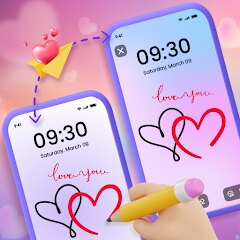
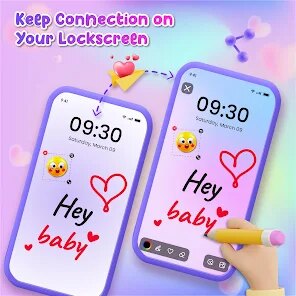
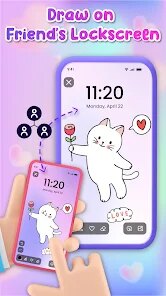
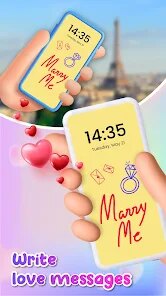
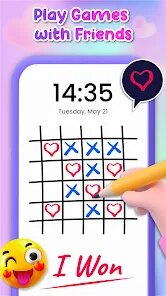
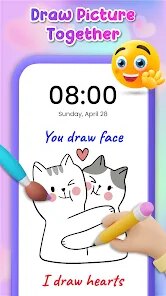
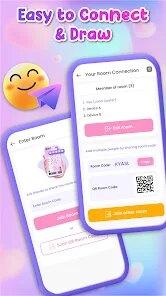
Lockscreen Drawing is a casual mobile utility that essentially turns your phone's lock screen into a mini sketchpad. It's not the kind of app you'd open for serious digital art; instead, it's more of a fun distraction for when you're waiting in line or killing a few minutes. After downloading it for free from Google Play, my first impression launching the app was a bit mixed. The icon looks clean enough, but the app opens into a fairly crowded interface with ads right away. You can register or skip it, and there are in-app purchases for removing ads or unlocking extra brush styles. I went ahead without signing up, and within a few seconds I was already doodling on a blank canvas.
Using the app feels straightforward once you get past the initial clutter. Onboarding is a simple overlay that shows you how to pick a brush color and adjust thickness. The main screen is just your canvas with a small toolbar at the bottom. You tap to choose between basic colors like black, red, or blue, then drag your finger to draw. There isn't much lag, and the strokes feel fairly smooth for a lockscreen tool. One small tip I picked up: if you want to erase, you have to switch to a white brush, since there's no dedicated eraser button. The app also offers a few stamp shapes like stars or hearts, which is a nice touch for quick decoration. What surprised me is that the drawing works on top of your actual lock screen wallpaper, so your doodle appears over it, which feels a bit gimmicky but also strangely satisfying.
After playing with it for a while, I can see why someone might keep it installed. It's a decent boredom-killer for kids or anyone who likes doodling without pressure. But honestly, if you already use a notes app with a drawing feature, or if you prefer apps like Paper by WeTransfer for actual sketching, this one feels too limited. What sets it apart from similar casual sketch tools is the lockscreen integration—you don't need to unlock your phone, you can just draw on the lock screen itself. That novelty wears off fast though. I ended up uninstalling it after a couple of days because the constant ads and the lack of an undo button made it more frustrating than fun. For someone who just wants a quick way to waste time without committing to a full drawing app, it's fine. But serious artists or people who hate clutter will probably pass.
features
- 🖍️ Lockscreen integration: Unlike SketchBook or Adobe Fresco, this app lets you draw directly on your lock screen without unlocking your phone. It's a neat novelty for quick, grab-and-go doodles, but it also means your artwork covers your wallpaper, which can look messy.
- 🖍️ Simple brush set: You get basic colors and size options, but there's no pressure sensitivity or blending modes like you'd find in Ibis Paint X. The stamps (hearts, stars) add a bit of personality, but overall the toolset feels bare-bones for anything beyond childlike scribbles.
- 🖍️ No complex layers: Unlike infinite canvas apps like Concepts, this one keeps it flat. You can't undo strokes, which is a major miss. What you draw stays, so every mistake is permanent unless you start over.
pros
- 👍 Free to start with no forced sign-up: You can jump in and draw immediately without creating an account. That's better than many apps like Tayasui Sketches, which lock basic features behind login walls.
- 👍 Very low storage footprint: At under 10MB, it won't eat up space on your phone. Compared to bloated drawing suites like MediBang Paint, this feels refreshingly lightweight.
- 👍 Quick access from the lockscreen: The whole point is speed. You don't need to dig through folders; just swipe and draw. That's more convenient than opening a separate app for a 30-second doodle.
cons
- 👎 No undo or redo function: This is a dealbreaker for me. In apps like Paper by WeTransfer, you can easily step back, but here one mistaken stroke ruins your entire drawing. It makes the experience feel punishing rather than playful.
- 👎 Persistent ads: The free version shows banner ads at the bottom and occasional pop-ups. It's way more intrusive than what you get in similar free tools like Sketchpad, which keeps ads tucked away in menus.
- 👎 Limited export options: You can save your drawing as a static image, but there's no way to share it directly to social media or export as a video timelapse. Apps like Ibis Paint X offer way more sharing flexibility.
Recommended Apps
![]()
16Personalities
16Personalities4
![]()
Zodiac Palm Reader: MagicWay
Reatility Media4.6
![]()
Moblo - 3D furniture modeling
MYTIforge4.1![]()
Magnifier Plus with Flashlight
Digitalchemy, LLC4.6![]()
QR Code Scanner
QR Code Scanner & Barcode Reader4.7![]()
FalFal: Astrology, Tarot, Love
FalFal Team4.8![]()
Christmas Photo Frames
PhotoFramesApps4.6![]()
AI Video Art Creator - Livensa
FERASET4.5![]()
Horoscope of Birth
Denimaks4.4![]()
Make Me Bald Prank
AppTornado2.5![]()
Kling AI: AI Image&Video Maker
Lohas Games Pte. Ltd.4.4![]()
Japan Timetable & Route Search
NAVITIME JAPAN CO., LTD.4.3![]()
Prank Call & Funny Video
TeH Software0![]()
Parallax 3D Live Wallpapers
TarrySoft4.3![]()
AI Chatbot - Nova
ScaleUp4.7















Disclaimer
1.AppInfoLibrary does not represent any developer, nor is it the developer of any App or game.
2.AppInfoLibrary provide custom reviews of Apps written by our own reviewers, and detailed information of these Apps, such as developer contacts, ratings and screenshots.
3.All trademarks, registered trademarks, product names and company names or logos appearing on the site are the property of their respective owners.
4. AppInfoLibrary abides by the federal Digital Millennium Copyright Act (DMCA) by responding to notices of alleged infringement that complies with the DMCA and other applicable laws.
5.If you are the owner or copyright representative and want to delete your information, please contact us info@appinfolibrary.com.
6.All the information on this website is strictly observed all the terms and conditions of Google Ads Advertising policies and Google Unwanted Software policy .














