
My Character: Cartoon Filter

5M+
Installs
CEM SOFTWARE LTD
Developer
-
Entertainment
Category
-
Everyone
Content Rating
-
admin@cemsoftwareltd.com
Developer Email
-
https://cemsoftwareltd.com/privacyPolicy.html
Privacy Policy
Screenshots
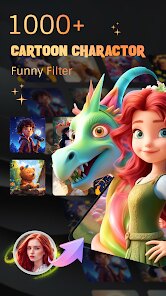
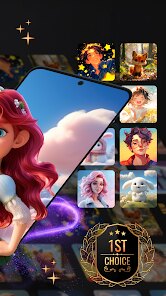
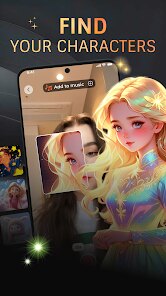
editor reviews
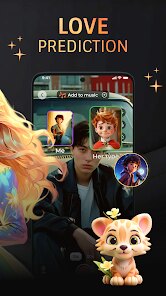
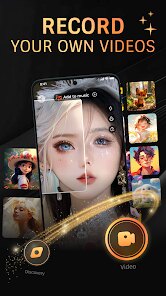
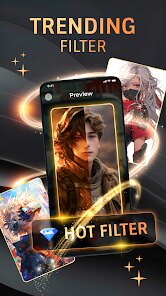
Cartoon Filter is a photo editing app from CEM SOFTWARE LTD that turns your regular pictures into cartoon-style artwork. It's one of those tools you download when you want to have a bit of fun with your selfies or snapshots without needing any serious editing skills. On the Google Play Store, it's been installed between fifty thousand and a hundred thousand times, and it's free to download no registration required at startup which honestly is a relief. When you first open the app, the interface greets you with a simple camera icon and a gallery button, so you can either snap a new picture or pick one from your phone. The first impression is that it feels lightweight no heavy menus or confusing settings just tap and go.
After you select a photo, the app processes it within a few seconds, and you can swipe left or right to preview different cartoon effects. There's no slider for intensity though, so you're stuck with whatever the filter decides to apply. You can add some optional stickers or frames if you like, but the main action is really just applying the filter and saving the result. I noticed that faces with good lighting and clear features turn out the best, while group shots or darker images can look a bit messy. The app doesn't have undo or version history, so you might want to save a copy before applying anything. It's straightforward enough that you can finish editing a photo in under a minute, which makes it handy for quick social media posts.
Honestly, Cartoon Filter works well for someone who just wants a silly effect for a few photos without diving into complicated apps. But if you're expecting polished results like you'd get from more mature editors like Cartoon Face or Prisma, this one falls short. The effects look decent at first glance, but they don't hold up well if you zoom in the edges can get jagged and colors sometimes bleed. I can see why someone would keep it installed for the occasional laugh, but it's also the kind of app you might uninstall after a week because the novelty wears off fast. For a free tool with no ads popping up every two seconds, it does what it promises it's just not something you'll rely on for serious edits.
features
- 🎨 The main feature is converting photos into cartoon art with different style options, though the effect isn't as refined as apps like Cartoon Face, which offers more granular control over line thickness and shading.
- 📷 It includes basic editing extras like stickers and frames, but these feel limited compared to something like Prisma, where you can layer multiple artistic filters for a unique look.
- ⚡ Processing speed is a standout the app applies filters in just a couple of seconds, which is faster than many competitors that require a bit of loading time for higher-res outputs.
- 🔒 No sign-up or login is needed, so you can start editing immediately without giving away your email, which is a nice privacy bonus over apps like ToonMe that nag you to create an account.
pros
- 👌 It's completely free with no hidden costs, unlike ToonMe or Prisma, which lock better filters behind a subscription or one-time purchase.
- 👶 The simplicity makes it great for kids or anyone who isn't tech-savvy no tutorials needed, whereas Cartoon Face has a steeper learning curve with manual adjustments.
- 💾 File sizes stay small, so saved images won't eat up your phone storage a clear advantage over apps that export high-res files you rarely use again.
cons
- 😞 The filters lack customization entirely you can't adjust intensity or tweak specific areas, while Cartoon Face lets you fine-tune each effect to your taste.
- 📉 Output quality degrades noticeably for non-ideal photos, like ones with poor lighting or complex backgrounds, whereas Prisma handles such images more gracefully with better AI processing.
- 🔄 There's no batch processing feature, so you have to edit each photo one by one a big drawback compared to apps that allow applying the same filter to multiple images at once.
Recommended Apps
![]()
16Personalities
16Personalities4
![]()
Zodiac Palm Reader: MagicWay
Reatility Media4.6
![]()
Moblo - 3D furniture modeling
MYTIforge4.1![]()
Magnifier Plus with Flashlight
Digitalchemy, LLC4.6![]()
QR Code Scanner
QR Code Scanner & Barcode Reader4.7![]()
FalFal: Astrology, Tarot, Love
FalFal Team4.8![]()
Christmas Photo Frames
PhotoFramesApps4.6![]()
AI Video Art Creator - Livensa
FERASET4.5![]()
Horoscope of Birth
Denimaks4.4![]()
Make Me Bald Prank
AppTornado2.5![]()
Kling AI: AI Image&Video Maker
Lohas Games Pte. Ltd.4.4![]()
Japan Timetable & Route Search
NAVITIME JAPAN CO., LTD.4.3![]()
Prank Call & Funny Video
TeH Software0![]()
Parallax 3D Live Wallpapers
TarrySoft4.3![]()
AI Chatbot - Nova
ScaleUp4.7















Disclaimer
1.AppInfoLibrary does not represent any developer, nor is it the developer of any App or game.
2.AppInfoLibrary provide custom reviews of Apps written by our own reviewers, and detailed information of these Apps, such as developer contacts, ratings and screenshots.
3.All trademarks, registered trademarks, product names and company names or logos appearing on the site are the property of their respective owners.
4. AppInfoLibrary abides by the federal Digital Millennium Copyright Act (DMCA) by responding to notices of alleged infringement that complies with the DMCA and other applicable laws.
5.If you are the owner or copyright representative and want to delete your information, please contact us info@appinfolibrary.com.
6.All the information on this website is strictly observed all the terms and conditions of Google Ads Advertising policies and Google Unwanted Software policy .














