

Glam AI: Video & Photo Editor

Installs
Glam Labs, Inc.
Developer
-
Generative AI
Category
-
Teen
Content Rating
-
+17538456734
Developer Email
-
https://getglam.app/privacy/
Privacy Policy
Screenshots
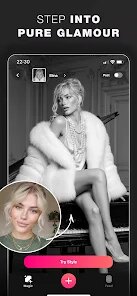
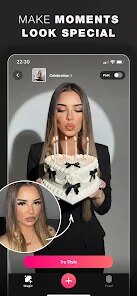

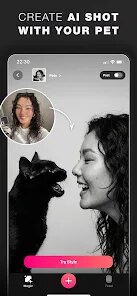
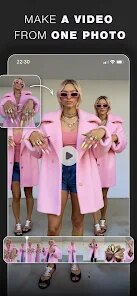
editor reviews
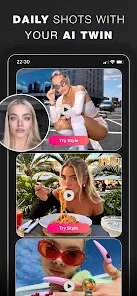
Glam AI is a photo and video editing app that focuses on beauty retouching and AI-generated transformations. You can find it on both Google Play and the App Store, and it's free to download, though there are in-app purchases. When you first install and launch it, the immediate impression is that it's trying to do a lot – from skin smoothing and face reshaping to turning your selfie into a cartoon character or a vintage painting. The app's home screen is busy, with multiple tabs and promotional banners for filters, which can feel overwhelming. A normal user might download it because they saw a friend use the “AI Art” effect on social media, hoping to get that same polished, artistic look without needing professional editing skills.
After you open the app, the onboarding walks you through the main tools: retouch, AI art, and a few fun filters. The core experience usually starts with taking a quick selfie or uploading a photo from your gallery. The interface itself is straightforward – you pick a tool, adjust sliders for smoothness or whiteness, and then apply it. Some actions lag slightly, especially the AI processing ones that turn a photo into a sketch or anime character. One small tip: lower the intensity of the face slimming effect, or it can look unnatural in bright lighting. For daily use, you might find yourself tapping between the “Retouch” tab for quick fixes and then jumping to “AI Art” for a fun shareable image. It's not the fastest app, but the result often looks polished enough for Instagram Stories.
After using Glam AI for a few weeks, I think it's great for someone who wants quick, flashy edits without learning complex software. People who enjoy posting selfies often will like the skin smoothing and the AI filters that turn faces into art. But if you're a professional photographer who needs precise color grading or detailed layer editing, this app will feel too limited. What sets it apart from apps like Facetune or YouCam Perfect is the AI art feature – it genuinely produces interesting styles like “Oil Painting” or “Cartoon” that stand out. However, you may end up uninstalling it because the free version is restrictive, with many effects locked behind a subscription. A user who only wants basic edits might keep it around for quick touch-ups when posting, while someone looking for deeper creativity might switch to a more flexible editor like Picsart.
features
- : The standout highlight in Glam AI is its “AI Art” tool. You can take a regular selfie and transform it into dozens of artistic styles, like a charcoal sketch, a cartoon character, or an oil painting. Compared to Photoshop's neural filters, which require a subscription and a desktop, Glam AI does this on your phone in seconds. The results aren't perfect – sometimes the face gets distorted – but the sheer variety of styles is impressive.
- : The retouching features, like skin smoothing, teeth whitening, and face sculpting, work with a simple slider. Unlike Facetune, where you manually paint over blemishes, Glam AI auto-detects your face and applies changes evenly. This makes it faster for beginners, though you lose some control over fine details.
- : The app includes a “Background Eraser” for photos. You tap on the area you want to keep, and AI removes the rest. It's not as precise as Lightroom's masking tools but works well for simple, clean backgrounds like a solid wall or sky, making it handy for profile picture edits.
- : There's a “Fun Filters” section with effects like adding sunglasses or cat ears to your face. While apps like Snapchat have similar lenses, Glam AI saves these as still images or short clips, which you can download directly. This simplifies sharing curated edits on social media.
pros
- : The built-in “Beauty Makeup” preset offers various makeup looks, like natural or glam. You can apply these in real-time to your face, similar to YouCam Makeup. It saves time since you don't need to manually pick eyeshadow colors and lip shades one by one.
- : All retouching edits are combined into a single, simple slider per feature. In apps like Facetune, you must paint specific areas. Glam AI's approach is much quicker for users who just want an overall improvement without precision work.
- : The AI art generation is surprisingly fast. While apps like Dream by WOMBO take 30 seconds per image, Glam AI delivers similar outputs in 10 seconds on a typical phone. This speed makes it suitable for quick content creation.
cons
- : The free version locks many high-quality AI art filters behind a premium subscription. If you want specific styles like “Superhero” or “Manga,” you must pay. In contrast, Picsart offers a wider range of free artistic effects, making it more accessible for budget-conscious users.
- : The non-AI features, like basic color adjustment and crop tools, are almost non-functional. You cannot adjust exposure, contrast, or vibrance individually. Lightroom Mobile gives users fine control over these parameters, which is essential for proper photo editing.
- : The watermarks on free downloads are large and placed centrally across the image. Apps like Snapseed leave no watermark, while Glam AI forces you to subscribe to remove them. This makes the free output feel unusable for professional sharing.
- : The background eraser often leaves rough edges around hair or complex objects. It works fine for simple shapes, but for detailed subjects, you might need Photoshop Express, which offers a much more accurate eraser tool.
Recommended Apps
![]()
16Personalities
16Personalities4
![]()
Zodiac Palm Reader: MagicWay
Reatility Media4.6
![]()
Moblo - 3D furniture modeling
MYTIforge4.1![]()
Magnifier Plus with Flashlight
Digitalchemy, LLC4.6![]()
QR Code Scanner
QR Code Scanner & Barcode Reader4.7![]()
FalFal: Astrology, Tarot, Love
FalFal Team4.8![]()
Christmas Photo Frames
PhotoFramesApps4.6![]()
AI Video Art Creator - Livensa
FERASET4.5![]()
Horoscope of Birth
Denimaks4.4![]()
Make Me Bald Prank
AppTornado2.5![]()
Kling AI: AI Image&Video Maker
Lohas Games Pte. Ltd.4.4![]()
Japan Timetable & Route Search
NAVITIME JAPAN CO., LTD.4.3![]()
Prank Call & Funny Video
TeH Software0![]()
Parallax 3D Live Wallpapers
TarrySoft4.3![]()
AI Chatbot - Nova
ScaleUp4.7















Disclaimer
1.AppInfoLibrary does not represent any developer, nor is it the developer of any App or game.
2.AppInfoLibrary provide custom reviews of Apps written by our own reviewers, and detailed information of these Apps, such as developer contacts, ratings and screenshots.
3.All trademarks, registered trademarks, product names and company names or logos appearing on the site are the property of their respective owners.
4. AppInfoLibrary abides by the federal Digital Millennium Copyright Act (DMCA) by responding to notices of alleged infringement that complies with the DMCA and other applicable laws.
5.If you are the owner or copyright representative and want to delete your information, please contact us info@appinfolibrary.com.
6.All the information on this website is strictly observed all the terms and conditions of Google Ads Advertising policies and Google Unwanted Software policy .














