
DIY Emoji - Sticker Maker

1M+
Installs
Braly JSC
Developer
-
Productivity
Category
-
Rated for 3+
Content Rating
-
feedback.emojimakeover@bralyvn.com
Developer Email
-
https://bralyvn.com/privacy-policy.php
Privacy Policy
Screenshots
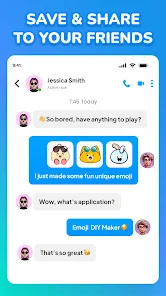
editor reviews
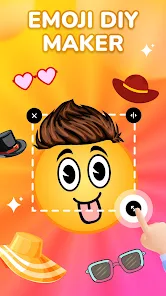
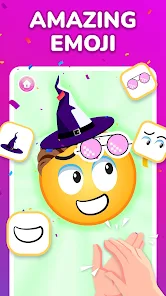
DIY Emoji - Sticker Maker is a photo editing utility designed for people who want to create custom emojis and stickers from their own pictures, screenshots, or downloaded images. After downloading it from the Google Play Store, the first thing I noticed was that it's completely free to install, with optional ads and a few in-app purchases for extra content. Launching it for the first time felt straightforward, which was a relief since I usually expect these kinds of apps to shove a paywall in my face immediately. You can start cutting out subjects from photos right away, which makes it a decent choice for quick meme-making or personal chat reactions.
Once you open the app, the interface is simple but functional. The main screen has a big "Create" button, which leads you to choose a photo from your gallery or take one on the spot. After selecting an image, the app automatically tries to detect the foreground subject—if that works, you can refine the edges manually. For someone like me who isn't patient with complex layers, the auto-cut tool saved a lot of time. You can then add backgrounds, text, or stickers to your creation. The tools are not the smoothest at first; the eraser sometimes cuts too aggressively, but with a few taps, you get the hang of it. I was able to save my first sticker in under two minutes, which is pretty good for a free app.
After using it for a couple of weeks, I think this app is best for casual users who want to make funny stickers for friends without dealing with a steep learning curve. It's not a replacement for something like Photoshop Express or any true vector-based sticker app, but it does the job for everyday use. What sets it apart is how quickly you can turn a photo into something shareable. That said, if you're looking for high-resolution exports or advanced editing like animation, you'll be disappointed. I kept it installed because it's small, fast, and useful for creating things on the fly, but someone who needs precision tools might uninstall it after a few tries.
features
- 🖼️ The background removal tool is surprisingly decent for a free app. It attempts to auto-detect people and objects, and you can fine-tune with a manual eraser or brush. Compared to something like Snapchat's sticker maker, DIY Emoji gives you more control over edges and allows you to save directly to your gallery as PNGs with transparent backgrounds.
- ✏️ The text and drawing tools let you add captions or doodles directly on your sticker. You can change fonts, colors, and sizes, though the selection isn't huge. This is good for making meme-style stickers, which is more than what basic apps like Sticker Maker for WhatsApp offer without any premium upgrades.
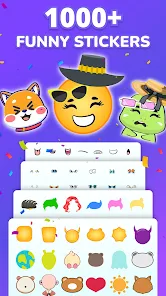
- 🎨 The app comes with a handful of pre-made sticker packs and backgrounds, so you can combine your custom cutouts with frames or themed backdrops. This adds a bit of flair that you wouldn't get from a purely manual editor like PicsArt's sticker maker mode, unless you're willing to hunt for templates online.
pros
- 😊 Completely free core functionality — unlike apps like Sticker Studio that lock the best tools behind a subscription, DIY Emoji lets you export unlimited PNG stickers without watermarks.
- ⚡ Fast export and sharing — you can save your sticker to your gallery or directly share it to WhatsApp, Telegram, or other messaging apps in just two taps. This is quicker than using a full photo editor like Canva.
- 📱 Lightweight and low storage — the app takes up under 30MB on my phone, which is much smaller than alternatives like Gboard sticker packs that require additional downloads.
cons
- 😐 The auto-cut tool struggles with complex backgrounds, like hair or fur, leaving messy edges that need a lot of manual cleanup. Apps like Adobe Express handle this much better even in their free version.
- 🔇 Limited sticker resolution — exports often look pixelated when scaled up, whereas apps like Sticker Maker Studio let you export at higher DPI for printing or larger use.
- 📢 Too many ads — after saving or exporting, you frequently get a full-screen ad. While this is common in free apps, alternatives like Stickerly offer similar functionality with far fewer interruptions.
Recommended Apps
![]()
16Personalities
16Personalities4
![]()
Zodiac Palm Reader: MagicWay
Reatility Media4.6
![]()
Moblo - 3D furniture modeling
MYTIforge4.1![]()
Magnifier Plus with Flashlight
Digitalchemy, LLC4.6![]()
QR Code Scanner
QR Code Scanner & Barcode Reader4.7![]()
FalFal: Astrology, Tarot, Love
FalFal Team4.8![]()
Christmas Photo Frames
PhotoFramesApps4.6![]()
AI Video Art Creator - Livensa
FERASET4.5![]()
Horoscope of Birth
Denimaks4.4![]()
Make Me Bald Prank
AppTornado2.5![]()
Kling AI: AI Image&Video Maker
Lohas Games Pte. Ltd.4.4![]()
Japan Timetable & Route Search
NAVITIME JAPAN CO., LTD.4.3![]()
Prank Call & Funny Video
TeH Software0![]()
Parallax 3D Live Wallpapers
TarrySoft4.3![]()
AI Chatbot - Nova
ScaleUp4.7















Disclaimer
1.AppInfoLibrary does not represent any developer, nor is it the developer of any App or game.
2.AppInfoLibrary provide custom reviews of Apps written by our own reviewers, and detailed information of these Apps, such as developer contacts, ratings and screenshots.
3.All trademarks, registered trademarks, product names and company names or logos appearing on the site are the property of their respective owners.
4. AppInfoLibrary abides by the federal Digital Millennium Copyright Act (DMCA) by responding to notices of alleged infringement that complies with the DMCA and other applicable laws.
5.If you are the owner or copyright representative and want to delete your information, please contact us info@appinfolibrary.com.
6.All the information on this website is strictly observed all the terms and conditions of Google Ads Advertising policies and Google Unwanted Software policy .














