

Flowers Photo Frame

1M+
Installs
ClickLab Technology
Developer
-
Video Players & Editors
Category
-
Rated for 3+
Content Rating
-
clicklab7@gmail.com
Developer Email
-
https://clicklabprivacypolicy.blogspot.com/
Privacy Policy
Screenshots
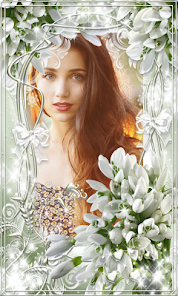
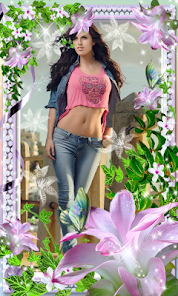
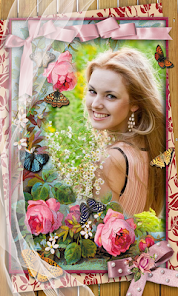
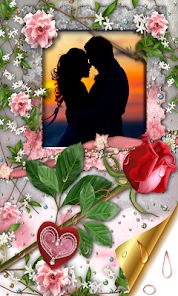
editor reviews
I stumbled upon Flowers Photo Frame, a photography and editing app from ClickLab Technology, while looking for something to make my lockdown flower photos look a bit more interesting. You know how it is, you take a bunch of pictures of your garden or a bouquet, but they just don't pop. This app is basically a digital frame that lets you drop your photos into a bunch of different flower-themed borders. I saw it had a decent number of installs on the Play Store, and since it was free to download, I figured I had nothing to lose. First impression after launching it? The screen is a riot of colors, with roses, tulips, and daisies everywhere. It feels a bit busy, but in a cheerful way, like walking into a florist shop that's also a computer screen.
Using the app is pretty straightforward. You open it up, and the main screen is just a big button to load a photo from your gallery. Once you pick a picture, you flip through a horizontal row of frame options at the bottom. Some frames are simple, a clean border of tiny violets, while others go all out with a massive sunflower framing the top corner. I found myself swiping back and forth a lot, trying to decide between the vintage rose frame and the modern leaf one. The interface is simple enough that you don't get lost, but it's not super fast either. There's a slight delay when applying heavy floral filters, which is a bit annoying. A small tip I learned is to crop your photo to a square before importing, because the frames tend to work best with that shape, otherwise you'll spend ages dragging the picture around to get it centered.
After using it for a couple of weeks, I can see the appeal, but also the limits. If you're someone who posts on social media a lot, especially for things like garden updates or Mother's Day greetings, this app gives you a fun, ready-made look. But if you're into serious photo editing with layers and masks, you'll hate it. It's very different from something like Snapseed, where you control every detail; here, the app does most of the work for you. What makes it stand out is how niche it is, you won't find another app dedicated purely to flower frames with this many options. I'll probably keep it installed for those few times a year I want that extra floral flair, but I can see power users uninstalling it after five minutes because it's just too simple.
features
- 🌼 The main draw is the massive library of floral frames. From realistic poppies to artistic watercolor daisies, there are hundreds of options. Compared to a generalist app like PicsArt, which has maybe ten flower-themed stickers, this app feels like a dedicated greenhouse for your photos. The sheer variety is what sets it apart; you're not just sticking a flower emoji on a picture, you're placing it inside a carefully designed border.
- 🌼 You can adjust the blur on the flower frames. This is a small but brilliant touch. Many frames overpower the photo, but by sliding a blur bar, you can make the flowers go soft and dreamy, letting your subject really stand out. Similar apps often just paste a static image, but here you get that control to balance the foreground and background.
- 🌼 The app includes a collection of pre-made romantic text styles. If you want to add "I love you" or "Happy Birthday" in a fancy cursive font that arcs around the flowers, it's built right in. You won't find such a seamless, flower-first typography tool in standard editors like Canva without hunting for specific fonts and templates.
pros
- ✨ The biggest strength is its focus. Unlike a massive suite like YouCam Perfect, which tries to do everything from acne removal to cat ears, Flowers Photo Frame knows exactly what it wants to be. If you need a floral border, you open this app, and you're done in thirty seconds. No scrolling through irrelevant menus.
- ✨ The frames are genuinely high-resolution. I've printed a few photos using this app, and the flower details don't turn into ugly pixels. That's a big plus over some cheaper frame apps where the petals look like blocky Lego bricks once you zoom in.
- ✨ The app is completely free to start using. There are no surprise bills to just try one frame. Many similar niche apps, like certain sticker-only editors, lock the good stuff behind a paywall immediately, but this one lets you play with a solid chunk of the content right away.
cons
- 🌱 A major weakness is the heavy watermark unless you watch an ad. Every exported photo gets a small logo in the corner, and to remove it, you have to watch a video ad or pay. Apps like InShot let you remove watermarks more permanently after a small purchase without this ad-for-each-save friction.
- 🌱 The selection process is slow. With hundreds of frames, scrolling through them one by one feels like a chore. There's no search bar or category filter. You just swipe endlessly, which is frustrating compared to the organized category menus in a tool like Adobe Photoshop Express.
- 🌱 It drains the battery noticeably. I used it for about fifteen minutes to edit three photos, and my phone got warm. It's not very optimized. For comparison, using a simpler app like Google Photos to add a basic filter uses almost no power.
Recommended Apps
![]()
16Personalities
16Personalities4
![]()
Zodiac Palm Reader: MagicWay
Reatility Media4.6
![]()
Moblo - 3D furniture modeling
MYTIforge4.1![]()
Magnifier Plus with Flashlight
Digitalchemy, LLC4.6![]()
QR Code Scanner
QR Code Scanner & Barcode Reader4.7![]()
FalFal: Astrology, Tarot, Love
FalFal Team4.8![]()
Christmas Photo Frames
PhotoFramesApps4.6![]()
AI Video Art Creator - Livensa
FERASET4.5![]()
Horoscope of Birth
Denimaks4.4![]()
Make Me Bald Prank
AppTornado2.5![]()
Kling AI: AI Image&Video Maker
Lohas Games Pte. Ltd.4.4![]()
Japan Timetable & Route Search
NAVITIME JAPAN CO., LTD.4.3![]()
Prank Call & Funny Video
TeH Software0![]()
Parallax 3D Live Wallpapers
TarrySoft4.3![]()
AI Chatbot - Nova
ScaleUp4.7















Disclaimer
1.AppInfoLibrary does not represent any developer, nor is it the developer of any App or game.
2.AppInfoLibrary provide custom reviews of Apps written by our own reviewers, and detailed information of these Apps, such as developer contacts, ratings and screenshots.
3.All trademarks, registered trademarks, product names and company names or logos appearing on the site are the property of their respective owners.
4. AppInfoLibrary abides by the federal Digital Millennium Copyright Act (DMCA) by responding to notices of alleged infringement that complies with the DMCA and other applicable laws.
5.If you are the owner or copyright representative and want to delete your information, please contact us info@appinfolibrary.com.
6.All the information on this website is strictly observed all the terms and conditions of Google Ads Advertising policies and Google Unwanted Software policy .














