

Find my Phone - Clap, Whistle

10M+
Installs
FunGear inc
Developer
-
Productivity
Category
-
Everyone
Content Rating
-
kimnv1205@gmail.com
Developer Email
-
https://wavez.vn/privacy-policy/
Privacy Policy
Screenshots

editor reviews
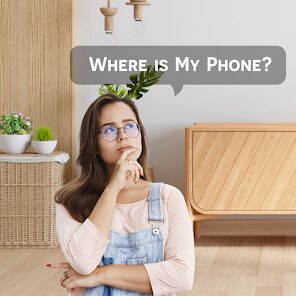
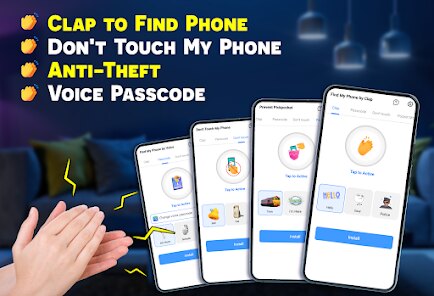
Find my Phone - Clap, Whistle is a utility app from FunGear Inc that basically turns your claps or whistles into a remote control for your misplaced phone. It's one of those practical tools you don't think you need until your phone vanishes between couch cushions for the fifth time in a week. You can use it to locate your device by making a sound, triggering a flash, or even setting off a loud alarm, all without needing another phone or a smartwatch. The app sits on Google Play and the App Store, and from what I've seen, it's been downloaded millions of times, likely because it's free to install. After launching it for the first time, you get a simple, no-fuss menu asking for microphone permissions, which felt straightforward. The first impression was honestly a bit of relief since most similar apps bury you in ads before you can do anything useful.
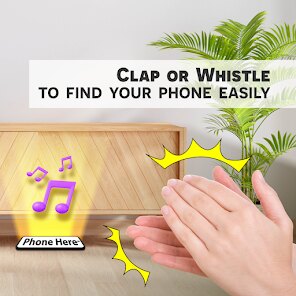
Using the app in real life is actually smoother than I expected. Once you grant microphone access, the main screen shows a big button labeled "Enable Listening," and tapping that turns on the clap or whistle detection. On a typical day, I'd toss my phone on the bed, walk into the kitchen, and then realize I've lost it again. With this app running in the background, I just clapped twice, and within a second, the phone started ringing at full volume, even if it was set to silent. You can also adjust the sensitivity, choosing between clap, whistle, or both, which comes in handy if you're in a noisy environment. The interface is minimal, with only a few settings for alarm duration and flash activation, so there's no learning curve. A small tip: keep the app open in the background and don't kill it from recent apps, or it won't respond to sounds. One confusing moment was when I clapped too softly and nothing happened, but once I figured out the right volume, it worked every time.
After using it for a couple of weeks, I can see this app being great for people who frequently lose their phone at home or in quiet spaces, like parents with kids who hide things or anyone who's a bit scatterbrained. On the flip side, if you live in a noisy household or work in a loud office, clap detection might trigger false alarms, so it's less ideal there. Compared to "Wheres My Droid" or "Lookout," which rely on SMS commands or web interfaces, this app feels more immediate and hands-free because you don't need a second device. What sets it apart is the pure simplicity: no account setup, no complicated settings, just clap and find. I'd keep it installed because it's lightweight and doesn't drain battery, but I could see someone uninstalling it if they rarely lose their phone or if they prefer a solution like a Tile tracker. It's not revolutionary, but for a free tool, it does exactly what it promises without fuss.
features
- 🎵 Clap or whistle detection: Unlike "Wheres My Droid" which requires texting a code from another phone, this lets you trigger the alarm hands-free. Just clap twice, and the phone rings even on silent mode. The sensitivity picks up clear sounds but ignores background noise, so it works in most quiet rooms.
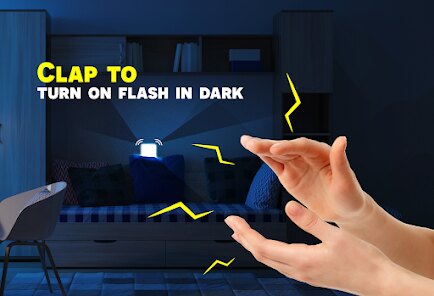
- 🔦 Flashlight strobe: When the alarm goes off, the camera flash blinks rapidly, which is a lifesaver in dark rooms or under furniture. Many apps like "Lookout" only offer a ringtone, so this visual cue makes finding your phone much easier at night.
- 🔕 Persistent alarm: The alarm keeps ringing until you physically tap the phone screen, unlike "Find My Device" by Google which stops after a minute. This ensures you actually find the device instead of rushing to silence it.
pros
- 👍 One of the biggest strengths is the battery efficiency. It runs in the background using minimal resources, so I haven't noticed any drain compared to "Life360" or "Prey Anti Theft" which hog power with constant GPS tracking.
- 👍 Setup is instant without needing an account or internet connection. Apps like "Ceres" or "iLostFinder" require registration and cloud sync, while this one works offline right after granting permissions.
- 👍 The sensitivity customization lets you choose clap only, whistle only, or both, which gives more control than "Wheres My Droid" where it's just a fixed sound trigger.
cons
- 👎 A notable weakness is the lack of a finder app for a second device. If you have another phone or tablet, apps like "Lookout" let you log into a web portal to ping the lost device, but this relies entirely on sound, which won't help if the phone is truly misplaced far away.
- 👎 False triggers can happen in noisy cafes or near construction sites. "Find My Device" by Google avoids this by requiring manual activation from another logged-in device, making it more reliable in public spaces.
- 👎 The app can't locate the phone if it's switched off or has a dead battery. Competitors like "Tile" have hardware trackers that use Bluetooth proximity, so they still work without power for a short time.
Recommended Apps
![]()
16Personalities
16Personalities4
![]()
Zodiac Palm Reader: MagicWay
Reatility Media4.6
![]()
Moblo - 3D furniture modeling
MYTIforge4.1![]()
Magnifier Plus with Flashlight
Digitalchemy, LLC4.6![]()
QR Code Scanner
QR Code Scanner & Barcode Reader4.7![]()
FalFal: Astrology, Tarot, Love
FalFal Team4.8![]()
Christmas Photo Frames
PhotoFramesApps4.6![]()
AI Video Art Creator - Livensa
FERASET4.5![]()
Horoscope of Birth
Denimaks4.4![]()
Make Me Bald Prank
AppTornado2.5![]()
Kling AI: AI Image&Video Maker
Lohas Games Pte. Ltd.4.4![]()
Japan Timetable & Route Search
NAVITIME JAPAN CO., LTD.4.3![]()
Prank Call & Funny Video
TeH Software0![]()
Parallax 3D Live Wallpapers
TarrySoft4.3![]()
AI Chatbot - Nova
ScaleUp4.7















Disclaimer
1.AppInfoLibrary does not represent any developer, nor is it the developer of any App or game.
2.AppInfoLibrary provide custom reviews of Apps written by our own reviewers, and detailed information of these Apps, such as developer contacts, ratings and screenshots.
3.All trademarks, registered trademarks, product names and company names or logos appearing on the site are the property of their respective owners.
4. AppInfoLibrary abides by the federal Digital Millennium Copyright Act (DMCA) by responding to notices of alleged infringement that complies with the DMCA and other applicable laws.
5.If you are the owner or copyright representative and want to delete your information, please contact us info@appinfolibrary.com.
6.All the information on this website is strictly observed all the terms and conditions of Google Ads Advertising policies and Google Unwanted Software policy .














