
Chat AI - Ask AI anything

1M+
Installs
AI Chat Bot, Ask AI
Developer
-
Generative AI
Category
-
Rated for 3+
Content Rating
-
vanbavlkt.56@gmail.com
Developer Email
-
https://sites.google.com/view/alchatbotpolicy-33kright
Privacy Policy
Screenshots
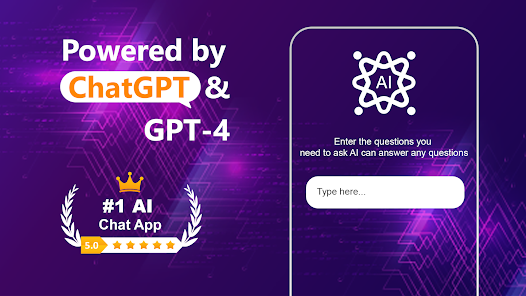

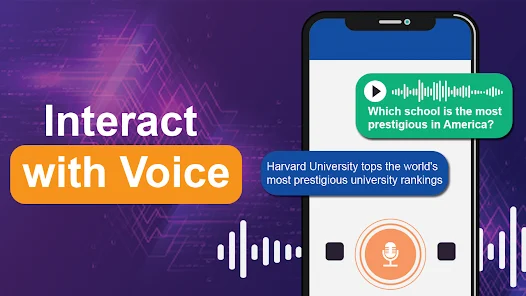
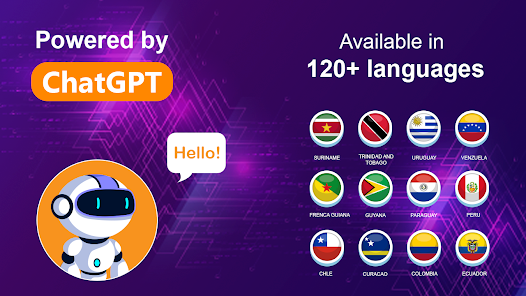
editor reviews
I came across Chat AI - Ask AI anything when I was looking for something more straightforward than the big-name AI assistants out there. It's basically a chatbot app that lets you throw pretty much any question at it, from casual stuff to more specific topics like writing or coding. I saw it had a solid number of downloads on the Play Store and offered a free download, so I figured, why not give it a shot. The first time I opened it, I was honestly surprised by how clean everything looked. No flashy tutorials or walls of text shouting at me. Just a simple chat window with a "start asking" vibe. You don't even have to register if you don't want to, which is a huge plus for someone like me who hates making accounts just to try something out. There are in-app purchases and a few ads here and there, but nothing that wrecked my first impression.
Getting into the actual use, the interface stays minimal. You type or tap a question on the home screen, and it shoots back a reply pretty quickly. The onboarding is basically non-existent, which I liked because I could just jump right in. Common steps for me go like this: open the app, type something random like "explain quantum computing simply" or "write a funny haiku about coffee," then read the response. It's smooth for the most part, though I've hit moments where the answer felt a bit too generic or cut-off midsentence. On the other hand, typing in follow-up questions feels intuitive, and it remembers the thread well enough. Small tip: I found that rephrasing a vague question usually gets a much better answer. There are also pre-made prompt categories for stuff like email writing or math help, which are handy when you're short on ideas. A couple of times the app hiccuped and took a few extra seconds to load, but nothing that made me rage-quit.
After spending a few days with it, I'd say this app works best if you want a fast, no-fuss AI helper without all the clutter bigger apps pack in. It doesn't attempt to be a virtual assistant that books your appointments or reads your calendar. It's purely built for answering questions. I could see students, writers, or just curious people liking it. But if you need something deeper or more polished like ChatGPT or Gemini, where the answers are usually more detailed and consistent, this might feel a bit light. What stands out is how easy it is to just open and ask something without signing in or wading through menus. That alone made me keep it installed. Though I could see someone uninstalling if they start hitting the occasional bland reply or ad pop-ups that bug them. For me, it's staying for the quick little queries.
features
- 💬 The main draw is the pure Q&A focus. There's no fluff. You tap, type, and get an answer right away. Compared to ChatGPT, which sometimes feels like it's pushing extra features or tips at you, this app keeps it lean. You're not getting side-panels or voice settings shoved in your face. The outstanding thing is that it works without an account if you want. Most apps like this force a login, but here you can just start chatting. That's rare and useful for quick use.
- 📝 The pre-made prompt templates are a nice touch. They cover things like resumes, emails, or study help. So if your brain is empty, you can tap one and get a prompt started. In comparison, Google Bard often expects you to come up with your own questions from scratch, which can be annoying when you're tired or busy. This app gives you that little push.
- ⚡ Speed is a big plus. On a solid connection, replies come through in a second or two. ChatGPT can sometimes lag or pause mid-generation, especially on mobile. This app feels lighter and snappier for basic stuff. It doesn't try to write a novel unless you ask for it, so the short answer mode works really well here.
- 🎯 There's a "copy answer" button right there on every reply. Small thing, but it makes saving or sharing what the bot says effortless. With apps like Claude or some older chatbots, you often have to long-press and highlight, which is clunky on a phone. Here it's just one tap.
pros
- 🔒 No sign-up needed. I can't stress this enough. With ChatGPT or Gemini, you're locked out until you make an account or log in via Google. This app respects that you might just want to ask one thing and close it. That's a strength for privacy and convenience.
- 📱 The app size is small. I checked and it barely takes up space compared to other assistants like Copilot. It didn't hog my storage or battery, which is always a relief when you're running low on phone space.
- 🧩 The question categories are organized neatly. Library apps like Perplexity sort answers as links and research, which is fine. But here, if you want to fix a grammar mistake or get a joke, you can just pick the tab and go. It saves mental energy.
cons
- ⏳ Some answers feel shallow. If I ask a question that's really specific or niche, the app gives a surface-level reply. ChatGPT and DeepSeek handle deeper queries way better, offering nuance and follow-up depth. This one feels limited sometimes.
- 📢 Ads do pop up. They're not constant, but after a few questions, a banner or a short video ad sneaks in. That's not a problem with paid apps like ChatGPT Plus. It does break the flow a bit if you're in a rhythm.
- 🌐 No web search integration. Unlike Perplexity or the Bing-powered Copilot, this app relies on its training data. So if I ask about something very recent or a real-time event, it either doesn't know or gives a vague guess. That's a letdown for news stuff.
- 💾 The history doesn't sync across devices. I tried it on my phone and later on a tablet, but there's no cloud save. Apps like Claude remember your chats everywhere. Here, it's device-only, which is inconvenient if you switch gadgets.
Recommended Apps
![]()
16Personalities
16Personalities4
![]()
Zodiac Palm Reader: MagicWay
Reatility Media4.6
![]()
Moblo - 3D furniture modeling
MYTIforge4.1![]()
Magnifier Plus with Flashlight
Digitalchemy, LLC4.6![]()
QR Code Scanner
QR Code Scanner & Barcode Reader4.7![]()
FalFal: Astrology, Tarot, Love
FalFal Team4.8![]()
Christmas Photo Frames
PhotoFramesApps4.6![]()
AI Video Art Creator - Livensa
FERASET4.5![]()
Horoscope of Birth
Denimaks4.4![]()
Make Me Bald Prank
AppTornado2.5![]()
Kling AI: AI Image&Video Maker
Lohas Games Pte. Ltd.4.4![]()
Japan Timetable & Route Search
NAVITIME JAPAN CO., LTD.4.3![]()
Prank Call & Funny Video
TeH Software0![]()
Parallax 3D Live Wallpapers
TarrySoft4.3![]()
AI Chatbot - Nova
ScaleUp4.7















Disclaimer
1.AppInfoLibrary does not represent any developer, nor is it the developer of any App or game.
2.AppInfoLibrary provide custom reviews of Apps written by our own reviewers, and detailed information of these Apps, such as developer contacts, ratings and screenshots.
3.All trademarks, registered trademarks, product names and company names or logos appearing on the site are the property of their respective owners.
4. AppInfoLibrary abides by the federal Digital Millennium Copyright Act (DMCA) by responding to notices of alleged infringement that complies with the DMCA and other applicable laws.
5.If you are the owner or copyright representative and want to delete your information, please contact us info@appinfolibrary.com.
6.All the information on this website is strictly observed all the terms and conditions of Google Ads Advertising policies and Google Unwanted Software policy .














