

FaceMagic - AI Face Editor

10M+
Installs
Apero Vision Lab
Developer
-
Video Players & Editors
Category
-
Rated for 3+
Content Rating
-
trustedapp.help@gmail.com
Developer Email
-
https://sites.google.com/view/facemagic-privacy-policy?usp=sharing
Privacy Policy
Screenshots


editor reviews
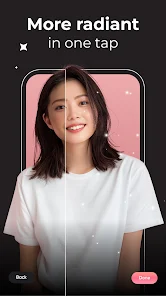
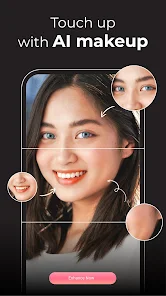
FaceMagic from Apero Vision Lab is one of those AI face editing tools that popped up on the Google Play store and kind of exploded among people who love messing around with their selfies. It's basically a face-swapping and face-editing app that lets you drop your face into movie scenes, turn yourself into different genders or ages, or just have fun with goofy filters. I first stumbled on it because a friend sent me a video of herself as a 1920s flapper, and I had to try it myself. After downloading the free version, the first thing that hit me was how clean the layout looked — not cluttered with a million buttons, which is rare for free editing apps. The welcome screen pushes some popular templates right away, so you get a sense of what the app can do before you even sign up. Registration is optional for basic use, but most of the fun edits require creating a free account. There are some ads that pop up, but they weren't aggressive enough to make me uninstall immediately.
Once you actually start using FaceMagic, the flow is pretty intuitive for the most part. You pick a template from their gallery — they have everything from famous movie scenes to silly animations — and then you either take a new selfie or upload one from your camera roll. The AI processes the swap in maybe 10 to 15 seconds, and the result usually looks surprisingly natural. The lighting and skin tone matching are decent, though not perfect in every case. What I found helpful was that you can adjust the face alignment manually if the AI messes up, which saved me from a few hilarious but useless results. One slightly confusing moment: there's no obvious undo button after you confirm a change, so you have to close and reopen a template to start over. I also noticed that if your source photo has shadows or weird angles, the output gets a little uncanny valley. But for a casual user like me, the process felt much smoother than using something like Photoshop on my phone.
After using FaceMagic for about two weeks on and off, I think it's perfect for people who want quick, shareable content without learning complex editing tools. If you're into making TikTok or Instagram Stories that stand out, this app gives you that instant wow factor. That said, if you're looking for something more serious like precise retouching or professional-level face tuning, apps like FaceApp or Remini do a better job. What sets FaceMagic apart is the sheer number of creative templates — they update regularly with trending characters and memes, so it never feels stale. I've kept it installed because it's a fun party trick during video calls or group chats, but I can see someone uninstalling after the novelty wears off, especially if they don't want to pay for the subscription to unlock unlimited edits. The free version gives you a few daily swaps, which is just enough to keep you coming back without feeling ripped off.
features
- 🎭 FaceMagic offers a huge library of trending templates — movie scenes, famous characters, and memes — while apps like FaceApp focus more on static filters. The template variety is what keeps me scrolling through the gallery even when I'm not actively editing.
- 🎭 The face alignment adjustment is a standout feature that competitors like Reface lack. You can drag or resize the face overlay to fix weird positioning, which saves many edits from looking like a glitchy mess.
- 🎭 Real-time previews before processing let you see the swap result as a rough animation within seconds, unlike Snapseed or similar tools that only offer static before-and-after comparisons. This makes it feel more like a game than a serious editor.
- 🎭 Gender swap and age progression filters are handled with more consistency than in older versions of YouCam Perfect, and the AI rarely misreads facial features like glasses or beards, which used to cause hilarious fails.
pros
- 👍 The template gallery updates weekly with pop culture references — I've seen Barbie, Squid Game, and even local memes — so it feels current compared to stagnant libraries in older apps like Cupcut.
- 👍 Processing speed is faster than most AI editors I've tried; even with a mid-range phone, swaps finish in under 20 seconds without crashing, which cannot be said for some bloated alternatives.
- 👍 No watermark on free exports is a huge plus. Many similar apps, like MixBooth, force a watermark unless you pay, but FaceMagic lets you save clean images to your gallery right away.
- 👍 The app works well with portrait-mode photos and handles multiple faces in a single shot, which is something that stumps many competitors that can only process one face at a time.
cons
- 👎 The daily limit on free usage is too restrictive — only 3 to 5 swaps per day. FaceApp gives you more free edits before asking for money, which makes FaceMagic feel stingy for casual users.
- 👎 Background and lighting matching is inconsistent. If your selfie has strong shadows or a bright window behind you, the swapped face often looks pasted on, whereas Reface handles edge blending much better in those scenarios.
- 👎 The subscription model is priced similarly to a small streaming service — around $5 per week — which feels steep for something most people use as a toy. Free alternatives like Snapchat's face swap aren't as good, but they cost nothing.
- 👎 Customer support is almost nonexistent. I had an issue with a template not loading, and the in-app contact form never got a reply. More established apps like Adobe Express at least have a community forum or help center.
Recommended Apps
![]()
16Personalities
16Personalities4
![]()
Zodiac Palm Reader: MagicWay
Reatility Media4.6
![]()
Moblo - 3D furniture modeling
MYTIforge4.1![]()
Magnifier Plus with Flashlight
Digitalchemy, LLC4.6![]()
QR Code Scanner
QR Code Scanner & Barcode Reader4.7![]()
FalFal: Astrology, Tarot, Love
FalFal Team4.8![]()
Christmas Photo Frames
PhotoFramesApps4.6![]()
AI Video Art Creator - Livensa
FERASET4.5![]()
Horoscope of Birth
Denimaks4.4![]()
Make Me Bald Prank
AppTornado2.5![]()
Kling AI: AI Image&Video Maker
Lohas Games Pte. Ltd.4.4![]()
Japan Timetable & Route Search
NAVITIME JAPAN CO., LTD.4.3![]()
Prank Call & Funny Video
TeH Software0![]()
Parallax 3D Live Wallpapers
TarrySoft4.3![]()
AI Chatbot - Nova
ScaleUp4.7















Disclaimer
1.AppInfoLibrary does not represent any developer, nor is it the developer of any App or game.
2.AppInfoLibrary provide custom reviews of Apps written by our own reviewers, and detailed information of these Apps, such as developer contacts, ratings and screenshots.
3.All trademarks, registered trademarks, product names and company names or logos appearing on the site are the property of their respective owners.
4. AppInfoLibrary abides by the federal Digital Millennium Copyright Act (DMCA) by responding to notices of alleged infringement that complies with the DMCA and other applicable laws.
5.If you are the owner or copyright representative and want to delete your information, please contact us info@appinfolibrary.com.
6.All the information on this website is strictly observed all the terms and conditions of Google Ads Advertising policies and Google Unwanted Software policy .














