
Walli

100K+
Installs
AI Art
Developer
-
Generative AI
Category
-
Rated for 3+
Content Rating
-
555johnkenny@gmail.com
Developer Email
-
https://thewalli.com/walliprivacypolicy.html
Privacy Policy
Screenshots
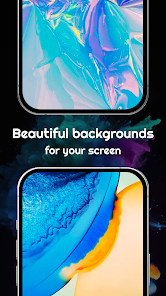
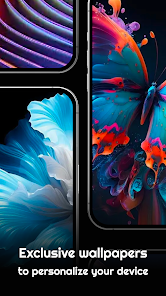
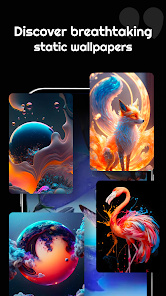
editor reviews
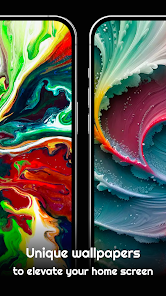
Walli is a wallpaper app that focuses on offering high-quality, artist-created backgrounds for your phone. It sits in the customization and personalization category, which is pretty crowded on both Google Play and the App Store. You mainly use it to browse, preview, and set stunning wallpapers without jumping through hoops. Most people download it because they're tired of the same generic stock photos that come pre-loaded on their device. The first time you launch the app, it greets you with a clean, dark interface that immediately highlights the artwork rather than cluttering the screen with buttons or ads. It doesn't force you to sign up right away, which is a huge relief. You can just start scrolling immediately. The install count is decent, though not massive, and it's free to download with some in-app purchases if you want to support specific artists. You won't find an overwhelming number of pop-up video ads like in some other wallpaper apps, which makes the first impression genuinely pleasant.
Once you actually start using Walli, the experience feels smooth and satisfying. The onboarding is minimal — you pick a category or just swipe through the trending section. The interface is intuitive: tap a wallpaper to see it in full screen, then either set it as your wallpaper or save it for later. One thing I noticed is that swiping left or right on the preview lets you cycle through wallpapers without going back to the grid, which saves a ton of time when you're hunting for the perfect look. The categories are organized well, with tags like "Minimal," "Abstract," and "Nature" making it easy to narrow things down. A small practical tip: use the "Collections" feature to group wallpapers you like by theme, like "dark" or "space." That way, you can rotate them later without digging through your whole history. It's not perfect — sometimes the preview loads a bit slow if your connection is weak — but for daily use, it holds up well.
After spending some time with Walli, I can say it's a solid choice for people who care about original art rather than generic HD photos. If you're into supporting indie artists or just want something that doesn't look like everyone else's phone, this app stands out. The community aspect — where users can upload their own creations and get featured — gives it a lively, constantly updating feel that apps like Zedge just don't have. That said, it's not for everyone. If you're the type who just wants a quick, free wallpaper and doesn't care where it comes from, the curation here might feel too narrow. I could see someone keeping it installed for months because the art is genuinely inspiring, but I could also see someone uninstalling it after a week if they prefer a larger, more chaotic library. It feels like a boutique gallery compared to a massive warehouse, and that's both its charm and its limitation.
features
- 🖼️ The collection format is a major standout. Walli bundles wallpapers into themed sets created by individual artists. This is very different from something like Zedge, where every wallpaper is a standalone file. In Walli, you can swipe through a whole "Space Odyssey" set from one artist and feel a consistent visual story. It makes browsing feel more like exploring a portfolio than a stock library.
- 🖼️ The "Shuffle" feature is surprisingly smart. Instead of just randomizing everything, it learns which categories you visit most and prioritizes those. In apps like Backdrops, the shuffle is purely random and often shows stuff you already skipped. Walli's version actually feels tailored without being creepy about it.
- 🖼️ The artist credit system is built into the app's DNA. Every wallpaper clearly shows who made it, links to their profile, and lets you follow them. This is rare. Apps like Vellum hardly ever surface the creator, and you end up treating wallpapers like commodities. Walli treats them like art, which changes how you interact with the app.
pros
- 🎨 The art quality is consistently high. Unlike Zedge, where you have to wade through low-res memes and blurry photos, Walli curates submissions so everything looks professional. You rarely encounter a dud.
- 🎨 The offline caching is generous. You can save a lot of wallpapers for later without needing data. In contrast, apps like Resplash often require a network check even for previously viewed images.
- 🎨 The community voting system is fair. Users upvote wallpapers, and the best rise to the top naturally. It doesn't feel manipulated by paid promotions like some other apps where sponsored content sneaks into your feed.
cons
- 🐛 The search function is weak. If you type something specific like "cyberpunk city," you often get unrelated results. Apps like Backdrops have much better tagging and search accuracy. You end up scrolling far more than you should.
- 🐛 The app can be slow to load new collections. On a slower connection, the grid takes time to populate, and previews are sluggish. Zedge handles this better because it compresses thumbnails more aggressively.
- 🐛 There aren't many customization options for how wallpapers are applied. You can't easily adjust the crop or alignment before setting it. Some competing apps, like Wallpaper Engine, let you tweak positioning, but Walli just applies it as-is.
- 🐛 The in-app purchases feel a bit unclear. Some wallpapers are labeled "Pro" but it's not obvious why. You can't always tell if you're paying for exclusive art or just early access, which leaves you guessing compared to the transparent subscription models in apps like Vellum.
Recommended Apps
![]()
16Personalities
16Personalities4
![]()
Zodiac Palm Reader: MagicWay
Reatility Media4.6
![]()
Moblo - 3D furniture modeling
MYTIforge4.1![]()
Magnifier Plus with Flashlight
Digitalchemy, LLC4.6![]()
QR Code Scanner
QR Code Scanner & Barcode Reader4.7![]()
FalFal: Astrology, Tarot, Love
FalFal Team4.8![]()
Christmas Photo Frames
PhotoFramesApps4.6![]()
AI Video Art Creator - Livensa
FERASET4.5![]()
Horoscope of Birth
Denimaks4.4![]()
Make Me Bald Prank
AppTornado2.5![]()
Kling AI: AI Image&Video Maker
Lohas Games Pte. Ltd.4.4![]()
Japan Timetable & Route Search
NAVITIME JAPAN CO., LTD.4.3![]()
Prank Call & Funny Video
TeH Software0![]()
Parallax 3D Live Wallpapers
TarrySoft4.3![]()
AI Chatbot - Nova
ScaleUp4.7















Disclaimer
1.AppInfoLibrary does not represent any developer, nor is it the developer of any App or game.
2.AppInfoLibrary provide custom reviews of Apps written by our own reviewers, and detailed information of these Apps, such as developer contacts, ratings and screenshots.
3.All trademarks, registered trademarks, product names and company names or logos appearing on the site are the property of their respective owners.
4. AppInfoLibrary abides by the federal Digital Millennium Copyright Act (DMCA) by responding to notices of alleged infringement that complies with the DMCA and other applicable laws.
5.If you are the owner or copyright representative and want to delete your information, please contact us info@appinfolibrary.com.
6.All the information on this website is strictly observed all the terms and conditions of Google Ads Advertising policies and Google Unwanted Software policy .














