
Link to Windows

1,000,000,000+
Installs
Microsoft Corporation
Developer
-
Productivity
Category
-
Rated for 3+
Content Rating
-
ltwfeedback@microsoft.com
Developer Email
-
http://go.microsoft.com/fwlink/?LinkID=248686
Privacy Policy
Screenshots
editor reviews
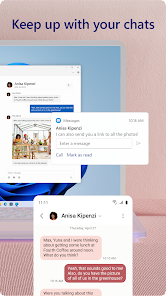
Link to Windows is a utility app from Microsoft that bridges the gap between your Android phone and your Windows PC. It's basically a companion app that works with the Phone Link feature already built into Windows 10 and 11. I first came across it when I kept needing to grab my phone to reply to texts while working, which got annoying fast. Looking at the Google Play listing, it's been downloaded over 500 million times, which tells you how many people are trying to make their workflow smoother. The initial setup was straightforward after you download and install it for free. You just scan a QR code from your PC, and it links everything together. The first impression is that it feels like a simple remote desktop just for your phone's essential functions. There's no mandatory registration beyond signing into your Microsoft account, which most Windows users already have.
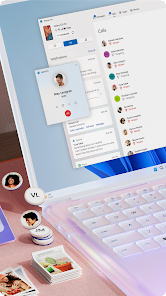
Once you're set up, the hands-on experience is pretty clean. The main screen on your phone shows recent apps, messages, and your photo gallery. On the PC, the Phone Link app opens a window where you can see notifications as they pop up. I found myself using it most for reading and replying to SMS messages directly from my keyboard. The interface is minimal, but it works. You click on a message notification, type your response, and hit send. For photos, you can drag and drop images right from your phone's gallery into a PowerPoint or email. There were a few hiccups, though. Sometimes the connection would lag for a few seconds, especially when I had a weak Wi-Fi signal. A practical tip I picked up was to keep the phone unlocked during transfers for a smoother flow. The onboarding walks you through granting permissions like notification access and SMS reading, which felt a bit invasive at first, but without them, the app can't really do its job.
After using it for a couple of weeks, my take is that it's a solid tool if you're already in Microsoft's ecosystem. People who spend all day at a desk on a Windows laptop will appreciate not picking up their phone constantly. But if you rely heavily on iOS or prefer using a Mac, this isn't for you. What sets it apart from options like Dell Mobile Connect or even third-party tools like Pushbullet is how tightly it integrates with native Windows features, like receiving calls directly on your PC headset. That said, there are some limits. You can't run Android apps on your computer or mirror your whole screen unless your phone supports it, which many mid-range models don't. I'd likely keep it installed because it saves me a few seconds each day, but it's not something I'd miss if I switched to a different workflow completely.
features
- 🔄 Instant Notification Mirroring: Unlike Pushbullet, which requires a premium subscription for advanced features, Link to Windows pushes phone notifications to your PC instantly without any extra cost. You can see texts, calls, and app alerts side-by-side with your desktop work. This is not an option in many competitors unless you pay up.
- 📸 Drag-and-Drop File Transfer: The standout feature here is the ability to drag photos straight from your phone to any Windows app. While Samsung Flow offers similar sharing, Link to Windows doesn't limit itself to Galaxy devices. You just select a picture in the Phone Link window and drop it into a document. No cables needed.
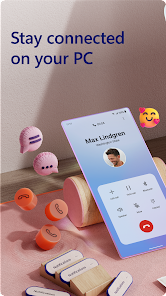
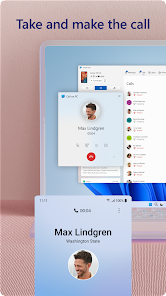
- 📞 PC-Based Phone Calls: You can answer or make calls using your computer's microphone and speakers. This is a big step up from third-party apps like MightyText, which only handle SMS. The call quality is clear, but it does require that your PC has a decent microphone and that your phone stays connected to Wi-Fi or Bluetooth. For those who take many calls while typing, this is a time-saver.
pros
- 👍 Seamless Windows Integration: Since Microsoft designed the app, it feels native on Windows 11. You don't have to fiddle with pairing menus like with AirDroid. It just works with the built-in Phone Link app.
- 👍 Broad Device Support: It works with almost any Android phone running Android 7 or higher. Competitors like Samsung Flow lock you into specific brands, but Link to Windows is open to more users.
- 👍 No Subscription Model: You get the core features like notifications, calls, and photo access free. In contrast, apps like Join require a one-time purchase or subscription for full functionality.
cons
- 👎 Limited iOS Support: The app is available on iOS, but features are severely restricted. You can only see a few basics. If you use an iPhone with a Mac, you'd be better off with Apple's Handoff feature, which offers full integration.
- 👎 Screen Mirroring is Spotty: Mirroring your phone's screen to the PC is supposed to be possible, but on many phones outside the Samsung lineup, it barely works or fails entirely. Apps like Scrcpy offer much more reliable mirroring for free.
- 👎 File Transfer Speed: Dragging a single photo is fine, but transferring multiple large videos feels slow. A similar app like Feem uses direct local Wi-Fi to move files much faster without cloud delays.
Recommended Apps
![]()
16Personalities
16Personalities4
![]()
Zodiac Palm Reader: MagicWay
Reatility Media4.6
![]()
Moblo - 3D furniture modeling
MYTIforge4.1![]()
Magnifier Plus with Flashlight
Digitalchemy, LLC4.6![]()
QR Code Scanner
QR Code Scanner & Barcode Reader4.7![]()
FalFal: Astrology, Tarot, Love
FalFal Team4.8![]()
Christmas Photo Frames
PhotoFramesApps4.6![]()
AI Video Art Creator - Livensa
FERASET4.5![]()
Horoscope of Birth
Denimaks4.4![]()
Make Me Bald Prank
AppTornado2.5![]()
Kling AI: AI Image&Video Maker
Lohas Games Pte. Ltd.4.4![]()
Japan Timetable & Route Search
NAVITIME JAPAN CO., LTD.4.3![]()
Prank Call & Funny Video
TeH Software0![]()
Parallax 3D Live Wallpapers
TarrySoft4.3![]()
AI Chatbot - Nova
ScaleUp4.7















Disclaimer
1.AppInfoLibrary does not represent any developer, nor is it the developer of any App or game.
2.AppInfoLibrary provide custom reviews of Apps written by our own reviewers, and detailed information of these Apps, such as developer contacts, ratings and screenshots.
3.All trademarks, registered trademarks, product names and company names or logos appearing on the site are the property of their respective owners.
4. AppInfoLibrary abides by the federal Digital Millennium Copyright Act (DMCA) by responding to notices of alleged infringement that complies with the DMCA and other applicable laws.
5.If you are the owner or copyright representative and want to delete your information, please contact us info@appinfolibrary.com.
6.All the information on this website is strictly observed all the terms and conditions of Google Ads Advertising policies and Google Unwanted Software policy .














