
Cartoon Yourself, Toonme, Face

5M+
Installs
TikiP Studio
Developer
-
Video Players & Editors
Category
-
Rated for 3+
Content Rating
-
aaadev88@gmail.com
Developer Email
-
https://bodyeditorandresizer.blogspot.com/p/privacy-policy-for-tikip-studio.html
Privacy Policy
Screenshots
editor reviews
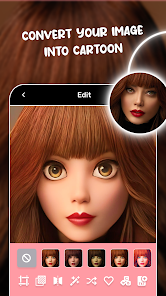
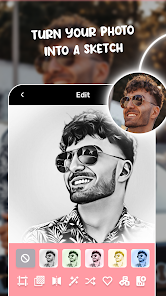
Cartoon Yourself, Toonme, Face is a photo editing app that focuses on turning regular selfies and portraits into cartoon-style illustrations. It's one of those apps you download when you see friends posting those fun, hand-drawn looking profile pictures and wonder how they did it. I found it on the Google Play Store with a decent install count, and it was free to download, though it does have in-app purchases and ads. When I first launched it, the interface felt straightforward enough, with big buttons and sample images showing what the results could look like. The first impression was that it seemed like a simple tool for a specific purpose, nothing too overwhelming.
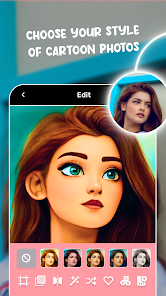
After actually using it, the experience is mostly smooth but has a few rough edges. You pick a photo from your gallery or take a new one, and the app processes it to create a cartoon version. The onboarding is quick, just a permission request and then you're in. The main actions involve selecting a style, like comic or sketch, and waiting a few seconds for the transformation. I found the results impressive when the lighting was good in the original photo, but in dimmer shots, the cartoon looked a bit messy. A practical tip I picked up is to use a well-lit, front-facing photo for the best output. There were moments when the app felt a bit slow, especially with the free version's processing limits, but it wasn't a dealbreaker for casual use.
After using it for a while, I think this app is great for someone who wants a quick, fun way to personalize their social media profile or chat avatar without needing any drawing skills. If you're a professional looking for high-end vector art, you'll probably be disappointed, as the results can sometimes look generic or overly smoothed out. What makes it stand out from similar apps like PicsArt's cartoon filter is that it's dedicated solely to this one task, so there's less clutter, but that also means you can't do much else. I kept it installed because it's handy for a quick laugh or a fresh profile picture, but I can see myself uninstalling it if I stop using it for a few weeks, since the novelty does wear off.
features
- 🎨 One-tap cartoon transformation. Unlike a complex editor like Adobe Photoshop, you just tap and wait. The app handles the stylization automatically, making it feel almost magical compared to manual editing.
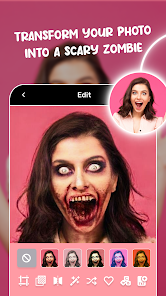
- 🖼️ Multiple style options. You can switch between comic, sketch, and other cartoon looks. This is more varied than the single filter found in apps like Snapchat, letting you pick a mood for your portrait.
- 💾 Quick sharing integration. After processing, you can directly save or share to social media. It skips the extra steps you'd face in a general photo app like Google Photos, where you'd need to export first.
pros
- 👍 Simple and focused. It does one thing well, without the clutter of editing tools you see in apps like YouCam Perfect. You open it, use it, and close it quickly.
- 🎯 Real-time preview. You can see a sample before fully processing, which saves time. This is better than some apps where you commit to a filter blind and then wait.
- 🌟 High-quality output with good photos. When you use a clear, well-lit image, the cartoon result looks professional and clean, rivaling the style of services like Toongineer.
cons
- 👎 Heavy reliance on ads. Unlike paid apps like Procreate, the free version here throws an ad after almost every transformation, which disrupts the flow when you're trying to try different styles.
- ⚠️ Inconsistent results on dark images. It struggles with low-light photos, often producing blurry or blotchy output. Apps like FaceApp handle such conditions more gracefully.
- 🔄 Limited free processing. You can only do a few cartoons before hitting a paywall, whereas similar tools in a suite like BeautyPlus give more free tries before asking for payment.
Recommended Apps
![]()
16Personalities
16Personalities4
![]()
Zodiac Palm Reader: MagicWay
Reatility Media4.6
![]()
Moblo - 3D furniture modeling
MYTIforge4.1![]()
Magnifier Plus with Flashlight
Digitalchemy, LLC4.6![]()
QR Code Scanner
QR Code Scanner & Barcode Reader4.7![]()
FalFal: Astrology, Tarot, Love
FalFal Team4.8![]()
Christmas Photo Frames
PhotoFramesApps4.6![]()
AI Video Art Creator - Livensa
FERASET4.5![]()
Horoscope of Birth
Denimaks4.4![]()
Make Me Bald Prank
AppTornado2.5![]()
Kling AI: AI Image&Video Maker
Lohas Games Pte. Ltd.4.4![]()
Japan Timetable & Route Search
NAVITIME JAPAN CO., LTD.4.3![]()
Prank Call & Funny Video
TeH Software0![]()
Parallax 3D Live Wallpapers
TarrySoft4.3![]()
AI Chatbot - Nova
ScaleUp4.7















Disclaimer
1.AppInfoLibrary does not represent any developer, nor is it the developer of any App or game.
2.AppInfoLibrary provide custom reviews of Apps written by our own reviewers, and detailed information of these Apps, such as developer contacts, ratings and screenshots.
3.All trademarks, registered trademarks, product names and company names or logos appearing on the site are the property of their respective owners.
4. AppInfoLibrary abides by the federal Digital Millennium Copyright Act (DMCA) by responding to notices of alleged infringement that complies with the DMCA and other applicable laws.
5.If you are the owner or copyright representative and want to delete your information, please contact us info@appinfolibrary.com.
6.All the information on this website is strictly observed all the terms and conditions of Google Ads Advertising policies and Google Unwanted Software policy .














