

Ritmo: Face Aging Editor

1M+
Installs
Faceplay Reface Face Swap Video Editor
Developer
-
Video Players & Editors
Category
-
Rated for 3+
Content Rating
-
zhongxinweb2021@outlook.com
Developer Email
-
http://resource.zhongxwx.com/ritmo_gp/privacy.html
Privacy Policy
Screenshots

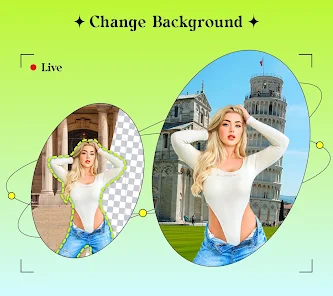
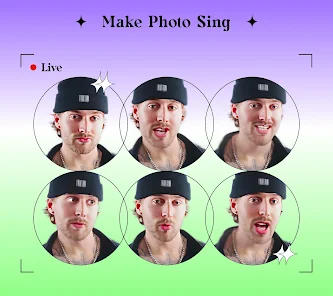
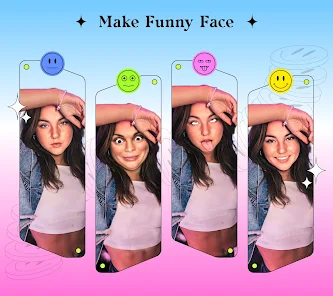
editor reviews
Ritmo is a face aging app that lets you see what you might look like as you grow older. It's part of the photo editing and entertainment category, mainly used for fun transformations rather than serious photo retouching. You usually download something like this out of curiosity—maybe after seeing friends post their aged versions online. When I first launched it, the app greeted me with a clean, straightforward interface and a big “Start Aging” button, which made the initial impression simple and inviting. It's free to download from Google Play and has racked up over 10 million installs. You don't need to register right away, though some features require a quick sign-up or tolerate ads popping up after a few uses. In-app purchases unlock extras like removing watermarks or accessing more filters.
After tapping the button, I picked a photo from my gallery. The app processed the face in about five seconds, which felt reasonably quick for the first try. The interface is laid out with a slider at the bottom—drag left to look younger, right to look older—and the change happens smoothly as you move it. One confusing moment: the baby filter option was hidden in a small icon on the top corner, which I only found after tapping around. In daily use, you'd probably open a photo, adjust the age level, then save or share it. It's not a tool you'd use for editing details like skin smoothing; it's more of a one-trick pony for age simulation. A small tip: if you want a more natural result, use a front-facing shot with good lighting, as side angles can warp the aging effect.
After playing with Ritmo for a week, I'd say it's fun for casual chats or party tricks, but it doesn't replace a full editing suite. People who enjoy novelty apps or want a quick laugh with friends will like it. Those looking for precise, realistic photo touch-ups might find it lacking. Compared to FaceApp, Ritmo feels simpler—less cluttered, but also less feature-rich. FaceApp offers more filters and finer adjustments, while Ritmo's aging effect is its main draw. I'd keep it installed if I wanted to use it occasionally for jokes, but the ads get repetitive after a while, which might push someone to uninstall. It's a decent time waster, not a daily driver.
features
- 😀 Aging slider: The core feature is a single slider that changes your age from baby to elderly in real time. Unlike FaceApp, which offers individual filters for each age, Ritmo's slider gives a smoother transition, though FaceApp's results often look more realistic overall.
- 😀 Baby face mode: This adds a chubby-cheeked baby filter that's more playful than aging. It's a fun extra, but the baby effect can make you look cartoonish compared to aging-focused apps like Oldify, which sticks to older age ranges solely.
- 😀 Selfie-centric optimization: The app works best with selfies, processing faces quickly. This narrow focus means it does one thing well, but it's less versatile than apps like YouCam Perfect, which offer broader editing tools like retouching and backgrounds.
pros
- 👍 Simplicity: Ritmo is very easy to use—just upload and slide. This makes it more approachable than FaceApp, which has a cluttered interface and lots of options that can overwhelm new users.
- 👍 Speed: The aging effect applies fast, usually under five seconds. Other apps like AgingBooth may take longer to process, especially on older phones, so Ritmo feels snappier and less laggy.
- 👍 Lightweight: The app is small and doesn't drain battery much during use. In contrast, apps like Facetune are heavier and can slow down mid-range devices, so Ritmo is better for quick, low-effort edits.
cons
- 👎 Less realistic aging: The results can look plastic or artificial, especially compared to FaceApp, which uses advanced AI for more lifelike wrinkles and skin texture changes. Ritmo's effect often feels like a filter rather than a true simulation.
- 👎 Limited features: Beyond aging and baby face, there's not much else to do. Apps like YouCam Perfect or Facetune offer extensive editing, retouching, and background adjustments, making Ritmo feel barebones for serious photo work.
- 👎 Intrusive ads: Ads pop up frequently after a few uses, especially before saving. Other apps like Oldify have fewer or no ads in the free version, so the interruptions can get annoying and push you to pay for the ad-free version.
Recommended Apps
![]()
16Personalities
16Personalities4
![]()
Zodiac Palm Reader: MagicWay
Reatility Media4.6
![]()
Moblo - 3D furniture modeling
MYTIforge4.1![]()
Magnifier Plus with Flashlight
Digitalchemy, LLC4.6![]()
QR Code Scanner
QR Code Scanner & Barcode Reader4.7![]()
FalFal: Astrology, Tarot, Love
FalFal Team4.8![]()
Christmas Photo Frames
PhotoFramesApps4.6![]()
AI Video Art Creator - Livensa
FERASET4.5![]()
Horoscope of Birth
Denimaks4.4![]()
Make Me Bald Prank
AppTornado2.5![]()
Kling AI: AI Image&Video Maker
Lohas Games Pte. Ltd.4.4![]()
Japan Timetable & Route Search
NAVITIME JAPAN CO., LTD.4.3![]()
Prank Call & Funny Video
TeH Software0![]()
Parallax 3D Live Wallpapers
TarrySoft4.3![]()
AI Chatbot - Nova
ScaleUp4.7















Disclaimer
1.AppInfoLibrary does not represent any developer, nor is it the developer of any App or game.
2.AppInfoLibrary provide custom reviews of Apps written by our own reviewers, and detailed information of these Apps, such as developer contacts, ratings and screenshots.
3.All trademarks, registered trademarks, product names and company names or logos appearing on the site are the property of their respective owners.
4. AppInfoLibrary abides by the federal Digital Millennium Copyright Act (DMCA) by responding to notices of alleged infringement that complies with the DMCA and other applicable laws.
5.If you are the owner or copyright representative and want to delete your information, please contact us info@appinfolibrary.com.
6.All the information on this website is strictly observed all the terms and conditions of Google Ads Advertising policies and Google Unwanted Software policy .














