
AI Art Image Generator – GoArt

1M+
Installs
AI Art Photo Editor | Everimaging Ltd.
Developer
-
Generative AI
Category
-
Rated for 3+
Content Rating
-
support@fotor.com
Developer Email
-
https://nuls-mobile.fotor.com/mobile/goArt/privacy_en
Privacy Policy
Screenshots
editor reviews
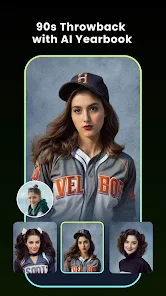
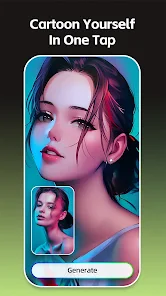
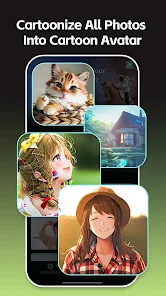
GoArt is an AI-powered app that turns your photos into paintings, illustrations, and other artistic styles. It's basically one of those "AI art generator" tools that have been popping up everywhere lately. Most people use it to transform ordinary selfies or travel shots into something that looks like it was painted by Van Gogh or Picasso. The app is free to download from both Google Play and the App Store, with over 10 million downloads last time I checked. There's no forced registration when you first launch it, which is nice — you can jump right into picking a photo from your gallery. The first thing that hits you is how many style options there are, from classic oil paintings to sketch effects. It feels a bit overwhelming at first, but also exciting because you can see a preview of what your photo would look like in each style before committing.
Once you start actually using it, the experience is pretty straightforward. You choose a photo, scroll through the style gallery, tap one that catches your eye, and wait a few seconds for the AI to process it. The interface is clean with the main actions right at the bottom — import, styles, and export. During editing, you can tweak how strong the artistic effect is, which is handy for getting a balanced look instead of something that screams "AI filter." One thing that caught me off guard was that the free version adds a watermark unless you watch an ad to remove it each time. The processing speed varies depending on how complex the style is, but most transformations finish within five to ten seconds. For batch editing, you have to save each image separately, which gets tedious if you're working with a whole album of vacation photos.
After spending a couple of weeks with GoArt, I have mixed feelings. The app is genuinely fun for creating social media profile pictures or giving old family photos a fresh, artsy vibe. But if you're someone who needs high-resolution outputs without watermarks, the free version will frustrate you quickly. The subscription unlocks unlimited high-res exports and removes all watermarks, which costs about ten bucks a month — pricier than apps like Picsart or Prisma that offer similar AI art effects. What keeps me coming back is the "outstanding" style library that includes niche movements like Ukiyo-e and Pointillism. That said, I can see most casual users uninstalling it once the novelty wears off, especially since the free version's daily style limits (you can only use certain premium styles five times a day) kill the spontaneous experimenting vibe.
features
- 🎨 GoArt gives you over 300 art styles, ranging from Renaissance masters like Da Vinci to modern pop art, while Prisma sticks to around 50 styles. The variety here is genuinely overwhelming in the best way.
- ⚡ The "artify" processing is noticeably faster than Dream by WOMBO. GoArt finishes most transformations in under 8 seconds, while Dream can take up to 30 seconds for complex styles.
- 🖼️ GoArt supports batch processing for up to 10 images in a single session. Prisma only handles one image at a time, which slows you down when editing a whole gallery.
- 🎯 The "style intensity slider" is a standout feature unique to GoArt. It lets you dial back the artistic effect from 0% to 100%, giving you more control over how natural or surreal the final image looks.
pros
- 👍 GoArt has a more extensive style library than Prisma, including rare genres like Ukiyo-e and Art Nouveau that other apps skip entirely.
- 👍 The "remove watermark via ad" option is generous. You can save an image without a watermark by watching a 30-second ad, while Prisma only offers watermark-free exports through the paid subscription.
- 👍 GoArt's "style preview" updates in real-time as you scroll through options. This instant feedback makes it easy to compare effects without applying them first, something Picsart's AI art tool lacks.
- 👍 The app supports high-resolution exports up to 4K for paid users. Prisma caps exports at Full HD, which is a real bottleneck if you want to print your artwork.
cons
- 👎 Daily usage limits frustrate free users. GoArt only allows 5 free uses per day for premium styles, while Prisma gives you unlimited access to all its styles without daily caps.
- 👎 The free version watermarks are huge. They cover the lower-right quarter of the image, making social sharing awkward. Picsart's free watermark is smaller and less intrusive.
- 👎 GoArt doesn't offer support for creating custom styles based on your own reference images. Competitors like Dream by WOMBO let you upload a style reference photo to mimic its look.
- 👎 The save-to-gallery process adds an extra "export" step that feels unnecessary. You can't just tap "save" directly; you have to confirm the export format and quality first, which slows down workflow.
Recommended Apps
![]()
16Personalities
16Personalities4
![]()
Zodiac Palm Reader: MagicWay
Reatility Media4.6
![]()
Moblo - 3D furniture modeling
MYTIforge4.1![]()
Magnifier Plus with Flashlight
Digitalchemy, LLC4.6![]()
QR Code Scanner
QR Code Scanner & Barcode Reader4.7![]()
FalFal: Astrology, Tarot, Love
FalFal Team4.8![]()
Christmas Photo Frames
PhotoFramesApps4.6![]()
AI Video Art Creator - Livensa
FERASET4.5![]()
Horoscope of Birth
Denimaks4.4![]()
Make Me Bald Prank
AppTornado2.5![]()
Kling AI: AI Image&Video Maker
Lohas Games Pte. Ltd.4.4![]()
Japan Timetable & Route Search
NAVITIME JAPAN CO., LTD.4.3![]()
Prank Call & Funny Video
TeH Software0![]()
Parallax 3D Live Wallpapers
TarrySoft4.3![]()
AI Chatbot - Nova
ScaleUp4.7















Disclaimer
1.AppInfoLibrary does not represent any developer, nor is it the developer of any App or game.
2.AppInfoLibrary provide custom reviews of Apps written by our own reviewers, and detailed information of these Apps, such as developer contacts, ratings and screenshots.
3.All trademarks, registered trademarks, product names and company names or logos appearing on the site are the property of their respective owners.
4. AppInfoLibrary abides by the federal Digital Millennium Copyright Act (DMCA) by responding to notices of alleged infringement that complies with the DMCA and other applicable laws.
5.If you are the owner or copyright representative and want to delete your information, please contact us info@appinfolibrary.com.
6.All the information on this website is strictly observed all the terms and conditions of Google Ads Advertising policies and Google Unwanted Software policy .














