
Anime AI - Photo Maker

1M+
Installs
Brilliant Games Private Ltd.
Developer
-
Generative AI
Category
-
Rated for 3+
Content Rating
-
playredandblue@gmail.com
Developer Email
-
https://sites.google.com/view/playredandblue/
Privacy Policy
Screenshots
editor reviews
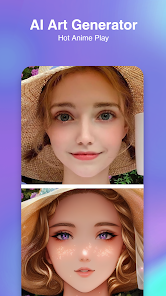
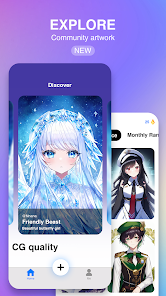
Anime AI - Photo Maker is, as the name suggests, a mobile application that turns your regular photos into anime-style artwork. It belongs to the photo editing and AI art generation genre. Essentially, you snap a picture of yourself or a friend, and the app's AI processes it to produce a range of stylized anime portraits. It's available on both the Google Play Store and the Apple App Store, and the download and install process is straightforward since it's free to download. Upon launching it for the first time, the app prompts you to select an image from your gallery or take a new one. My first impression was that the interface is clean and modern, with a light, pastel color scheme that fits the anime theme. There are no invasive ads bombarding you right away, which was a relief. You do have the option to register or log in, but it's not required to get started, so you can jump right into testing the generator.
After using the app for a few days, I noticed the onboarding is fairly simple. You choose a photo, pick from a list of styles that range from “Shonen” to “Studio Ghibli” like aesthetics, and the app processes the image for about 10 to 15 seconds. The result is a transformed version of your photo with exaggerated eyes, smoother skin, and added fantasy elements. I tested it with selfies, group shots, and pet pictures. For selfies, the face tends to lose some resemblance, but it still looks like a stylized version of you. The interface is intuitive, with all main actions clearly labeled on the home screen. To get really good results, I found that using a well-lit, front-facing photo with a plain background works best. Common usage steps are basically just upload, choose style, and download. There are some smooth moments when the output is surprisingly detailed, but there are also confusing moments when the app misinterprets hair or glasses and gives you wonky results. A small practical tip is to crop your photo first in your phone's gallery to remove clutter.
After a week of tinkering, I have a mixed judgment. This app is clearly designed for anime fans or people who enjoy playing with AI filters, like those seen in FaceApp or Meitu. It's also fun for a non-paying user to get a few free conversions per day. However, if you're looking for a tool that preserves facial identity tightly, you might be disappointed. What sets Anime AI apart from generic photo editors is its niche focus on anime styling and the variety of art styles it offers. Someone might keep it installed for the novelty, to show friends, or for posting on social media. But eventually, I could see uninstalling it because the free uses run out and the outputs start feeling repetitive. It does the job for a specific need, but not much more.
features
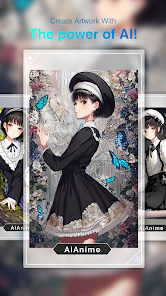
- 🔥 First, the real standout feature is the style variety. Unlike apps like Meitu or Remini that offer basic anime filters, Anime AI gives you over 20 distinct anime styles, including options that mimic popular anime art styles like “Naruto” and “Attack on Titan.” This makes the output feel more authentic than a generic filter.
- 🔥 Second, the processing speed is impressive. While other apps like ToonMe can take up to 30 seconds per image, Anime AI churns out results in about 10–15 seconds. For someone who wants quick results, this is a huge plus.
- 🔥 Third, the app includes a face swap feature that works surprisingly well. You can take a photo of yourself and swap your face onto an anime character from a library of stock images. Tools like FaceApp don't have this specific anime integration, so it fills a niche.
pros
- ✅ A major strength is the absence of intrusive ads. Compared to Meitu, which shows ads after every second export, Anime AI keeps the experience clean. You can generate a few images without interruption.
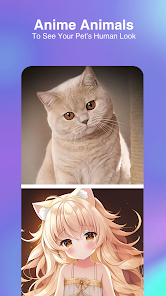
- ✅ The app handles non-human photos well. When I tested ToonMe, faces were the only option. With Anime AI, you can upload a photo of your dog or a landscape, and it still outputs a coherent anime interpretation. That's a nice bonus.
- ✅ The free tier is fairly generous. Other premium apps like Remini lock features behind a paywall quickly, but this app lets you try multiple styles before asking for a subscription.
cons
- ❌ Face recognition accuracy drops significantly compared to FaceApp. If you have facial hair, glasses, or headwear, the app often messes up the features, sometimes adding extra eyes or distorting the shape. It's not reliable for formal photos.
- ❌ The export quality is capped for free users. While ToonMe lets you save high-resolution images for free, Anime AI forces a watermark or lower resolution unless you subscribe. This can feel frustrating if you want to share clean artwork.
- ❌ There's a lack of manual fine-tuning. Apps like Meitu and Picsart give you sliders to adjust intensity or edit specific parts. Here, you hit “generate” and hope for the best. No control is a clear downside if you're a perfectionist.
Recommended Apps
![]()
16Personalities
16Personalities4
![]()
Zodiac Palm Reader: MagicWay
Reatility Media4.6
![]()
Moblo - 3D furniture modeling
MYTIforge4.1![]()
Magnifier Plus with Flashlight
Digitalchemy, LLC4.6![]()
QR Code Scanner
QR Code Scanner & Barcode Reader4.7![]()
FalFal: Astrology, Tarot, Love
FalFal Team4.8![]()
Christmas Photo Frames
PhotoFramesApps4.6![]()
AI Video Art Creator - Livensa
FERASET4.5![]()
Horoscope of Birth
Denimaks4.4![]()
Make Me Bald Prank
AppTornado2.5![]()
Kling AI: AI Image&Video Maker
Lohas Games Pte. Ltd.4.4![]()
Japan Timetable & Route Search
NAVITIME JAPAN CO., LTD.4.3![]()
Prank Call & Funny Video
TeH Software0![]()
Parallax 3D Live Wallpapers
TarrySoft4.3![]()
AI Chatbot - Nova
ScaleUp4.7















Disclaimer
1.AppInfoLibrary does not represent any developer, nor is it the developer of any App or game.
2.AppInfoLibrary provide custom reviews of Apps written by our own reviewers, and detailed information of these Apps, such as developer contacts, ratings and screenshots.
3.All trademarks, registered trademarks, product names and company names or logos appearing on the site are the property of their respective owners.
4. AppInfoLibrary abides by the federal Digital Millennium Copyright Act (DMCA) by responding to notices of alleged infringement that complies with the DMCA and other applicable laws.
5.If you are the owner or copyright representative and want to delete your information, please contact us info@appinfolibrary.com.
6.All the information on this website is strictly observed all the terms and conditions of Google Ads Advertising policies and Google Unwanted Software policy .














