
4D Live Wallpaper–HD Wallpaper

10M+
Installs
ZERO Tech
Developer
-
Productivity
Category
-
Rated for 3+
Content Rating
-
hi@mobo.ai
Developer Email
-
https://sites.google.com/view/4dlivewallpapers
Privacy Policy
Screenshots
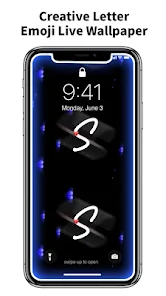
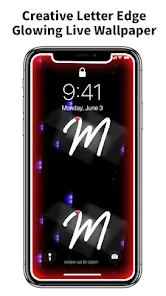
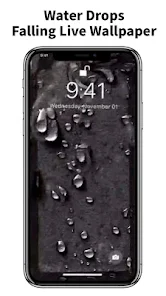
editor reviews
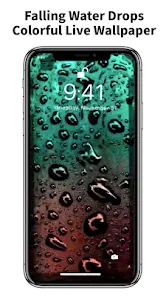
4D Live Wallpaper is a wallpaper app on Android that tries to set your home screen apart from the usual static images. You pick a base image, and the app uses your phone's sensors to add layers of depth, so when you tilt your device, the wallpaper shifts around. It's more like a subtle parallax effect than actual 3D. I stumbled across it on Google Play while hunting for something less boring than a standard photo. The app has a decent number of installs, maybe a few million, and it's free to download. Right after installing, I noticed it asks for quite a few permissions, camera roll access being one, which felt a bit heavy for a wallpaper tool. But the first launch is simple enough, you see a gallery of pre-made wallpapers and a big “get started” prompt.
The actual hands-on experience is mostly about picking a wallpaper and then messing with the depth effect. You choose one from their library, or you can use your own picture from the gallery. Once you apply it, you tilt your phone to see the foreground and background move at different speeds. It works okay on my mid-range phone, though there's some stutter on the more intricate designs. The app's interface is clean but crowded with tiny icons at the bottom, like a “community” tab where people upload their own creations, and a “daily” tab for fresh picks. I spent five minutes just trying to figure out how to remove the watermark from the wallpapers, which turns out to be hidden in a settings menu behind a subscription prompt. A small tip, if you rotate your phone fast, the effect looks more dramatic. It is a fun gimmick for the first few days.
After a week, I am a bit torn. The depth effect really only works if you move your phone around a lot, so people who set their phone down on a desk will barely notice it. I think users who enjoy showing off visual tricks, like friends with live photo wallpapers, will get a kick out of it. But someone just wanting a clean, fast wallpaper might find it sloppy and battery-hungry. Compared to apps like Walli or Zedge, 4D Live Wallpaper offers a more unique interactive feel rather than just a curated collection. However, the free version is very limited, with a subscription for full access to better wallpapers and removal of ads, which appears every other swipe. I will probably keep it installed for the novelty, but I see myself switching back to a simpler app after the next update
features
- 🎨 The main feature is the parallax depth effect itself. Using the gyroscope, the app gives your wallpaper a layered 3D illusion that reacts to your phone's movement. It sets it apart from static image apps like Walli, where you just set a picture and forget it. This is interactive, but it drains battery faster.
- 🎨 There is a built-in community sharing section where users upload their own 4D creations. It's rough around the edges, you see a lot of low-effort designs, but occasionally you find something impressive. Similar apps like Zedge have a bigger and better curated library, but this feels more like a social experiment for wallpaper hobbyists.
- 🎨 The app allows you to use your own photos and convert them into a depth wallpaper. You select an image and manually set the depth layers by painting over areas. It is not very precise, and it takes a few tries to get it to look good, but it's a nice personal touch that other wallpaper apps rarely offer for free.
pros
- ⚡ The battery usage is surprisingly lower than I expected. Other live wallpaper apps like KLWP require constant processing, but 4D Live Wallpaper only activates the sensor when you tilt, so it does not drain your phone when idle.
- ⚡ The free version has a decent selection of pre-made wallpapers compared to apps like Muzei which mostly give you one random image per day. You get access to a few hundred without paying a cent.
- ⚡ Setting it up is fast and straightforward. Unlike Vellum or Backdrops where you browse for ages, you can have a depth wallpaper running in under 30 seconds.
cons
- ⚠️ The subscription model is aggressive. After using it for a few days, you get locked out of most good wallpapers unless you pay. A free app like Zedge still gives you full access to thousands of static images without any paywalls.
- ⚠️ The app slows down the home screen animation on older phones. Compared to a lightweight app like Paperland Pro, this one stutters noticeably when you scroll between home screens with a complex depth wallpaper applied.
- ⚠️ The customization options are very shallow. You can adjust the depth strength and that's about it. Apps like KWGT let you build fully interactive wallpapers, but this one just has one trick and it gets old fast.
Recommended Apps
![]()
16Personalities
16Personalities4
![]()
Zodiac Palm Reader: MagicWay
Reatility Media4.6
![]()
Moblo - 3D furniture modeling
MYTIforge4.1![]()
Magnifier Plus with Flashlight
Digitalchemy, LLC4.6![]()
QR Code Scanner
QR Code Scanner & Barcode Reader4.7![]()
FalFal: Astrology, Tarot, Love
FalFal Team4.8![]()
Christmas Photo Frames
PhotoFramesApps4.6![]()
AI Video Art Creator - Livensa
FERASET4.5![]()
Horoscope of Birth
Denimaks4.4![]()
Make Me Bald Prank
AppTornado2.5![]()
Kling AI: AI Image&Video Maker
Lohas Games Pte. Ltd.4.4![]()
Japan Timetable & Route Search
NAVITIME JAPAN CO., LTD.4.3![]()
Prank Call & Funny Video
TeH Software0![]()
Parallax 3D Live Wallpapers
TarrySoft4.3![]()
AI Chatbot - Nova
ScaleUp4.7















Disclaimer
1.AppInfoLibrary does not represent any developer, nor is it the developer of any App or game.
2.AppInfoLibrary provide custom reviews of Apps written by our own reviewers, and detailed information of these Apps, such as developer contacts, ratings and screenshots.
3.All trademarks, registered trademarks, product names and company names or logos appearing on the site are the property of their respective owners.
4. AppInfoLibrary abides by the federal Digital Millennium Copyright Act (DMCA) by responding to notices of alleged infringement that complies with the DMCA and other applicable laws.
5.If you are the owner or copyright representative and want to delete your information, please contact us info@appinfolibrary.com.
6.All the information on this website is strictly observed all the terms and conditions of Google Ads Advertising policies and Google Unwanted Software policy .














