
Fontmaker - Font Keyboard App

1M+
Installs
Sociaaal LLC
Developer
-
Productivity
Category
-
Everyone
Content Rating
-
contact@takeoff-labs.com
Developer Email
-
https://link.fontmaker.app/privacy/
Privacy Policy
Screenshots
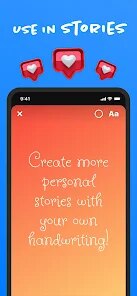
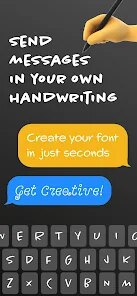
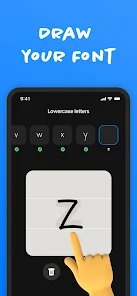
editor reviews
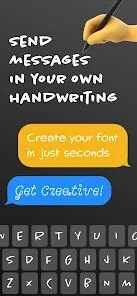
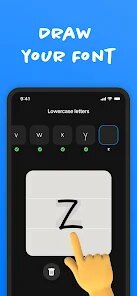
Fontmaker is a keyboard app that lets you type in different fonts and styles, then copy and paste that text almost anywhere. It's one of those utility apps you'd grab from Google Play or the App Store when you're bored of the same old plain text in your Instagram bio or WhatsApp status. Over time, it's picked up a decent number of installs, floating around a million last I checked, and it's free to download. You don't have to sign up for anything to start using it, which is nice, though there are in-app purchases if you want the full set of fonts and some ads pop up here and there. The first time you open it, the interface feels pretty clean and straightforward, not cluttered with too much noise, so you kind of know where to tap right away.
Once you get into using it, the flow is simple. You type whatever you want into a text bar at the top, and below that, a grid of different font styles instantly shows you how that text would look. You scroll through options like bold, cursive, gothic, or tiny letters, and when you find one you like, you just tap it to copy it to your clipboard. From there, you switch over to Instagram, Twitter, or your notes app and paste it in. It's snappy, and I didn't run into any lag when swapping between fonts. One tip I picked up is that you can save a few favorites so you don't have to scroll through the whole list every time. That little trick saves a lot of scrolling if you use the same few styles over and over.
After using it for a while, I think Fontmaker is great if you're active on social media and like to play around with your text. People who post a lot on Instagram stories or TikTok might really enjoy having these extra styles at their fingertips. On the other hand, if you're someone who only sends plain texts in iMessage or WhatsApp, you probably won't use it much after the first week. What makes it stand out from other font apps is that it doesn't cram everything with sketchy permissions or force you into a subscription right away. It feels more like a handy utility than a cash grab. That said, the free version is a bit limited, and the full experience costs a few bucks. Still, if you're into customizing your messages now and then, it's worth keeping around.
features
- ✨ Real-time preview: You type something and see every font style update instantly in a scrollable grid. That beats Fonts for Instagram, where you often have to tap into each style separately to see how it looks. It makes picking a font way faster.
- ✨ Copy-and-paste workflow: There's no complicated sharing menu or weird encoding. You just tap a style, it copies, and you paste it wherever. Simple and reliable, without any junk added to the text.
- ✨ Favorite font saving: You can mark your go-to styles as favorites and access them in a separate tab. Other keyboard apps like FancyText often bury your frequent picks in a long list, so this little filter is handy.
pros
- 🎯 Clean interface: The app doesn't push a million ads in your face while you're browsing fonts. Plenty of font keyboard apps on the Play Store, like Fonts Art, bombard you with pop-ups, but Fontmaker keeps it mostly out of the way.
- 🎯 No sign-up required: You can use the full basic feature set without creating an account or handing over your email address. That's a big plus compared to Stylish Text, which locks basic styles behind a login prompt.
- 🎯 Offline functionality: The app works without an internet connection after it's downloaded. That's handy if you want to change up a text in a low-coverage area, while many similar tools require a data connection to load the font list.
cons
- ⚠️ Limited free font selection: The free version only gives you about half of the available font styles. To get the full library, you have to pay. Apps like CoolFonts sometimes offer a broader set for free, so this feels restrictive.
- ⚠️ Ads can feel intrusive: While the interface is mostly clean, every few uses, a full-screen video ad pops up right when you're about to copy a font. It's not a dealbreaker, but it's annoying compared to apps like Fontsy that only use small banner ads.
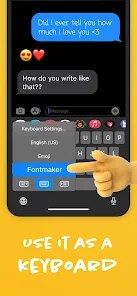
- ⚠️ No built-in keyboard: Unlike some rivals that actually replace your system keyboard with one that has fonts, Fontmaker is purely a copy-paste tool. If you want to type directly in a cool font without switching apps, you'll have to look elsewhere.
Recommended Apps
![]()
16Personalities
16Personalities4
![]()
Zodiac Palm Reader: MagicWay
Reatility Media4.6
![]()
Moblo - 3D furniture modeling
MYTIforge4.1![]()
Magnifier Plus with Flashlight
Digitalchemy, LLC4.6![]()
QR Code Scanner
QR Code Scanner & Barcode Reader4.7![]()
FalFal: Astrology, Tarot, Love
FalFal Team4.8![]()
Christmas Photo Frames
PhotoFramesApps4.6![]()
AI Video Art Creator - Livensa
FERASET4.5![]()
Horoscope of Birth
Denimaks4.4![]()
Make Me Bald Prank
AppTornado2.5![]()
Kling AI: AI Image&Video Maker
Lohas Games Pte. Ltd.4.4![]()
Japan Timetable & Route Search
NAVITIME JAPAN CO., LTD.4.3![]()
Prank Call & Funny Video
TeH Software0![]()
Parallax 3D Live Wallpapers
TarrySoft4.3![]()
AI Chatbot - Nova
ScaleUp4.7















Disclaimer
1.AppInfoLibrary does not represent any developer, nor is it the developer of any App or game.
2.AppInfoLibrary provide custom reviews of Apps written by our own reviewers, and detailed information of these Apps, such as developer contacts, ratings and screenshots.
3.All trademarks, registered trademarks, product names and company names or logos appearing on the site are the property of their respective owners.
4. AppInfoLibrary abides by the federal Digital Millennium Copyright Act (DMCA) by responding to notices of alleged infringement that complies with the DMCA and other applicable laws.
5.If you are the owner or copyright representative and want to delete your information, please contact us info@appinfolibrary.com.
6.All the information on this website is strictly observed all the terms and conditions of Google Ads Advertising policies and Google Unwanted Software policy .














