

Makerblox - Create Skins

10M+
Installs
White Platform Studio
Developer
-
Entertainment
Category
-
Everyone
Content Rating
-
Alinazakirova75@gmail.com
Developer Email
-
https://pandarobotstudio.wixsite.com/websiteplatfoms
Privacy Policy
Screenshots
editor reviews
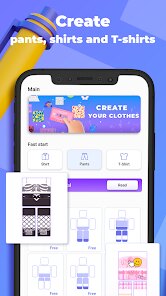
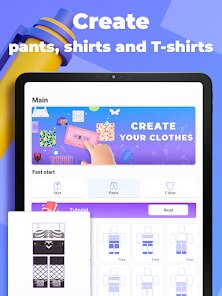
Makerblox - Create Skins is a mobile utility app that lets you design and customize character skins. You can download it for free from both Google Play and the App Store. It falls under the creative tools category, so if you enjoy personalizing avatars or game characters, this app gives you a straightforward way to do that without needing a desktop editor. After installing and launching Makerblox, the first impression is pretty clean—there is a simple editor screen and a gallery of your saved designs. The app seems to aim at users who want more control over their look in games like Minecraft, though it's not officially tied to them. Registration isn't forced upfront, which is nice because you can just start messing around with colors and shapes right away. There are some in-app purchases and occasional ads, but they don't jump at you during the initial launch. For a free tool, it feels genuinely usable without much pressure to spend money.
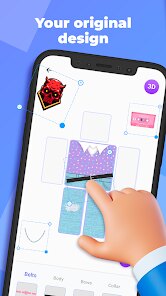
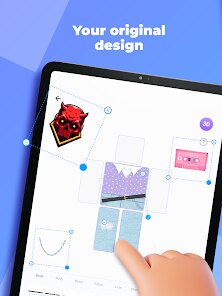
Once you start using Makerblox, the interface is fairly intuitive. The editor has a pixel grid where you can paint directly onto the skin template, and there are tools for selecting colors, filling areas, and zooming in for finer details. I found the onboarding quick—just a brief tutorial that shows you how to pick a base color and apply it. The main actions involve tapping on a pixel to change its color, then using the preview option to see how your design looks from front, back, and side views. A common usage flow would be starting with a blank template, sketching out a pattern, then saving it to your gallery. The app runs smoothly on my mid-range Android phone, though I noticed it can lag a bit if you switch between menus too fast. A small tip: use the eyedropper tool often to match colors exactly—it saves time compared to guessing shades. Some moments feel confusing when you try to undo a stroke; the undo button is placed near the save icon, so I accidentally saved unfinished work a couple of times. Overall, it is a solid experience for casual customization, but the lack of advanced layer support might frustrate users used to desktop editors.
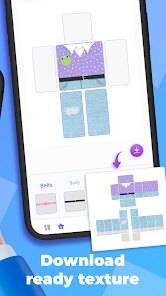
After using Makerblox for a while, I think it works best for younger players or anyone who wants quick, simple skin creation without a steep learning curve. If you are deeply into skin art and need complex shading or symmetry tools, you might find it too basic. Compared to apps like Skinseed or NovaSkin, Makerblox feels more stripped down but also more beginner-friendly. What makes it stand out is how fast you can start and finish a design—there is no clutter or heavy features to wade through. I could see someone keeping it installed for occasional use, like when they want to tweak a skin for a new multiplayer session. On the other hand, the limited export options and lack of community sharing features might lead to uninstalling it if you prefer apps where you can browse other users' creations. For a free tool, though, it does its job without fuss, and that counts for something.
features
- 🎨 Paint Editor – Makerblox offers a straightforward pixel-by-pixel painting system similar to what you find in NovaSkin. The difference is that Makerblox keeps the tools limited to basic brushes, fill, and an eyedropper, making it less overwhelming for new users. The standout part is the real-time 3D preview that updates as you paint, which NovaSkin also has but feels snappier here.
- 📦 Template Library – You get a small set of base templates to start from, like default player models. This is more limited than the community-driven library in Skinseed, but the templates are well-organized and reset cleanly, so you are not fighting with leftover pixel art.
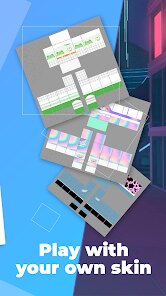
- 💾 Local Gallery – Your designs are saved directly onto your device. Unlike apps that force cloud uploads, Makerblox lets you keep everything offline. This is especially useful if you have limited internet or just prefer privacy.
pros
- 🌟 Very easy to pick up – The UI is simple and the tutorial is short. Compared to more cluttered editors like Skinseed, Makerblox feels inviting even for first-time users.
- 🌟 No forced account – You don't need to sign up to use it. This is a clear advantage over apps like SkinsCreator that require registration before you can save anything.
- 🌟 Lightweight app – It takes up minimal space on your phone and runs smoothly on older devices. Many similar tools, like PocketSkin, can drain battery or lag when zoomed in.
cons
- ⚡ Limited sharing options – You can't upload your designs to a public gallery within the app. NovaSkin and Skinseed both have built-in communities, which makes it easier to show off your work or get inspired.
- ⚡ No symmetry tool – You have to manually mirror your drawing if you want both sides to match. Most competing apps, like SkinsMaster, have a symmetry toggle that speeds up the process.
- ⚡ Occasional ads – While not too intrusive, ads pop up after saving or switching screens. Some free alternatives have optional ad-free purchases, which Makerblox lacks.
- ⚡ Basic color palette – The default palette is limited, and you can't save custom color presets. Apps like PixelSkin offer a wider range and let you store favorite shades.
Recommended Apps
![]()
16Personalities
16Personalities4
![]()
Zodiac Palm Reader: MagicWay
Reatility Media4.6
![]()
Moblo - 3D furniture modeling
MYTIforge4.1![]()
Magnifier Plus with Flashlight
Digitalchemy, LLC4.6![]()
QR Code Scanner
QR Code Scanner & Barcode Reader4.7![]()
FalFal: Astrology, Tarot, Love
FalFal Team4.8![]()
Christmas Photo Frames
PhotoFramesApps4.6![]()
AI Video Art Creator - Livensa
FERASET4.5![]()
Horoscope of Birth
Denimaks4.4![]()
Make Me Bald Prank
AppTornado2.5![]()
Kling AI: AI Image&Video Maker
Lohas Games Pte. Ltd.4.4![]()
Japan Timetable & Route Search
NAVITIME JAPAN CO., LTD.4.3![]()
Prank Call & Funny Video
TeH Software0![]()
Parallax 3D Live Wallpapers
TarrySoft4.3![]()
AI Chatbot - Nova
ScaleUp4.7















Disclaimer
1.AppInfoLibrary does not represent any developer, nor is it the developer of any App or game.
2.AppInfoLibrary provide custom reviews of Apps written by our own reviewers, and detailed information of these Apps, such as developer contacts, ratings and screenshots.
3.All trademarks, registered trademarks, product names and company names or logos appearing on the site are the property of their respective owners.
4. AppInfoLibrary abides by the federal Digital Millennium Copyright Act (DMCA) by responding to notices of alleged infringement that complies with the DMCA and other applicable laws.
5.If you are the owner or copyright representative and want to delete your information, please contact us info@appinfolibrary.com.
6.All the information on this website is strictly observed all the terms and conditions of Google Ads Advertising policies and Google Unwanted Software policy .














