
Anime Girl Wallpapers

1M+
Installs
Wallpaper World Designs
Developer
-
Productivity
Category
-
Rated for 3+
Content Rating
-
bestworlddesigns1@gmail.com
Developer Email
-
https://anime-girl-56fdd.web.app/privacy_policy.html
Privacy Policy
Screenshots
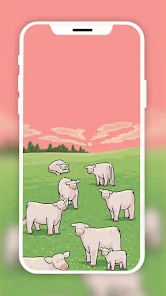
editor reviews
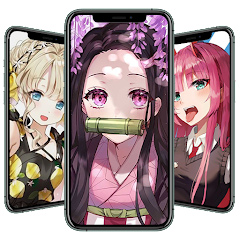
So, I stumbled upon Anime Girl Wallpapers from Wallpaper World Designs. It's exactly what it sounds like – a dedicated wallpaper app, not a general image gallery or a social platform. You go there specifically to grab wallpapers featuring anime girls for your phone's home screen or lock screen. With over a million downloads on the Play Store, it's clearly got a solid user base. After installing it, the first thing that hit me was the sheer volume of options. You're not hunting through a sea of abstract art or landscapes; it's laser-focused on character art, from mainstream hits like Demon Slayer to more niche, original character designs. The initial launch is pretty straightforward – no forced registration, just a free download and dive right in, though, as expected, there are ads and in-app purchases for premium content.
Actually using the app is surprisingly smooth for something so niche. The main screen hits you with a grid of thumbnails, and you can scroll endlessly. The onboarding is basically non-existent; you just start swiping. Tapping a wallpaper gives you a preview, and from there, you hit "Apply" or "Download." The interface isn't winning any design awards, it's a bit utilitarian, but it gets the job done. I noticed a neat practical tip: the "Daily" section does refresh with new art each day, so if you're bored, you can just check that tab instead of scrolling forever. The search function is decent but not perfect – typing "Nezuko" gave me mostly correct results, but "school uniform" buried relevant art under generic tags. A small confusing moment was the "Live Wallpapers" section; they require a separate plugin, which isn't immediately clear.
After a couple of weeks, my impression is mixed. For anyone who changes their wallpaper daily and loves anime character art, this app is a goldmine. The variety is genuinely impressive. But for someone like me who prefers a curated, minimalist aesthetic or crisp scenic backgrounds, it feels cluttered. What sets it apart from something like Zedge or Walli is the sheer single-minded focus – you're not wading through meme wallpapers or car photos. The downside is the frequent ads, which can pop up right when you're about to hit apply. I ended up keeping it installed because the resolution of the downloaded images is excellent on my OLED screen, but I can easily see someone uninstalling it after a week if they're not obsessed with anime girls. It serves its purpose, but it knows exactly who it's for and doesn't try to be anything else.
features
- 🎨 Vast Thematic Library – Unlike Walli which curates general digital art, this app stocks thousands of wallpapers exclusively featuring anime female characters. You get everything from dark fantasy to slice-of-life, so finding a specific aesthetic is much faster than searching through mixed-genre wallpaper apps.
- 🖼️ Resolution-First Approach – The standout feature is it defaults to native resolution downloads for most images. Where Zedge often compresses wallpapers to save space, this app keeps crisp edges and vivid colors intact, making a real difference on high-PPI screens.
- 📅 Daily Refresh Mechanism – The "Daily Wallpapers" tab automatically curates new art each morning. It's smarter than manually shuffling through general apps like Backdrops; you get fresh content without algorithmic randomness pushing irrelevant styles to your feed.
- 🔍 Tag-Based Filtering – While the search isn't perfect, the tag system lets you drill into specifics like "cyberpunk" or "pastel goth." This beats Vellum's vague categories, giving you control over the exact mood you want for your home screen layout.
pros
- 🌟 Zero Registration Friction – You can download and apply wallpapers immediately without creating an account. This contrasts with platforms like Resplash, which sometimes nudge you toward login to save favorites. For a quick grab-and-go wallpaper change, this app wins.
- ⚡ Offline Accessibility – Once downloaded, wallpapers stay in your gallery indefinitely. Unlike Wallcraft's cloud-based system that requires internet to access your collection, you can swap backgrounds on a plane or in low-signal areas without hiccups.
- 💾 Light Footprint – The app itself is small and doesn't eat background data. In my experience, it's less of a battery hog than Zedge, which runs background services for notifications. I noticed no significant drain even with daily usage.
cons
- 🚫 Unskippable interstitial ads – The ad frequency is high, especially compared to Walli which only shows them in a dedicated section. You'll often wait 5 seconds before hitting "Apply", which kills the flow when you're just trying to test a look quickly.
- 🔒 Premium Uselessness – The in-app purchase unlocks a few categories and removes ads, but the non-premium selection already covers 90% of good art. Compared to Backdrops' curated packs, paying here feels like getting nickled-and-dimed for stuff that should be standard.
- 📱 No Cross-Device Sync – Unlike Wallcraft which syncs favorites across Android and iOS devices, this app doesn't save your likes if you switch phones. You lose your curated list unless you manually back it up, which feels archaic in 2024.
- ❓ Broken Search Metadata – The search often returns incorrect results; typing "chibi" might show dark action wallpapers. Zedge's search is far more accurate because it uses community-verified tags, so this wastes minutes for specific hunting.
Recommended Apps
![]()
16Personalities
16Personalities4
![]()
Zodiac Palm Reader: MagicWay
Reatility Media4.6
![]()
Moblo - 3D furniture modeling
MYTIforge4.1![]()
Magnifier Plus with Flashlight
Digitalchemy, LLC4.6![]()
QR Code Scanner
QR Code Scanner & Barcode Reader4.7![]()
FalFal: Astrology, Tarot, Love
FalFal Team4.8![]()
Christmas Photo Frames
PhotoFramesApps4.6![]()
AI Video Art Creator - Livensa
FERASET4.5![]()
Horoscope of Birth
Denimaks4.4![]()
Make Me Bald Prank
AppTornado2.5![]()
Kling AI: AI Image&Video Maker
Lohas Games Pte. Ltd.4.4![]()
Japan Timetable & Route Search
NAVITIME JAPAN CO., LTD.4.3![]()
Prank Call & Funny Video
TeH Software0![]()
Parallax 3D Live Wallpapers
TarrySoft4.3![]()
AI Chatbot - Nova
ScaleUp4.7















Disclaimer
1.AppInfoLibrary does not represent any developer, nor is it the developer of any App or game.
2.AppInfoLibrary provide custom reviews of Apps written by our own reviewers, and detailed information of these Apps, such as developer contacts, ratings and screenshots.
3.All trademarks, registered trademarks, product names and company names or logos appearing on the site are the property of their respective owners.
4. AppInfoLibrary abides by the federal Digital Millennium Copyright Act (DMCA) by responding to notices of alleged infringement that complies with the DMCA and other applicable laws.
5.If you are the owner or copyright representative and want to delete your information, please contact us info@appinfolibrary.com.
6.All the information on this website is strictly observed all the terms and conditions of Google Ads Advertising policies and Google Unwanted Software policy .














