

Learn to Draw Flower

5M+
Installs
Creative APPS
Developer
-
Video Players & Editors
Category
-
Rated for 3+
Content Rating
-
Drawapp.feedback@hotmail.com
Developer Email
-
https://sites.google.com/view/draw-apps-for-free/
Privacy Policy
Screenshots
editor reviews
You know those moments when you see a beautiful flower and think, "I wish I could draw that"? That's exactly the gap Learn to Draw Flower tries to fill. It's a straightforward instructional app found on both Google Play and the App Store, aimed at complete beginners who have never held a stylus or pencil for art purposes. After a quick download and install, you're greeted with a clean, uncluttered interface featuring thumbnail images of various blooms. There's no forced registration, which is honestly a relief, and while there are in-app purchases for extra content packs, the free version includes enough tutorials to keep you busy for a solid weekend. The app manages to avoid that overwhelming feeling many art apps give you, so your first impression is more "I can do this" than "where do I even start."
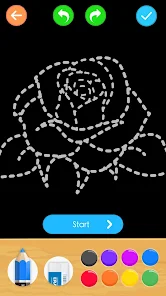
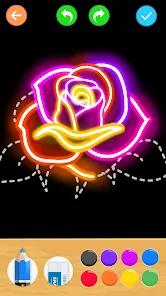
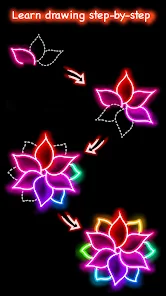
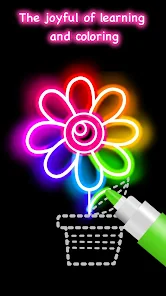
Once you actually start using it, the app walks you through a step-by-step drawing process for each flower. The interface is simple: you pick a flower from the list, and then the app breaks the drawing down into numbered stages. You start with basic shapes like circles and ovals, then slowly add petals, stems, and leaves. The drawing tools are limited but intuitive - you get a few brush sizes, an eraser, and a color picker. During my first few attempts, I found myself accidentally hitting the undo button a lot, but after a quick minute of fumbling, it became second nature. What's nice is that you can zoom in on each step to see the fine details, and the app doesn't rush you. There's no timer or score, so you can sit there for twenty minutes perfecting a single rose petal if that's your thing. A small tip: use the reference image toggle early on to see what the final drawing should look like.
After using this for about two weeks, I think it's a solid pick for anyone who wants to draw flowers for relaxation or as a hobby, but it won't transform you into a professional botanical illustrator. People who already know basic drawing techniques might find the step-by-step approach a bit slow, but for absolute beginners, it's genuinely helpful. Compared to apps like How to Draw Flowers or Drawing Flowers Step by Step, this one stands out because it focuses on realistic styles rather than cartoonish versions. The main reason I've kept it installed is the variety - there are over a hundred flower tutorials, and new ones get added occasionally. But if you're someone who prefers video tutorials or wants more advanced techniques like shading and texture, you might uninstall it after a week. It does what it promises, no more, no less.
features
- 🌸 Learn to Draw Flower teaches you realistic flower drawing through a structured, step-by-step approach. Each flower is broken down into simple shapes first, so you're never staring at a blank canvas wondering what to do. In contrast, apps like Procreate or Sketchbook throw you into the deep end with complex tools and expect you to figure out shading and perspective on your own. This app holds your hand the entire way, which is perfect if you're starting from scratch.
- 🌸 The app includes a zoom feature that lets you examine each drawing step in detail. This is surprisingly helpful when you're trying to nail the curve of a tulip petal or the veins on a lily leaf. Other drawing apps like Adobe Fresco have zoom too, but they assume you already know what you're looking for. Here, the zoom is paired with clear visual indicators showing exactly which line to draw next.
- 🌸 You get a built-in color palette that suggests the exact shades for each flower. No guessing "is this rose red or crimson?" The app tells you. Apps like ibisPaint X have massive color wheels that can overwhelm a beginner, but Learn to Draw Flower keeps it simple with 15 to 20 recommended colors per tutorial, making the whole process feel less intimidating.
pros
- ✅ The app is completely free to download and use for the first 30 flowers. You don't need to pay anything upfront, unlike apps like Drawing Desk which lock basic features behind a subscription right away.
- ✅ It works offline once the tutorials are downloaded, so you can draw on a train or in a park without worrying about data. Other apps like Autodesk SketchBook require internet for cloud saving and tool updates.
- ✅ The interface is clean and distraction-free with no pop-up ads interrupting your drawing session. Several free drawing apps bombard you with ads between steps, but this one keeps them to a minimum.
cons
- ❌ The brush selection is very limited. You only get a few basic brush types with no customization options. Apps like MediBang Paint offer hundreds of brushes you can tweak, but here you're stuck with the same few for every flower.
- ❌ There's no layer support at all. Once you draw a line, it's on the canvas permanently unless you undo it. This makes fixing mistakes much harder compared to apps like Procreate where you can just reorganize layers.
- ❌ The app only covers flowers - no leaves on their own, no stems without blooms, and definitely no other subjects like animals or landscapes. If you want something more varied, you'll need a different app entirely.
Recommended Apps
![]()
16Personalities
16Personalities4
![]()
Zodiac Palm Reader: MagicWay
Reatility Media4.6
![]()
Moblo - 3D furniture modeling
MYTIforge4.1![]()
Magnifier Plus with Flashlight
Digitalchemy, LLC4.6![]()
QR Code Scanner
QR Code Scanner & Barcode Reader4.7![]()
FalFal: Astrology, Tarot, Love
FalFal Team4.8![]()
Christmas Photo Frames
PhotoFramesApps4.6![]()
AI Video Art Creator - Livensa
FERASET4.5![]()
Horoscope of Birth
Denimaks4.4![]()
Make Me Bald Prank
AppTornado2.5![]()
Kling AI: AI Image&Video Maker
Lohas Games Pte. Ltd.4.4![]()
Japan Timetable & Route Search
NAVITIME JAPAN CO., LTD.4.3![]()
Prank Call & Funny Video
TeH Software0![]()
Parallax 3D Live Wallpapers
TarrySoft4.3![]()
AI Chatbot - Nova
ScaleUp4.7















Disclaimer
1.AppInfoLibrary does not represent any developer, nor is it the developer of any App or game.
2.AppInfoLibrary provide custom reviews of Apps written by our own reviewers, and detailed information of these Apps, such as developer contacts, ratings and screenshots.
3.All trademarks, registered trademarks, product names and company names or logos appearing on the site are the property of their respective owners.
4. AppInfoLibrary abides by the federal Digital Millennium Copyright Act (DMCA) by responding to notices of alleged infringement that complies with the DMCA and other applicable laws.
5.If you are the owner or copyright representative and want to delete your information, please contact us info@appinfolibrary.com.
6.All the information on this website is strictly observed all the terms and conditions of Google Ads Advertising policies and Google Unwanted Software policy .














