

3D Live wallpaper - 4K&HD

10M+
Installs
ZERO Tech
Developer
-
Productivity
Category
-
Rated for 12+
Content Rating
-
hi@mobo.ai
Developer Email
-
https://sites.google.com/view/3dlivewallpapers
Privacy Policy
Screenshots
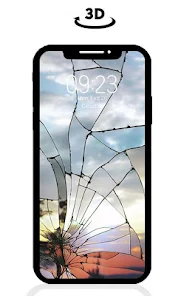
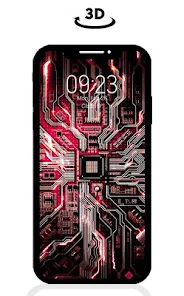
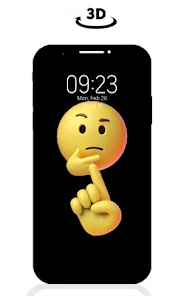
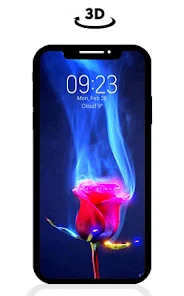
editor reviews
I've had 3D Live Wallpaper - 4K&HD from ZERO Tech sitting on my phone for a few weeks now. It's basically one of those wallpaper apps that lets you replace your static home screen with something that moves and shifts. You download it from the Google Play Store, install it, and right away it throws you into a gallery of animated backgrounds. The first impression is honestly a bit overwhelming because there are so many categories and options. It's free to install, though like most apps in this space, you'll run into ads and in-app purchases for the really flashy stuff. I wasn't sure what to expect, but the previews looked decent enough to give it a shot.
Once you get past the initial setup, the hands-on experience is pretty straightforward. You pick a wallpaper category like nature, space, or abstract, tap one to preview it, and then hit the apply button. The app walks you through setting it as your home screen or lock screen, which is nice if you've never done it before. Some of the 3D effects respond to tilting your phone, and those are honestly pretty cool. But not all wallpapers have that feature, and sometimes it's not clear which ones do until you actually apply them. I found myself tapping around a bit lost at first, trying to figure out how to adjust the motion sensitivity or set a wallpaper to rotate every few hours. The settings menu could definitely be organized better. A small tip I picked up is to use the favorite button early on, otherwise you'll keep scrolling through the same giant list every time.
After using this for a while, I think it's a decent option if you like changing your phone's look often and want something fancier than a static image. The visual quality varies a lot though. Some wallpapers look sharp and genuinely immersive, while others feel low-res and almost fake looking. Compared to apps like Walli or Zedge, the 3D element here is the main selling point, but those apps have much cleaner catalog sorting and fewer ads. I can see someone keeping this installed if they enjoy the tilt effect or want a live wallpaper without paying for a premium subscription. But honestly, I've thought about uninstalling it a couple of times because the free options get repetitive fast, and the ads pop up pretty aggressively after you've applied a few wallpapers.
features
- 🎨 The 3D parallax effect genuinely works better here than in most wallpaper apps. When you tilt your phone, the background layers shift naturally, giving your home screen a depth that apps like Zedge or Wallcraft just don't pull off as smoothly. It's not a gimmick, it actually makes the screen feel alive.
- 🎨 You get access to a huge library of animated backgrounds covering nature, sci-fi, fantasy, animals, and even abstract motion designs. The sheer variety beats out something like Video Live Wallpaper, where the free selection feels noticeably stale after a few days. Here, there's always something new to try.
- 🎨 The customization options are surprisingly deep. You can adjust motion speed, enable or disable battery optimization for each wallpaper, set automatic rotation schedules, and even trim the wallpaper frames. That level of control is rare for a free app, and it's way more flexible than what you get with the stock Android live wallpaper picker.
pros
- 👍 The battery optimization settings let you schedule wallpapers to pause when your phone is idle, which is something that both Zedge and Wallcraft lack. That alone made me keep the app installed because I wasn't losing battery overnight.
- 👍 Many wallpapers support both your home screen and lock screen simultaneously, and the transition between them is seamless. Competitors like Video Live Wallpaper often require separate setups or just duplicate the same video on both screens.
- 👍 The tilt responsiveness is adjustable, so you can make it subtle or really snappy depending on your preference. That kind of fine-tuning is absent in most similar apps, where you're stuck with whatever default sensitivity they chose.
cons
- 👎 The free wallpaper selection gets stale faster than I expected. After a week, I kept seeing the same dozen or so backgrounds recycled in suggestion sections. Apps like Backdrops rotate their free offerings more regularly and feel less repetitive.
- 👎 Ads appear after almost every action, even just previewing a wallpaper sometimes triggers a video ad. Zedge handles this way better by showing ads only when you're downloading, not while you're simply browsing.
- 👎 The search and filtering system is pretty bad. Entering a keyword like "aurora" pulls up unrelated abstract patterns half the time. Wallcraft has much smarter categorization and actually lets you sort by resolution or popularity.
- 👎 Some wallpapers claiming to be 4K end up looking noticeably pixelated on my phone screen. It's misleading compared to apps like Walli, where each wallpaper goes through a quality check before being uploaded.
Recommended Apps
![]()
16Personalities
16Personalities4
![]()
Zodiac Palm Reader: MagicWay
Reatility Media4.6
![]()
Moblo - 3D furniture modeling
MYTIforge4.1![]()
Magnifier Plus with Flashlight
Digitalchemy, LLC4.6![]()
QR Code Scanner
QR Code Scanner & Barcode Reader4.7![]()
FalFal: Astrology, Tarot, Love
FalFal Team4.8![]()
Christmas Photo Frames
PhotoFramesApps4.6![]()
AI Video Art Creator - Livensa
FERASET4.5![]()
Horoscope of Birth
Denimaks4.4![]()
Make Me Bald Prank
AppTornado2.5![]()
Kling AI: AI Image&Video Maker
Lohas Games Pte. Ltd.4.4![]()
Japan Timetable & Route Search
NAVITIME JAPAN CO., LTD.4.3![]()
Prank Call & Funny Video
TeH Software0![]()
Parallax 3D Live Wallpapers
TarrySoft4.3![]()
AI Chatbot - Nova
ScaleUp4.7















Disclaimer
1.AppInfoLibrary does not represent any developer, nor is it the developer of any App or game.
2.AppInfoLibrary provide custom reviews of Apps written by our own reviewers, and detailed information of these Apps, such as developer contacts, ratings and screenshots.
3.All trademarks, registered trademarks, product names and company names or logos appearing on the site are the property of their respective owners.
4. AppInfoLibrary abides by the federal Digital Millennium Copyright Act (DMCA) by responding to notices of alleged infringement that complies with the DMCA and other applicable laws.
5.If you are the owner or copyright representative and want to delete your information, please contact us info@appinfolibrary.com.
6.All the information on this website is strictly observed all the terms and conditions of Google Ads Advertising policies and Google Unwanted Software policy .














