
starryai - AI Art Generator

1M+
Installs
starryai Inc.
Developer
-
Generative AI
Category
-
Rated for 18+
Content Rating
-
support@starryai.com
Developer Email
-
https://www.starryai.com/privacy
Privacy Policy
Screenshots
editor reviews
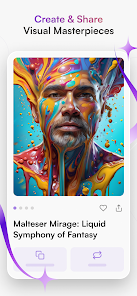
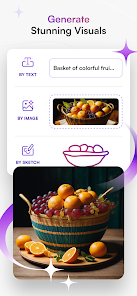
Starryai is an AI art generator that turns text prompts into images, landing squarely in the creative tools category. You download it from the App Store or Google Play, and it's free to install, though in-app purchases unlock faster generation and higher resolutions. The first time you open it, you're hit with a clean, dark interface that feels more like a sketchpad than a clunky tech toy. It asks you to type in a description, pick a style, and hit generate—simple enough that you don't need a manual. What stands out immediately is how polished the result looks compared to the raw, uncanny outputs you get from some free web tools.
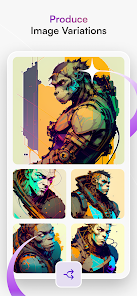
Once you start using it, the flow is straightforward. You type a prompt like “a neon-lit dragon in a rainstorm,” choose from style presets like “cinematic” or “anime,” and wait about 15 seconds for the image to render. The app gives you a few variations to swipe through, which is handy when the first one misses the mark. I noticed the interface feels responsive, but the free tier limits you to a handful of daily generations, which can get frustrating if you're in a creative groove. A practical tip: stick to short, specific prompts to avoid weird artifacts. The onboarding doesn't overcomplicate things—it's a quick tutorial that shows you the basics without forcing a login right away.
After using it for a week, I'd say Starryai is a solid pick for casual creators or social media enthusiasts who want quick, aesthetic visuals without learning complex software. It doesn't hold a candle to Midjourney in terms of raw surreal quality or Dream by Wombo for pure experimentation speed, but it hits a sweet spot between ease and output. I kept it installed because it's handy for generating phone wallpapers or concept art for fun, but I could see someone uninstalling it if they crave unlimited free generations or more professional control. It's a neat tool, not a replacement for serious design work.
features
- 🔧 Prompt-to-image engine works reliably—you type a phrase, pick a style, and get four variations within seconds, which beats Midjourney's slower queue system for quick ideas.
- 🎨 Style presets like “3D render” or “oil painting” save time, though Dream by Wombo offers more whimsical filters for pure fun.
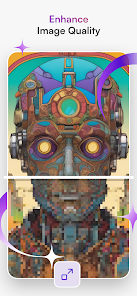
- 📏 Upscaling option improves resolution for printing or sharing, a feature often locked behind subscriptions in other apps like NightCafe.
- 🔄 Batch variation lets you regenerate without retyping prompts, making it easier to refine results compared to the one-shot approach in some free alternatives.
pros
- ⚡ Speed is a standout—generation takes about 15 seconds on average, noticeably faster than Midjourney's typical minute-long wait for similar quality.
- 📱 Mobile-first design works smoothly on phones, unlike tools like Stable Diffusion that feel clunky or require web workarounds.
- 🎯 Beginner-friendly interface reduces friction, making it more approachable than complex alternatives like Leonardo AI that demand prompt engineering knowledge.
cons
- ⏳ Free tier is stingy—you get only 5 daily generations, which feels limiting compared to Dream by Wombo's unlimited low-res outputs.
- 🖼️ Image quality can be inconsistent, often producing less detail than Midjourney's renders for abstract or complex prompts.
- 💲 Upscaling costs credits in-app, whereas NightCafe offers free upscaling for daily logins, making it feel nickel-and-dimey.
- 🔒 No offline mode—requires constant internet, unlike simpler sketching apps that work without a connection.
Recommended Apps
![]()
16Personalities
16Personalities4
![]()
Zodiac Palm Reader: MagicWay
Reatility Media4.6
![]()
Moblo - 3D furniture modeling
MYTIforge4.1![]()
Magnifier Plus with Flashlight
Digitalchemy, LLC4.6![]()
QR Code Scanner
QR Code Scanner & Barcode Reader4.7![]()
FalFal: Astrology, Tarot, Love
FalFal Team4.8![]()
Christmas Photo Frames
PhotoFramesApps4.6![]()
AI Video Art Creator - Livensa
FERASET4.5![]()
Horoscope of Birth
Denimaks4.4![]()
Make Me Bald Prank
AppTornado2.5![]()
Kling AI: AI Image&Video Maker
Lohas Games Pte. Ltd.4.4![]()
Japan Timetable & Route Search
NAVITIME JAPAN CO., LTD.4.3![]()
Prank Call & Funny Video
TeH Software0![]()
Parallax 3D Live Wallpapers
TarrySoft4.3![]()
AI Chatbot - Nova
ScaleUp4.7















Disclaimer
1.AppInfoLibrary does not represent any developer, nor is it the developer of any App or game.
2.AppInfoLibrary provide custom reviews of Apps written by our own reviewers, and detailed information of these Apps, such as developer contacts, ratings and screenshots.
3.All trademarks, registered trademarks, product names and company names or logos appearing on the site are the property of their respective owners.
4. AppInfoLibrary abides by the federal Digital Millennium Copyright Act (DMCA) by responding to notices of alleged infringement that complies with the DMCA and other applicable laws.
5.If you are the owner or copyright representative and want to delete your information, please contact us info@appinfolibrary.com.
6.All the information on this website is strictly observed all the terms and conditions of Google Ads Advertising policies and Google Unwanted Software policy .














