

Mivo: Face swap video bride

50M+
Installs
Mivo studio
Developer
-
Video Players & Editors
Category
-
Rated for 12+
Content Rating
-
sweetsnap.online@gmail.com
Developer Email
-
https://res.wiseoel.com/aboutus/policy/policy.vidos.html
Privacy Policy
Screenshots
editor reviews
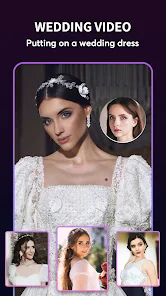
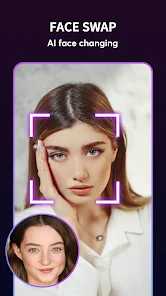
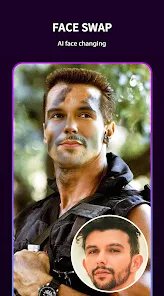
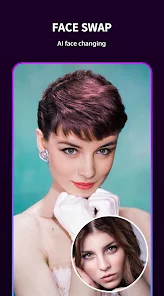
Mivo is a face-swap video app, specifically designed for creating fun, personalized videos where you can swap faces with movie characters, celebrities, or even your friends. It falls under the category of entertainment and photo/video editing tools, but with a strong focus on viral-style content. Most people download it to make funny videos for social media, surprise friends with customized clips, or just mess around with their own photos. After launching it, the first thing I noticed was how straightforward the landing page was: a clean layout with a few popular templates front and center, no clutter. There's no forced sign-up at the start, which felt nice. You just pick a template, snap a selfie, and you're ready to go. The app is free to download on both Google Play and the App Store, and from what I saw, it has a decent number of installs, though not as massive as some bigger names. Registration isn't mandatory for basic use, but some features or higher-quality exports might push you toward a paid upgrade or make you sit through short ads.
Once I started using it, the experience was mostly smooth. After selecting a template, you take a photo of your face, and the app automatically aligns it with the character's face in the video. The interface is simple: a few tabs at the bottom for different categories of templates, a preview screen to see the result, and a button to export. The onboarding is quick, just a couple of prompts explaining how to frame your face. In daily use, you'd first pick a template from categories like "Groom & Bride" or "Movie Scenes," then take or import a clear front-facing photo. The face mapping usually works well if your face is well-lit and straight-on, but turning your head or wearing glasses can cause some glitches. A practical tip: use a photo with good lighting and no obstructions for the best swap. The rendering takes a few seconds, and you can save the video directly. It's quite addictive to try different templates, though I noticed the free version adds a watermark and limits the resolution.
After spending a week with it, I'd say it's a fun app for casual users who want to create quick, shareable content for platforms like TikTok or Instagram. It's not for someone looking for professional-grade face-swapping or advanced editing tools. Compared to something like Reface or Snapchat's face swap, Mivo feels simpler and more focused on wedding-themed or romantic templates, which is a niche angle. The difference is that Mivo is less polished in terms of face detection accuracy, especially with side profiles, but it compensates with a library of specific, meme-ready videos. You might keep it installed if you regularly make themed jokes with friends, but you might uninstall it if the novelty wears off after a few uses or if you find the watermark too distracting. It's a neat little tool, not a powerhouse, but it does its job for what it promises.
features
- 🎭 Mivo offers a library of face-swap templates, especially wedding-themed like "Groom & Bride," which feels unique compared to Reface's broader movie clip selection. It's not just about swapping faces; it's about inserting yourself into a specific, often romantic or funny scenario, making the result more personalized for sharing on social platforms like Instagram stories.
- 🔄 The process is incredibly streamlined: pick a template, snap a selfie, and get the result in seconds. Compared to something like Snapchat, which requires manual alignment or filters, Mivo automates the face detection and mapping, so you don't need to tweak any settings. It's a one-tap wonder for quick laughs.
- 📥 The app includes a built-in gallery where you can browse trending templates, which helps you discover new content without leaving the app. Unlike FaceApp, which focuses on static photo edits, Mivo's strength is in dynamic video outputs, giving you a short clip ready to export.
pros
- 💡 One big strength is the simplicity of the interface. You don't need a tutorial to start. Compared to Reface, which sometimes requires you to adjust face boundaries manually, Mivo just works after you take the photo, which saves time for casual users.
- 💡 The template library is curated around viral trends, especially wedding moments, which gives it a clear audience. Snapchat's face swap is more gimmicky and real-time, but Mivo's pre-made clips often result in funnier, more shareable content because they're based on popular memes.
- 💡 It's free to start with no mandatory sign-up, lowering the barrier to try it out. Many similar apps, like Zao, require a phone number or social login right away, but Mivo lets you play first, which feels more user-friendly.
cons
- ⚠️ The face detection sometimes fails with side angles or hats, which is a problem Reface handles better with its more advanced AI. If your photo isn't perfectly front-facing, the swap can look stretched or misaligned, ruining the effect.
- ⚠️ The free version adds a watermark and exports only in lower quality, which makes the video look unprofessional for sharing. Compared to FaceApp's free tier, which offers decent resolution for photos, Mivo's video quality feels a step behind.
- ⚠️ The app's focus on wedding templates means limited variety for other use cases. Snapchat offers countless lenses and filters for any scenario, but Mivo feels repetitive if you're not into romantic or bride-and-groom themes.
Recommended Apps
![]()
16Personalities
16Personalities4
![]()
Zodiac Palm Reader: MagicWay
Reatility Media4.6
![]()
Moblo - 3D furniture modeling
MYTIforge4.1![]()
Magnifier Plus with Flashlight
Digitalchemy, LLC4.6![]()
QR Code Scanner
QR Code Scanner & Barcode Reader4.7![]()
FalFal: Astrology, Tarot, Love
FalFal Team4.8![]()
Christmas Photo Frames
PhotoFramesApps4.6![]()
AI Video Art Creator - Livensa
FERASET4.5![]()
Horoscope of Birth
Denimaks4.4![]()
Make Me Bald Prank
AppTornado2.5![]()
Kling AI: AI Image&Video Maker
Lohas Games Pte. Ltd.4.4![]()
Japan Timetable & Route Search
NAVITIME JAPAN CO., LTD.4.3![]()
Prank Call & Funny Video
TeH Software0![]()
Parallax 3D Live Wallpapers
TarrySoft4.3![]()
AI Chatbot - Nova
ScaleUp4.7















Disclaimer
1.AppInfoLibrary does not represent any developer, nor is it the developer of any App or game.
2.AppInfoLibrary provide custom reviews of Apps written by our own reviewers, and detailed information of these Apps, such as developer contacts, ratings and screenshots.
3.All trademarks, registered trademarks, product names and company names or logos appearing on the site are the property of their respective owners.
4. AppInfoLibrary abides by the federal Digital Millennium Copyright Act (DMCA) by responding to notices of alleged infringement that complies with the DMCA and other applicable laws.
5.If you are the owner or copyright representative and want to delete your information, please contact us info@appinfolibrary.com.
6.All the information on this website is strictly observed all the terms and conditions of Google Ads Advertising policies and Google Unwanted Software policy .














