
Manco - Cartoon Avatar Maker

100K+
Installs
Jessica Rendon
Developer
-
Generative AI
Category
-
Rated for 3+
Content Rating
-
rendonjessica969@gmail.com
Developer Email
-
https://sites.google.com/view/cartoon-avatar-maker2
Privacy Policy
Screenshots
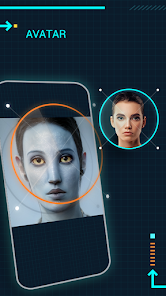
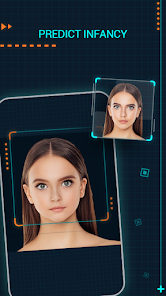
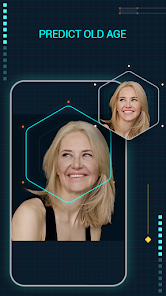
editor reviews
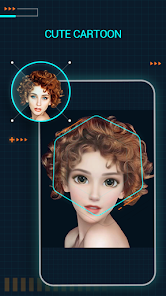
Manco is a cartoon avatar maker app that lets you turn photos into fun, illustrated versions of yourself. It belongs to the photo editing and avatar creation category, and people mainly use it for profile pictures, social media icons, or just playful self-expression. You might download it from Google Play or App Store after seeing a friend's cute avatar, and the first thing you notice after launching it is a bright, colorful interface with big buttons. The install count is modest but it's free to download, though there are in-app purchases for extra styles and no forced ads during editing, which feels refreshing. Registration isn't required upfront, so you can start playing around immediately.
When you actually use the app, the hands-on experience is straightforward. You pick a photo from your gallery or take a new one, and Manco analyzes your face then applies a cartoon filter. The interface is clean with clear icons for adjusting hair, eyes, skin tone, and accessories. Onboarding is quick with a tiny tutorial popup, and the main actions involve tapping to switch styles or sliding to tweak details. A smooth moment happens when it instantly renders your avatar, but sometimes the facial detection can be finicky if lighting is poor. A practical tip is to use a well-lit front-facing photo for best results. Daily use might mean creating a new avatar every few weeks for different platforms, and it's fun to see how the cartoon version differs from your real face.
After using it for a while, I think Manco is enjoyable for people who like customizing their digital identity without heavy editing skills. It's not for someone who wants ultra-realistic portraits or professional graphic design tools. What makes it different from similar apps like Zmoji or Avatar Maker is its focus on simplicity and cartoon aesthetics rather than anime or realistic styles. The reason someone might keep it installed is for quick avatar refreshes, but you might uninstall it if you only make one avatar and never return. It's fair to say it's a fun, casual app for personal use, not a powerhouse tool.
features
- 🎨 One-Click Cartoonization: Unlike FaceQ, which requires manual adjustments for every feature, Manco automates the avatar creation from your photo, so you get a cartoon version in seconds without fussing with sliders.
- 🖌️ Style Variety: You can switch between different cartoon filters like watercolor, sketch, or pop art, giving more creative freedom compared to Zmoji's limited preset looks.
- 📱 No Registration Hassle: Manco works offline after download, unlike Cartoonify which forces account signup before editing, making it quicker to start.
- 🌐 Social Sharing Integration: It directly posts your avatar to WhatsApp, Instagram, or TikTok, while similar apps like Avatar Maker often require saving and manually uploading.
pros
- 🖼️ Free Base Tools: The core cartoon filter is free with no watermarks, whereas Apps like ToonMe lock basic features behind a paywall or add branding.
- ⚡ Fast Processing: Renders avatars under five seconds even on older phones, beating Prisma's slower cartoon effect that takes up to twenty seconds.
- 🎨 Customizable Details: You can change hair color, eye shape, and background without extra cost, which is rare compared to Snapchat's Bitmoji that limits personalization unless you buy packs.
cons
- 🖼️ Limited High-Resolution Output: Exported images cap at 1080p, so if you want sharp prints, FaceQ offers higher resolution exports without limits.
- 🎨 Fewer Face Detection Options: It struggles with side profiles or group photos, while apps like ToonMe handle multiple faces better and allow manual cropping.
- 🔄 No Edit History: Once you save an avatar, you can't revert changes, differing from Prisma which saves edit steps for later tweaks.
- 📶 Occasional Crashes: On heavy filters like pop art, the app sometimes freezes, making it less stable than Zmoji's reliable performance across devices.
Recommended Apps
![]()
16Personalities
16Personalities4
![]()
Zodiac Palm Reader: MagicWay
Reatility Media4.6
![]()
Moblo - 3D furniture modeling
MYTIforge4.1![]()
Magnifier Plus with Flashlight
Digitalchemy, LLC4.6![]()
QR Code Scanner
QR Code Scanner & Barcode Reader4.7![]()
FalFal: Astrology, Tarot, Love
FalFal Team4.8![]()
Christmas Photo Frames
PhotoFramesApps4.6![]()
AI Video Art Creator - Livensa
FERASET4.5![]()
Horoscope of Birth
Denimaks4.4![]()
Make Me Bald Prank
AppTornado2.5![]()
Kling AI: AI Image&Video Maker
Lohas Games Pte. Ltd.4.4![]()
Japan Timetable & Route Search
NAVITIME JAPAN CO., LTD.4.3![]()
Prank Call & Funny Video
TeH Software0![]()
Parallax 3D Live Wallpapers
TarrySoft4.3![]()
AI Chatbot - Nova
ScaleUp4.7















Disclaimer
1.AppInfoLibrary does not represent any developer, nor is it the developer of any App or game.
2.AppInfoLibrary provide custom reviews of Apps written by our own reviewers, and detailed information of these Apps, such as developer contacts, ratings and screenshots.
3.All trademarks, registered trademarks, product names and company names or logos appearing on the site are the property of their respective owners.
4. AppInfoLibrary abides by the federal Digital Millennium Copyright Act (DMCA) by responding to notices of alleged infringement that complies with the DMCA and other applicable laws.
5.If you are the owner or copyright representative and want to delete your information, please contact us info@appinfolibrary.com.
6.All the information on this website is strictly observed all the terms and conditions of Google Ads Advertising policies and Google Unwanted Software policy .














