
Voila AI Artist Cartoon Photo

10M+
Installs
Wemagine.AI
Developer
-
Generative AI
Category
-
Rated for 3+
Content Rating
-
hello@wemagine.ai
Developer Email
-
https://www.wemagine.ai/privacypolicy
Privacy Policy
Screenshots
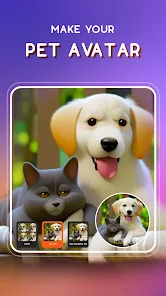
editor reviews
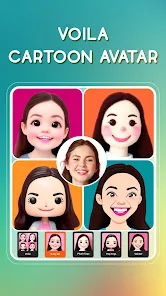
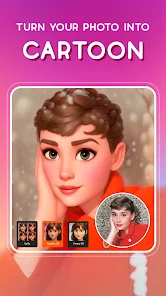
Voila AI Artist is a photo editing app that turns your regular pictures into cartoon-style portraits, oil paintings, and even 3D caricatures. It belongs to the AI-powered photo transformation category, which has become pretty popular over the last few years. People mainly use it to create fun, shareable versions of selfies and group shots for social media profiles, profile pictures, or just to mess around with friends. After downloading it from Google Play or the App Store — it's free to install, though it does have in-app purchases — the first thing I noticed was how clean and simple the launch screen looked. No overwhelming tutorials or pop-ups asking for permissions right away, which was a nice change from some other apps that bombard you before you even see the main page. The install count is huge, so it's clearly caught on with a lot of users.
Once you open the app, the interface is straightforward: you snap a photo or pick one from your gallery, and within seconds, it processes the image. The onboarding is minimal — just a quick swipe through three screens explaining the main styles like cartoon, oil painting, and sketch. During hands-on use, I found the process smooth for the most part. You select a style, wait a few seconds for the AI to do its thing, and then you can tweak the results or save them directly. The oil painting filter took a bit longer than the cartoon one, but nothing too frustrating. One practical tip I picked up: using a well-lit, front-facing shot gives way better results than a dim or blurry photo. There were a few moments where the app struggled with complex backgrounds or group shots, partially cutting off people's edges, but for single-person selfies, it nailed it nearly every time.
After spending some time with it, I'd say Voila AI Artist is great for casual users who want quick, quirky edits without learning any fancy editing tools. Someone who loves posting fun profile pictures on WhatsApp or Instagram will probably keep this around. But if you're after high-end artistic control or realistic portrait touches, you might get bored fast because the styles are limited and somewhat repetitive. Compared to apps like Prisma or FaceApp, Voila focuses more on the cartoonish side rather than artistic filters or aging effects. What makes it stand out is how fast and foolproof the cartoon transformation feels — it really does make you look like a character straight out of an animation movie. I can see why people keep it installed, though I can also see someone uninstalling it after a week if they're not into sharing those kinds of images often.
features
- 🎨 Cartoon transformation speed — Voila AI Artist processes a cartoon version of your photo in under 5 seconds, which is noticeably quicker than Cartoonify or ToonMe. The result looks polished straight out of the app without needing manual tweaks.
- 🎨 Multiple style variety — Unlike some apps that stick to one or two cartoon styles, Voila offers oil painting, 3D caricature, and sketch effects. That gives you more options for different moods without switching apps.
- 🎨 Minimal learning curve — You don't need any editing experience to get a good result. Just upload and pick a style. Compare that to Prisma, which sometimes requires adjusting intensity sliders to avoid an overprocessed look.
pros
- ✅ No watermarks on free output — Many similar apps like ToonMe slap a watermark on your image unless you pay, but Voila lets you save the cartoon result without one in the free version. That's a big deal for casual sharing.
- ✅ Offline processing for basic styles — The cartoon filter works without an internet connection, which is handy when you're on a commute or in a spotty signal area. FaceApp requires a constant connection for most effects.
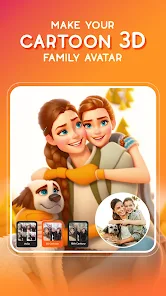
- ✅ Group photo support — Voila can process multiple faces in one shot without mixing up features. Apps like Cartoonify often struggle with group selfies and produce glitchy results.
cons
- ❌ Limited artistic control — You can't adjust the level of cartoonization or tweak specific facial features after processing. Prisma lets you fine-tune effect intensity, which Voila completely lacks.
- ❌ Slow oil painting rendering — While cartoon filters are fast, the oil painting style takes noticeably longer to generate, sometimes up to 20 seconds. FaceApp's artistic filters are more consistent in speed across different styles.
- ❌ No batch processing — If you have a whole album to convert, you have to do each photo one by one. ToonMe offers a batch mode for paid users, which saves time for heavy users.
Recommended Apps
![]()
16Personalities
16Personalities4
![]()
Zodiac Palm Reader: MagicWay
Reatility Media4.6
![]()
Moblo - 3D furniture modeling
MYTIforge4.1![]()
Magnifier Plus with Flashlight
Digitalchemy, LLC4.6![]()
QR Code Scanner
QR Code Scanner & Barcode Reader4.7![]()
FalFal: Astrology, Tarot, Love
FalFal Team4.8![]()
Christmas Photo Frames
PhotoFramesApps4.6![]()
AI Video Art Creator - Livensa
FERASET4.5![]()
Horoscope of Birth
Denimaks4.4![]()
Make Me Bald Prank
AppTornado2.5![]()
Kling AI: AI Image&Video Maker
Lohas Games Pte. Ltd.4.4![]()
Japan Timetable & Route Search
NAVITIME JAPAN CO., LTD.4.3![]()
Prank Call & Funny Video
TeH Software0![]()
Parallax 3D Live Wallpapers
TarrySoft4.3![]()
AI Chatbot - Nova
ScaleUp4.7















Disclaimer
1.AppInfoLibrary does not represent any developer, nor is it the developer of any App or game.
2.AppInfoLibrary provide custom reviews of Apps written by our own reviewers, and detailed information of these Apps, such as developer contacts, ratings and screenshots.
3.All trademarks, registered trademarks, product names and company names or logos appearing on the site are the property of their respective owners.
4. AppInfoLibrary abides by the federal Digital Millennium Copyright Act (DMCA) by responding to notices of alleged infringement that complies with the DMCA and other applicable laws.
5.If you are the owner or copyright representative and want to delete your information, please contact us info@appinfolibrary.com.
6.All the information on this website is strictly observed all the terms and conditions of Google Ads Advertising policies and Google Unwanted Software policy .














