
Weather Radar & Weather Live

1M+
Installs
Avn Global Application
Developer
-
Productivity
Category
-
Everyone
Content Rating
-
support@android.vn
Developer Email
-
https://sites.google.com/view/weatherradarmaplive/home
Privacy Policy
Screenshots
editor reviews
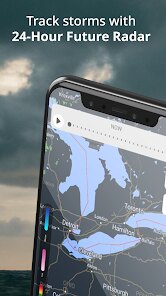
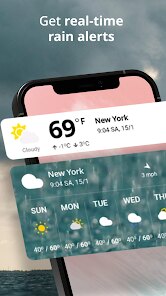
Weather Radar & Weather Live is a weather app that focuses on giving you real-time radar imagery and current conditions rather than a 7-day forecast. It's the kind of app you grab when you want to see exactly where the rain is falling or how fast a storm is moving, not when you need to plan next weekend's picnic. I downloaded it from Google Play because the preview screenshots made the radar look crisp and colorful, and the install count was decent enough to suggest it wasn't some abandoned project. Opening it for the first time, I was hit with a full-screen animated radar map that immediately zoomed into my location, which felt both impressive and a little intrusive before I could find the settings. There's no forced registration, which is a huge relief, but there are banner ads at the bottom that are noticeable but not too aggressive. The app is free to download, and a small in-app purchase removes those ads entirely.
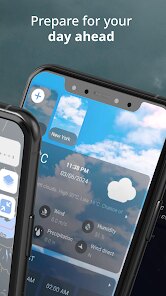
Once I started poking around, the interface felt a bit cluttered, honestly. The main radar map is the star of the show, but it's surrounded by small panels showing temperature, humidity, wind speed, and a timeline of upcoming precipitation. Tapping on the map lets you toggle between different weather layers like satellite, cloud cover, and a “rain view” that highlights precipitation intensity. I found the map itself smooth to swipe and pinch, and the animation of moving clouds actually helped me see a front rolling in. The onboarding was pretty much nonexistent, which meant I had to tap around to figure out what each icon did, but once I learned that the bottom bar switches between radar, hourly, and a list of weather alerts, daily use became straightforward. A small tip: if the radar animation feels slow, turning off the high-definition layer in the settings makes it much snappier.
After using this app for a few weeks, I think it's great for storm watchers or people who just want a quick visual check before heading out, but it's not for anyone who needs detailed forecasts or long-range planning. Compared to big names like AccuWeather, this app lacks the polished daily summaries and lifestyle forecasts, but it beats them hands-down for pure radar speed and clarity. I keep it installed because it loads faster than the larger weather apps and focuses on what I actually check multiple times a day: where the rain is and when it's hitting me. However, I can see someone uninstalling it if they find the ads annoying or if they expect a more complete weather experience with news, videos, and widgets. It's a specialized tool, not a Swiss Army knife.
features
- 🌦 Real-time animated radar that updates quickly and shows precipitation movement with a smooth overlay, letting you watch a storm approach minute by minute without lag.
- 🌦 Multiple weather layers like satellite, temperature, and cloud cover can be toggled directly on the radar map, giving you more control than the basic view in WeatherBug.
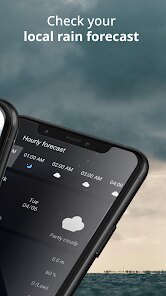
- 🌦 A “precipitation timeline” at the bottom shows a quick visual of rain intensity for the next couple of hours, which is simpler and more intuitive than the cluttered hourly chart in The Weather Channel.
- 🌦 It loads the radar almost instantly and doesn't drain battery as fast as other apps when left running in the background during a storm watch.
pros
- ✅ No registration required to view the full radar and forecasts, unlike some apps that block features until you create an account or sign in.
- ✅ The radar animation is noticeably smoother and more responsive than what I've seen in WeatherBug or the basic radar in Yahoo Weather.
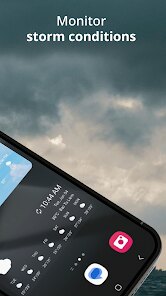
- ✅ It provides clear and immediate visual alerts for severe weather without flooding you with notifications about minor changes.
- ✅ The simple layout makes it easy to glance at current conditions without scrolling through endless widgets.
cons
- ❌ The app feels a bit dated in design, with a cluttered interface that doesn't look as clean or modern as Carrot Weather or today's default iOS weather app.
- ❌ Forecasting beyond six hours is very basic and not reliable, so you still need another app like AccuWeather for planning tomorrow's activities.
- ❌ Banner ads at the bottom of the screen can get annoying, especially when you're trying to view the full radar map on a smaller phone screen.
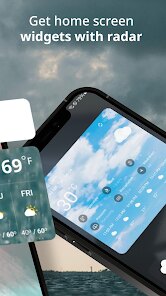
- ❌ There is no lock screen or home screen widget available, which limits quick checking compared to competitors like 1Weather.
Recommended Apps
![]()
16Personalities
16Personalities4
![]()
Zodiac Palm Reader: MagicWay
Reatility Media4.6
![]()
Moblo - 3D furniture modeling
MYTIforge4.1![]()
Magnifier Plus with Flashlight
Digitalchemy, LLC4.6![]()
QR Code Scanner
QR Code Scanner & Barcode Reader4.7![]()
FalFal: Astrology, Tarot, Love
FalFal Team4.8![]()
Christmas Photo Frames
PhotoFramesApps4.6![]()
AI Video Art Creator - Livensa
FERASET4.5![]()
Horoscope of Birth
Denimaks4.4![]()
Make Me Bald Prank
AppTornado2.5![]()
Kling AI: AI Image&Video Maker
Lohas Games Pte. Ltd.4.4![]()
Japan Timetable & Route Search
NAVITIME JAPAN CO., LTD.4.3![]()
Prank Call & Funny Video
TeH Software0![]()
Parallax 3D Live Wallpapers
TarrySoft4.3![]()
AI Chatbot - Nova
ScaleUp4.7















Disclaimer
1.AppInfoLibrary does not represent any developer, nor is it the developer of any App or game.
2.AppInfoLibrary provide custom reviews of Apps written by our own reviewers, and detailed information of these Apps, such as developer contacts, ratings and screenshots.
3.All trademarks, registered trademarks, product names and company names or logos appearing on the site are the property of their respective owners.
4. AppInfoLibrary abides by the federal Digital Millennium Copyright Act (DMCA) by responding to notices of alleged infringement that complies with the DMCA and other applicable laws.
5.If you are the owner or copyright representative and want to delete your information, please contact us info@appinfolibrary.com.
6.All the information on this website is strictly observed all the terms and conditions of Google Ads Advertising policies and Google Unwanted Software policy .














