
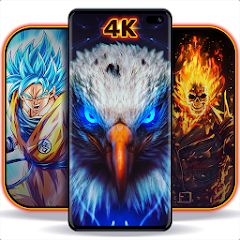
Wallpapers HD - Backgrounds 4K

10M+
Installs
TarrySoft
Developer
-
Productivity
Category
-
Rated for 3+
Content Rating
-
support.wallpapershd@kigelapps.com
Developer Email
-
https://kigelapps.com/wallpapershd/privacy
Privacy Policy
Screenshots




editor reviews
Wallpapers HD - Backgrounds 4K is just what it says on the tin — a wallpaper app packed with high-res backgrounds for your phone. It sits in the personalization category alongside tons of other wallpaper apps, but its whole pitch is offering crisp 4K images without needing to hunt across random websites. A normal person would probably stumble onto it while searching Google Play for a new look, drawn in by the promise of free high-definition downloads. After installing it, first impression is that the layout feels clean and straightforward, with categories like Abstract, Nature, or Space right there on the home screen. You can scroll through previews quickly, and the images load fast without too much lag. There's no forced registration right away, which is nice — you can start browsing immediately.
Using it day to day is pretty smooth. The interface uses a simple grid view, so tapping a wallpaper opens it full-screen with a bright "Set Wallpaper" button. The onboarding is minimal — maybe a quick permission request for storage, then you're in. Common steps go like: pick a category, scroll until something catches your eye, tap to preview, then hit the button. One slightly confusing moment for me was figuring out whether downloading saves the image or sets it directly — turns out you tap "Download" first, then "Apply." A small practical tip: there's a search bar at the top that actually works well for specific terms like "aurora" or "minimalist." Some wallpapers have a "Live" tag, which means they animate slightly, but those drain battery faster. Overall, navigation feels intuitive after the first few tries.
After using it for a couple of weeks, I think it's a solid pick for someone who changes their background often and wants variety without hassle. People who enjoy curated collections or themes might prefer something like Zedge, which mixes wallpapers with ringtones. What makes this app stand out is the sheer volume of true 4K options — many apps claim high resolution but actually compress images. Here, the quality holds up even on larger screens. I'd keep it installed because it doesn't pester you with endless ads during browsing, just a few banners. That said, someone who rarely changes wallpapers might uninstall it after a week since the novelty wears off. It's a no-frills tool that does exactly what it promises, and that's rare in this crowded space.
features
- 🎨 Feature 1: True 4K resolution wallpapers — Most free wallpaper apps like Zedge or Walli upscale lower-res images or compress them to save space. This app keeps the original sharpness, so on a high-end phone screen, the details really pop, especially in nature or cityscape shots.
- 🎨 Feature 2: Daily fresh wallpapers — The app updates its library every day with a "Daily" section. Compared to Backdrops, which has a more static rotating collection, this one feels more dynamic, with new picks that match trending themes or seasons.
- 🎨 Feature 3: Minimalist search and filtering — You can search by color, category, or even keyword like "neon" or "ocean." Vellum has a similar search feature, but it requires a subscription for full access. Here, the search is completely free with no gated results.
- 🎨 Feature 4: Live wallpapers with subtle motion — Unlike basic static apps, this one includes live wallpapers that move gently, like flowing water or drifting clouds. They're smoother than the resource-heavy ones on Muzei, but they do use more battery.
pros
- 💪 No watermarks on downloaded wallpapers — A lot of free wallpaper apps plaster logos or text in the corner, which ruins the look. This app keeps images clean, so you can set them directly without cropping out branding, unlike some options on Wallpaper Engine.
- 💪 Lightweight and fast loading — The app doesn't bloat your phone with background processes or huge cache files. Compared to Zedge, which can become sluggish after a few weeks, this one stays nimble, and wallpapers load in seconds even on slower connections.
- 💪 Offline access after download — Once you save a wallpaper, you can view and apply it without internet. That's handy if you're traveling or have limited data, unlike many apps that require an online connection to browse your favorites.
cons
- ⚠️ Ads are present but not overwhelming — There are banner ads at the bottom and occasional full-screen ones after setting a wallpaper. Compared to Backdrops, which has a cleaner ad-free experience, this can interrupt the flow if you're browsing quickly.
- ⚠️ Limited customization for live wallpapers — You can't adjust speed or duration of the motion effects. Apps like Muzei let you tweak these settings, but this one locks them, which might disappoint users who like fine control.
- ⚠️ No social or community features — Unlike Walli, where you can follow artists and see profiles, this app has zero social elements. You just download and go, which is fine for some but feels plain if you enjoy discovering creators.
- ⚠️ Some wallpapers are overly similar — The app has tons of content, but after a while, you notice repeated themes like blue gradients or generic mountains. Zedge offers more diverse styles from different sources, so you get a wider visual range.
Recommended Apps
![]()
16Personalities
16Personalities4
![]()
Zodiac Palm Reader: MagicWay
Reatility Media4.6
![]()
Moblo - 3D furniture modeling
MYTIforge4.1![]()
Magnifier Plus with Flashlight
Digitalchemy, LLC4.6![]()
QR Code Scanner
QR Code Scanner & Barcode Reader4.7![]()
FalFal: Astrology, Tarot, Love
FalFal Team4.8![]()
Christmas Photo Frames
PhotoFramesApps4.6![]()
AI Video Art Creator - Livensa
FERASET4.5![]()
Horoscope of Birth
Denimaks4.4![]()
Make Me Bald Prank
AppTornado2.5![]()
Kling AI: AI Image&Video Maker
Lohas Games Pte. Ltd.4.4![]()
Japan Timetable & Route Search
NAVITIME JAPAN CO., LTD.4.3![]()
Prank Call & Funny Video
TeH Software0![]()
Parallax 3D Live Wallpapers
TarrySoft4.3![]()
AI Chatbot - Nova
ScaleUp4.7















Disclaimer
1.AppInfoLibrary does not represent any developer, nor is it the developer of any App or game.
2.AppInfoLibrary provide custom reviews of Apps written by our own reviewers, and detailed information of these Apps, such as developer contacts, ratings and screenshots.
3.All trademarks, registered trademarks, product names and company names or logos appearing on the site are the property of their respective owners.
4. AppInfoLibrary abides by the federal Digital Millennium Copyright Act (DMCA) by responding to notices of alleged infringement that complies with the DMCA and other applicable laws.
5.If you are the owner or copyright representative and want to delete your information, please contact us info@appinfolibrary.com.
6.All the information on this website is strictly observed all the terms and conditions of Google Ads Advertising policies and Google Unwanted Software policy .














