
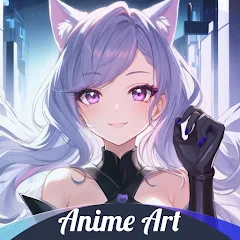
Anime Art - AI Art Generator

1M+
Installs
DREAMPLAY
Developer
-
Generative AI
Category
-
Rated for 12+
Content Rating
-
dreamplaylimited@gmail.com
Developer Email
-
https://sites.google.com/view/fantasy-privacy-and
Privacy Policy
Screenshots
editor reviews
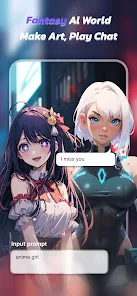
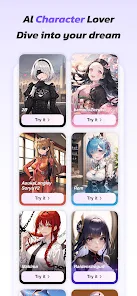
Anime Art - AI Art Generator is a mobile application that turns text prompts or simple sketches into anime-style artwork using artificial intelligence. It belongs to the growing category of AI art generation tools, but with a specific focus on the anime aesthetic. A lot of drawing apps either require some skill or just offer generic filters, but this one feels different from the start. It's free to download from both Google Play and the App Store, though you will find in-app purchases once you try generating more complex images or want higher resolution outputs. I did notice ads pop up occasionally, usually after finishing a piece, which is tolerable considering there's no upfront fee. After launching the app for the first time, I was greeted with a clean, dark-themed interface and a simple prompt box at the center. No overwhelming tutorial or sign-up wall, which honestly made me want to keep exploring.
Using the app is pretty straightforward. You type in what you want to see, like "a girl with cat ears under cherry blossoms," pick a style preset from the list, and hit generate. Within a few seconds, four variations show up. The onboarding is very minimal — just a quick swipe guide, then you're on your own. I found the prompt suggestions handy when I wasn't sure what to type. There's also a feature where you can upload a reference image and the AI will try to match the style or pose. The interface is responsive, and navigating between the gallery, creation screen, and profile feels smooth. One minor thing is that sometimes the image generation queue can get slow if too many people are using it at once, but that's expected. A small tip: if you want better faces, using terms like "detailed eyes" or "soft shading" in the prompt really helps. I also liked that you can edit or tweak prompts before regenerating without losing your previous creations.
After using it for a couple of weeks, I'd say Anime Art is best for casual anime fans and people who enjoy experimenting with AI-generated visuals. If you're a hardcore digital artist looking for precision control, this probably won't replace your usual tools like Clip Studio Paint or even other AI apps like Midjourney. But for quick idea generation, character design inspiration, or just having fun creating anime portraits, it does the job well. What makes it stand out from generic AI art apps is how well it understands anime-specific terms like "chibi," "moe," or "cell shading" — the results actually look like they came from an anime studio. I kept it installed because it's fun to play around with when I'm bored, but I can see some people uninstalling it after a week if they find the free limits too restrictive. Still, for a free tool with no watermarks on basic outputs, it's worth a try.
features
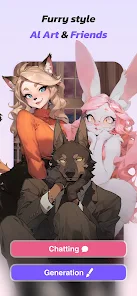
- 🎨 The biggest selling point is how accurately it interprets anime-specific styles. Unlike generic AI art generators that output photorealistic or semi-realistic images, Anime Art nails the "moe" look, chibi proportions, and even classic 90s anime shading. When compared to something like Midjourney, which requires very specific prompts to get anime results, this app feels much more intuitive for fans of the genre. You don't need to fight the AI to get proper big eyes and colored hair.
- ⚙️ Another feature that impressed me is the reference image upload. You can take a photo of yourself or a friend and the AI will redraw it as an anime character. It keeps the basic composition and pose but transforms everything into an anime style. I tried this with a couple of pet photos, and while it's not perfect for animals, the human results were surprisingly good. Other apps like Artbreeder require more manual tweaking to achieve similar results.
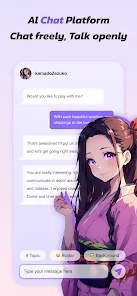
- 📱 Then there's the gallery and community aspect. You can save your creations directly to your device, but also browse public works from other users. It gives you inspiration and lets you see what prompts others are using. It's not as polished as social art platforms like DeviantArt, but it's a nice bonus that makes the experience feel less isolated.
- 🔥 The last feature worth mentioning is the inpainting tool. If a generated image has a weird hand or a messed-up eye, you can mask that area and regenerate only that part. This avoids deleting the whole image and starting from scratch, which is something even some paid tools don't offer easily.
pros
- 👍 One clear strength is the learning curve. You can get decent results on your first try, which isn't true for apps like Stable Diffusion or NovelAI where you often need to mess around with negative prompts and complex parameters. Anime Art just works out of the box.
- 👍 The free tier is actually usable. You get a decent number of daily credits, and the ads are not intrusive. Compared to DreamStudio or Midjourney, which quickly push you to paid plans, this app gives you more room to test before committing.
- 👍 Another strength is the variety of presets. There are presets for different anime eras, like "Modern 2020s," "90s Retro," and "Ghibli-inspired." Other apps usually just dump all anime into one category, so this attention to sub-styles is appreciated.
- 👍 And the output resolution for free users is not bad either. Basic generations are 1024x1024 without watermarks. That's better than many competitors which either reduce quality or slap logos all over free outputs.
cons
- 👎 The biggest downside is the coin system. Free credits are limited to a very basic daily amount, and higher quality settings eat up credits fast. When you compare with an app like Dream by WOMBO, which also focuses on stylized AI art but gives more generous free usage, Anime Art feels quite restrictive after the first week.
- 👎 The app's handling of complex prompts is inconsistent. If you ask for a full scene with multiple characters, the AI often drops one character or blends them together. Similar apps like Midjourney handle complex compositions better, even if they require more technical prompting.
- 👎 Then there's the lack of export options. You can only save as a standard JPG, and there's no transparency support or layered file output. For someone like me who wanted to use these images for further editing, this was a real letdown. Even a basic PNG export option would have been nice.
- 👎 The last annoyance is that the app sometimes crashes when you try to load the public gallery. It usually takes a few seconds to recover, but it's happened enough times to be noticeable. I haven't experienced this with other art apps on the same phone.
Recommended Apps
![]()
16Personalities
16Personalities4
![]()
Zodiac Palm Reader: MagicWay
Reatility Media4.6
![]()
Moblo - 3D furniture modeling
MYTIforge4.1![]()
Magnifier Plus with Flashlight
Digitalchemy, LLC4.6![]()
QR Code Scanner
QR Code Scanner & Barcode Reader4.7![]()
FalFal: Astrology, Tarot, Love
FalFal Team4.8![]()
Christmas Photo Frames
PhotoFramesApps4.6![]()
AI Video Art Creator - Livensa
FERASET4.5![]()
Horoscope of Birth
Denimaks4.4![]()
Make Me Bald Prank
AppTornado2.5![]()
Kling AI: AI Image&Video Maker
Lohas Games Pte. Ltd.4.4![]()
Japan Timetable & Route Search
NAVITIME JAPAN CO., LTD.4.3![]()
Prank Call & Funny Video
TeH Software0![]()
Parallax 3D Live Wallpapers
TarrySoft4.3![]()
AI Chatbot - Nova
ScaleUp4.7















Disclaimer
1.AppInfoLibrary does not represent any developer, nor is it the developer of any App or game.
2.AppInfoLibrary provide custom reviews of Apps written by our own reviewers, and detailed information of these Apps, such as developer contacts, ratings and screenshots.
3.All trademarks, registered trademarks, product names and company names or logos appearing on the site are the property of their respective owners.
4. AppInfoLibrary abides by the federal Digital Millennium Copyright Act (DMCA) by responding to notices of alleged infringement that complies with the DMCA and other applicable laws.
5.If you are the owner or copyright representative and want to delete your information, please contact us info@appinfolibrary.com.
6.All the information on this website is strictly observed all the terms and conditions of Google Ads Advertising policies and Google Unwanted Software policy .














