
Perfect Me -Face & Body Editor

10M+
Installs
ryzenrise
Developer
-
Video Players & Editors
Category
-
Rated for 3+
Content Rating
-
ryzengchang@gmail.com
Developer Email
-
https://www.wisharcbuilder.com/privacy_perfectme.html
Privacy Policy
Screenshots
editor reviews
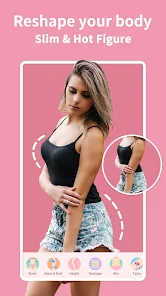
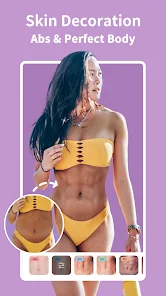
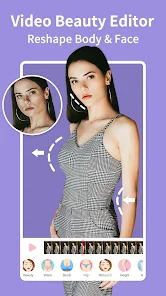
Perfect Me is a beauty and photo editing app that focuses specifically on reshaping faces and bodies. You can find it on both Google Play and the App Store. It's designed for selfies and portrait photos, letting you tweak things like jawline shape, waist size, or leg length with simple slider controls. For a regular user, you might download this if you want more precise control over body proportions than what typical filters offer. Right after launch, the interface feels pretty clean and straightforward, with a big import button front and center. The whole thing is free to download, and while there are in-app purchases and some ads, they don't shove them in your face the first time you open it.
Once you start using Perfect Me, the hands-on feel is mostly smooth. You import a photo, and then you see editing categories like Face or Body. The onboarding is minimal, basically letting you tap around and figure it out. A common use case would be uploading a full-body selfie, then sliding the waist thinner or tweaking shoulder width. The app processes the changes in real time, which is satisfying, but sometimes the image can warp a bit if you push a slider too far. A practical tip: use the eraser tool to mask out background areas you don't want reshaped. That saves a lot of unnatural distortions. It's not perfect for group photos yet, but for single-person shots, the workflow feels fast and intuitive.
After using Perfect Me for a while, the personal verdict is mixed. People who frequently post on social media or want quick body edits will love how specific the controls are, especially for curvy silhouettes. But if you just want a casual glow-up filter, you might find it overkill. Compared to apps like Facetune, Perfect Me feels more surgical for things like ribcage or thigh slimming, which is both its strength and its limitation. I'd keep it installed if I occasionally need extreme reshaping for a particular photo, but I can see uninstalling it if you only need basic skin smoothing most of the time. It's a useful tool, just not for everyday use.
features
- :pushpin: Body reshaping sliders that go beyond typical apps — you can adjust individual parts like thighs, arms, shoulders, and even hip width. That's way more granular than what you get in most free editors.
- :pushpin: A smart eraser designed to isolate editing zones. If you want to slim your waist without bending a wall behind you, this tool masks the background. It's a small thing, but it makes results look way more natural.
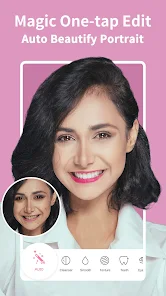
- :pushpin: Face reshaping with jawline, chin, and forehead controls. You're not stuck with generic beauty filters; you can actually tweak bone structure, which is rare in apps this easy to use.
pros
- :star: One big strength of Perfect Me is keeping the original image quality. A lot of similar apps like YouCam Perfect compress your photo to death, but this one exports at a decent resolution.
- :star: The free tool set is actually usable. You don't have to pay to access the waist slider or face reshape. Facetune, for comparison, locks half of those behind a subscription wall, which feels greedy.
- :star: Processing is local on the device. No wait for cloud uploads. If you're editing multiple photos in a row, that's a major time saver compared to online editors.
cons
- :warning: The automatic edge detection isn't perfect. If you're wearing loose clothing or have hair over your shoulder, the slimming slider can create a weird blurry halo around the edges. Facetune handles this a bit better.
- :warning: There's no undo button that remembers multiple steps. If you make five changes and then realize the first one was off, you have to redo everything. It's frustrating compared to apps like Adobe Lightroom.
- :warning: The free version leaves a small watermark on exports unless you watch an ad or pay. That's not a deal-breaker, but it feels a bit cheap compared to apps like Meitu that offer watermark removal just by sharing on social media.
Recommended Apps
![]()
16Personalities
16Personalities4
![]()
Zodiac Palm Reader: MagicWay
Reatility Media4.6
![]()
Moblo - 3D furniture modeling
MYTIforge4.1![]()
Magnifier Plus with Flashlight
Digitalchemy, LLC4.6![]()
QR Code Scanner
QR Code Scanner & Barcode Reader4.7![]()
FalFal: Astrology, Tarot, Love
FalFal Team4.8![]()
Christmas Photo Frames
PhotoFramesApps4.6![]()
AI Video Art Creator - Livensa
FERASET4.5![]()
Horoscope of Birth
Denimaks4.4![]()
Make Me Bald Prank
AppTornado2.5![]()
Kling AI: AI Image&Video Maker
Lohas Games Pte. Ltd.4.4![]()
Japan Timetable & Route Search
NAVITIME JAPAN CO., LTD.4.3![]()
Prank Call & Funny Video
TeH Software0![]()
Parallax 3D Live Wallpapers
TarrySoft4.3![]()
AI Chatbot - Nova
ScaleUp4.7















Disclaimer
1.AppInfoLibrary does not represent any developer, nor is it the developer of any App or game.
2.AppInfoLibrary provide custom reviews of Apps written by our own reviewers, and detailed information of these Apps, such as developer contacts, ratings and screenshots.
3.All trademarks, registered trademarks, product names and company names or logos appearing on the site are the property of their respective owners.
4. AppInfoLibrary abides by the federal Digital Millennium Copyright Act (DMCA) by responding to notices of alleged infringement that complies with the DMCA and other applicable laws.
5.If you are the owner or copyright representative and want to delete your information, please contact us info@appinfolibrary.com.
6.All the information on this website is strictly observed all the terms and conditions of Google Ads Advertising policies and Google Unwanted Software policy .














